> ## Documentation Index
> Fetch the complete documentation index at: https://docs.topsort.com/llms.txt
> Use this file to discover all available pages before exploring further.
# Kampagnendetails Anzeigen
export const LastUpdatedDe = ({date}) => {
const label = "Zuletzt aktualisiert:";
return <>
;
};
Sie können die Leistung Ihrer gesponserter Anzeigenkampagne im Kampagnen-Dashboard überprüfen.
Auf dieser Seite können Sie die Key Performance Indicators (KPIs) oben für einen von Ihnen ausgewählten Zeitraum sowie ein Diagramm darunter mit den Trends sehen. Sie können auch die in Ihrer Kampagne enthaltenen Produkte sehen, indem Sie durch die Produktbilder scrollen. Wenn Sie mit der Maus über ein Produktbild fahren, werden die Leistungsindikatoren aktualisiert, um die Leistung dieses spezifischen Produkts anzuzeigen.
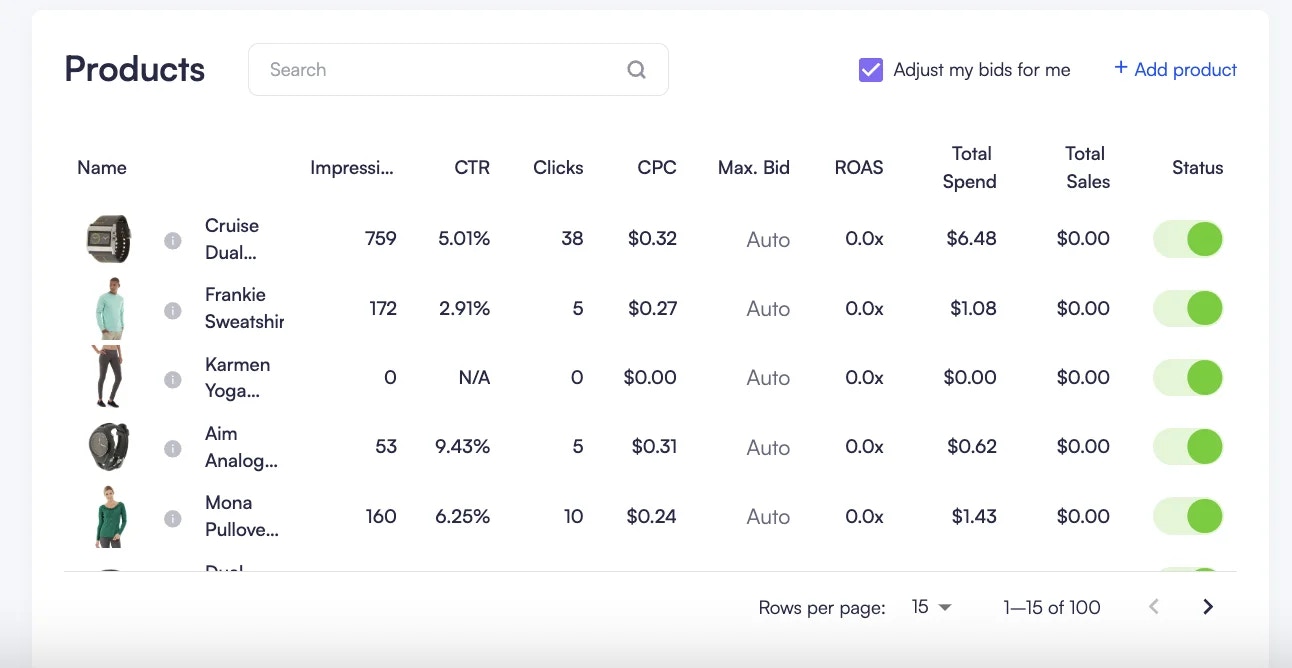
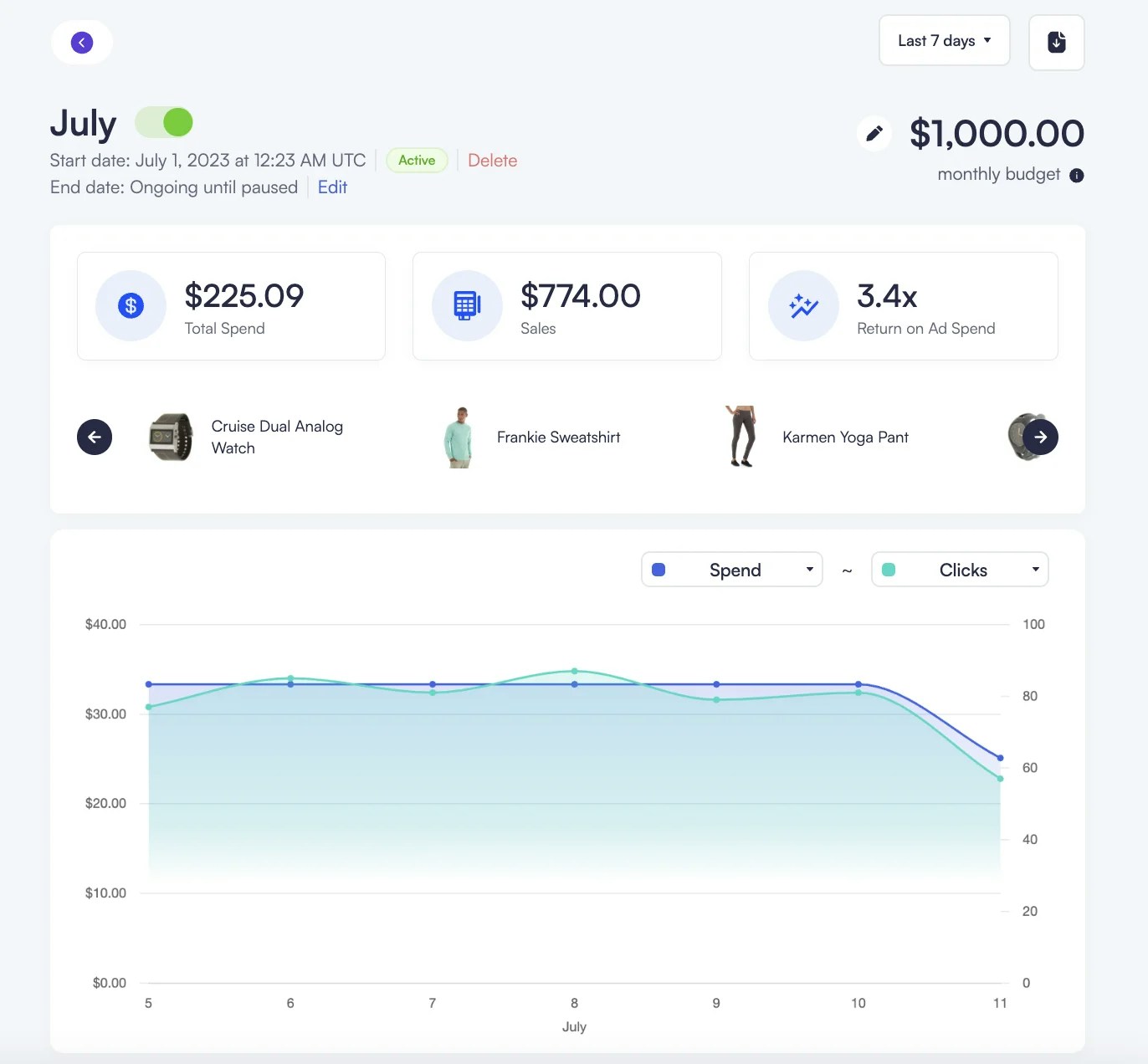 Sie können die gesamte Kampagne mit dem grünen Schalter schnell ein- oder ausschalten oder das Kampagnenbudget durch Klicken auf das Stiftsymbol bearbeiten. Unter dem Diagramm befindet sich eine Tabelle mit den beworbenen Produkten und ihren wichtigsten Leistungsindikatoren. In dieser Tabelle können Sie den Schalter neben einem Produkt verwenden, um es aus der Kampagne zu entfernen, oder jederzeit neue Produkte hinzufügen.
Wenn ein Produkt über die API oder Produktfeed-Updates aufgrund von Bestandsmangel auf active: "false" gesetzt wird, wird es im Kampagnen-Dashboard automatisch deaktiviert. Weitere Informationen finden Sie im Abschnitt [Katalogsynchronisation](/de/knowledge-base/ad-platform/catalog-management/catalog-synchronization/).
Sie können die gesamte Kampagne mit dem grünen Schalter schnell ein- oder ausschalten oder das Kampagnenbudget durch Klicken auf das Stiftsymbol bearbeiten. Unter dem Diagramm befindet sich eine Tabelle mit den beworbenen Produkten und ihren wichtigsten Leistungsindikatoren. In dieser Tabelle können Sie den Schalter neben einem Produkt verwenden, um es aus der Kampagne zu entfernen, oder jederzeit neue Produkte hinzufügen.
Wenn ein Produkt über die API oder Produktfeed-Updates aufgrund von Bestandsmangel auf active: "false" gesetzt wird, wird es im Kampagnen-Dashboard automatisch deaktiviert. Weitere Informationen finden Sie im Abschnitt [Katalogsynchronisation](/de/knowledge-base/ad-platform/catalog-management/catalog-synchronization/).
 ***
***