> ## Documentation Index
> Fetch the complete documentation index at: https://docs.topsort.com/llms.txt
> Use this file to discover all available pages before exploring further.
# New: Filtering API and Schema Validator
> This week, the Topsort team released new features related to API Logs to make it easier for developers to troubleshoot issues. Now you can filter errors by API and see the cause of an error quicker with our Schema Validator
export const ChangelogActions = () => {
return <>
;
};
September 22, 2022Ad ServerImprovement
This week, the Topsort team released new features related to API Logs to make it easier for developers to troubleshoot issues. Now you can **filter errors by API** and see the cause of an error quicker with our **Schema Validator**
## Release Notes
### Filtering by API
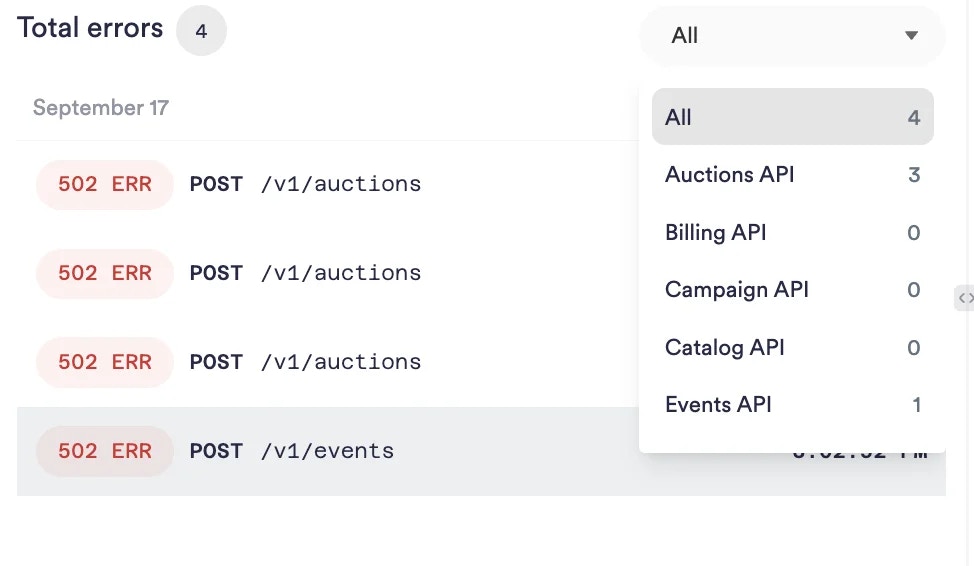
Filter all the errors by the API to see the origin faster.
### Schema validator
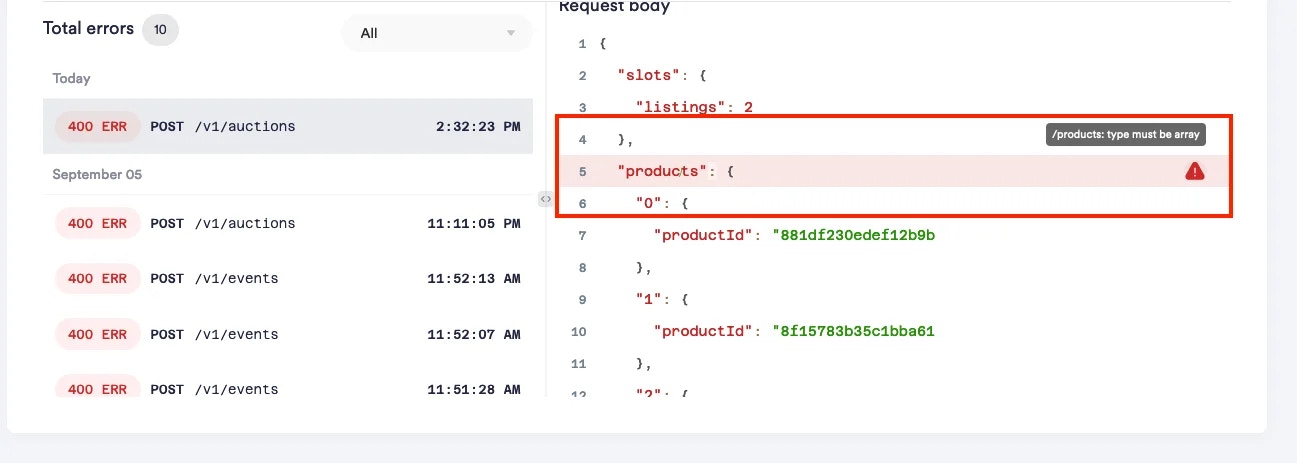
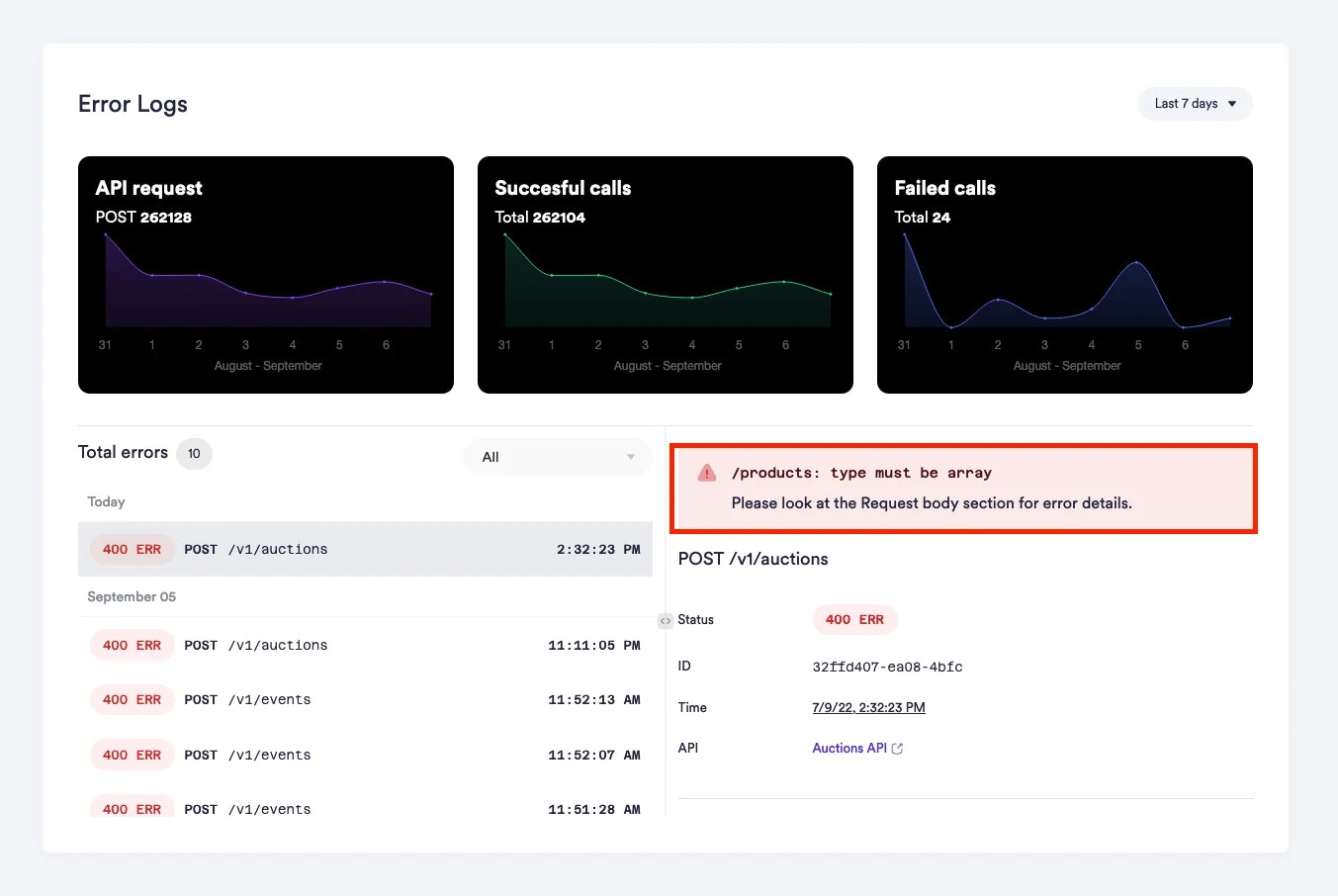
We've implemented a schema validator for the API calls to show you more detailed error logs. When the request you made is different from the pattern we expect, you'll see the notification with a detailed description of the cause of the error, and clicking on the alert will take you to the relevant part of your request.
For example, in auction requests, we expect the product type to be an array. Here's how the schema validator will show any errors in your request
Clicking on the alert will take you to your request
 ### Schema validator
We've implemented a schema validator for the API calls to show you more detailed error logs. When the request you made is different from the pattern we expect, you'll see the notification with a detailed description of the cause of the error, and clicking on the alert will take you to the relevant part of your request.
For example, in auction requests, we expect the product type to be an array. Here's how the schema validator will show any errors in your request
### Schema validator
We've implemented a schema validator for the API calls to show you more detailed error logs. When the request you made is different from the pattern we expect, you'll see the notification with a detailed description of the cause of the error, and clicking on the alert will take you to the relevant part of your request.
For example, in auction requests, we expect the product type to be an array. Here's how the schema validator will show any errors in your request
 Clicking on the alert will take you to your request