> ## Documentation Index
> Fetch the complete documentation index at: https://docs.topsort.com/llms.txt
> Use this file to discover all available pages before exploring further.
# German Language Support
> German language options now available across Admin and Self Service platforms
export const ChangelogActions = () => {
return <>
;
};
July 22, 2025Ad PlatformNew Feature
We've added **German language support** to both the Retail Media Platform (Admin) and Self Service interfaces, making our platforms more accessible to German-speaking users across Europe and beyond.
## Key Benefits
**Enhanced Accessibility**:
German-speaking retailers and vendors can now navigate the platform in their preferred language
**Improved User Experience**:
Localized interface reduces friction and increases platform adoption for German markets
**Market Expansion**:
Support for German-speaking regions opens opportunities for broader platform adoption
**Consistent Localization**:
Complete translation across all platform features and interfaces
## Platform Availability
### Retail Media Platform (Admin)
German language support is now available for:
* Campaign management interfaces
* Analytics and reporting dashboards
* Settings and configuration pages
* User management and billing sections
### Self Service Platform
German localization includes:
* Vendor marketplace interface
* Product catalog management
* Performance analytics
* Account settings and preferences
## How to Use
1. Log into your Admin or Self Service dashboard
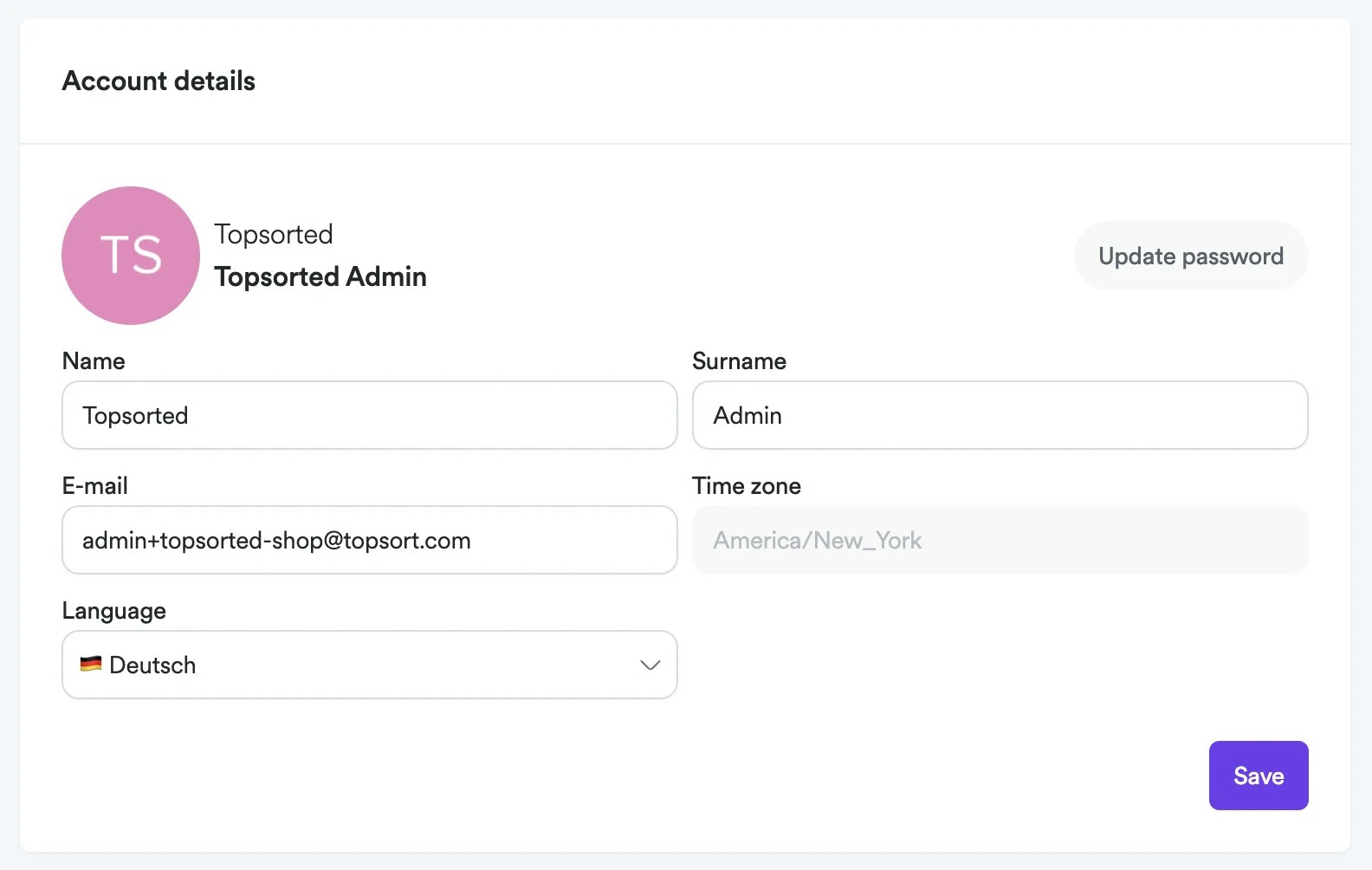
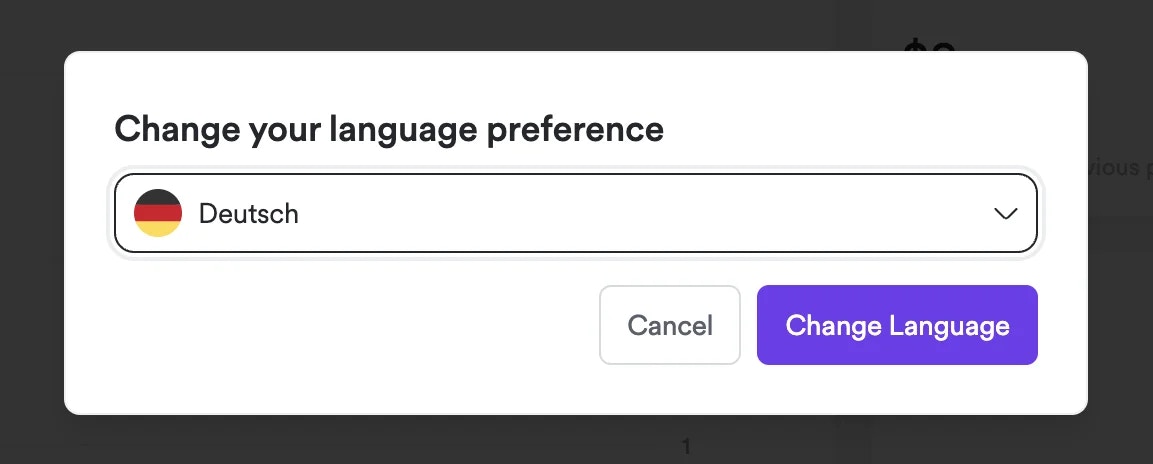
2. Navigate to your **Account Settings** or look for the language selector in the top navigation
3. Select **Deutsch (German)** from the available language options
4. The interface will refresh with German translations
5. Language preference is saved automatically for future sessions
***
German language support is available now across both platforms. Contact your Topsort representative if you need assistance with language settings or have feedback on the German translations.
 ## Key Benefits
**Enhanced Accessibility**:
German-speaking retailers and vendors can now navigate the platform in their preferred language
**Improved User Experience**:
Localized interface reduces friction and increases platform adoption for German markets
**Market Expansion**:
Support for German-speaking regions opens opportunities for broader platform adoption
**Consistent Localization**:
Complete translation across all platform features and interfaces
## Platform Availability
### Retail Media Platform (Admin)
German language support is now available for:
* Campaign management interfaces
* Analytics and reporting dashboards
* Settings and configuration pages
* User management and billing sections
### Self Service Platform
## Key Benefits
**Enhanced Accessibility**:
German-speaking retailers and vendors can now navigate the platform in their preferred language
**Improved User Experience**:
Localized interface reduces friction and increases platform adoption for German markets
**Market Expansion**:
Support for German-speaking regions opens opportunities for broader platform adoption
**Consistent Localization**:
Complete translation across all platform features and interfaces
## Platform Availability
### Retail Media Platform (Admin)
German language support is now available for:
* Campaign management interfaces
* Analytics and reporting dashboards
* Settings and configuration pages
* User management and billing sections
### Self Service Platform
 German localization includes:
* Vendor marketplace interface
* Product catalog management
* Performance analytics
* Account settings and preferences
## How to Use
1. Log into your Admin or Self Service dashboard
2. Navigate to your **Account Settings** or look for the language selector in the top navigation
3. Select **Deutsch (German)** from the available language options
4. The interface will refresh with German translations
5. Language preference is saved automatically for future sessions
***
German language support is available now across both platforms. Contact your Topsort representative if you need assistance with language settings or have feedback on the German translations.
German localization includes:
* Vendor marketplace interface
* Product catalog management
* Performance analytics
* Account settings and preferences
## How to Use
1. Log into your Admin or Self Service dashboard
2. Navigate to your **Account Settings** or look for the language selector in the top navigation
3. Select **Deutsch (German)** from the available language options
4. The interface will refresh with German translations
5. Language preference is saved automatically for future sessions
***
German language support is available now across both platforms. Contact your Topsort representative if you need assistance with language settings or have feedback on the German translations.