> ## Documentation Index
> Fetch the complete documentation index at: https://docs.topsort.com/llms.txt
> Use this file to discover all available pages before exploring further.
# AI Image Resizing for Banner Ads [Alpha]
> Automatically resize banner images with AI technology for optimal placement
export const ChangelogActions = () => {
return <>
;
};
September 25, 2025Ad PlatformNew Feature
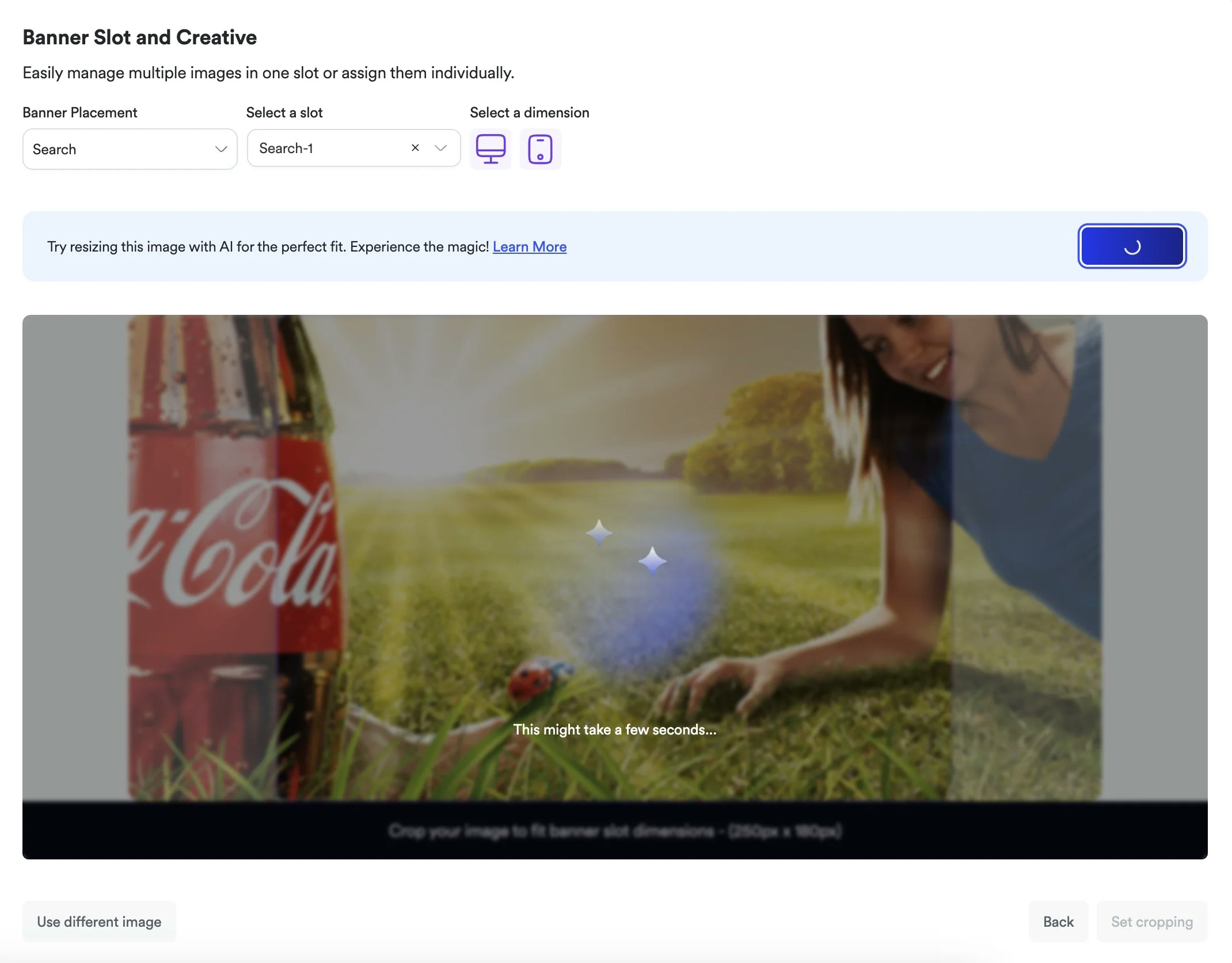
We've introduced **AI Image Resizing** for banner ads, powered by advanced generative AI technology. Instead of manual cropping or stretching, our AI intelligently adapts your images to fit any slot dimensions while preserving brand integrity and visual quality.
## Key Benefits
**Smart Adaptation**:
AI intelligently extends and reframes images to match target slot dimensions
**Brand Preservation**:
Maintains logos, key messaging, and visual identity while adapting
dimensions
**Time Savings**:
Eliminates need for manual image editing or multiple image versions
**Device Optimization**:
Automatically creates separate versions for mobile and desktop viewing
## How It Works
When you upload an image that doesn't perfectly match your selected banner slot dimensions, our AI-powered system:
* **Analyzes** your original image composition and visual elements
* **Intelligently extends** backgrounds and contextual elements to fill new dimensions
* **Preserves focal points** ensuring your main message remains prominent
* **Maintains visual coherence** with seamless integration of extended areas
The technology is powered by [Ideogram V3's](https://ideogram.ai/features/3.0) advanced reframe capabilities, providing professional-quality results every time.
## User Control
When AI resizing activates, you have complete control:
* **Auto Re-size** - Generate a new AI-optimized version
* **Confirm cropping** - Accept the current resized version
* **Use different image** - Start over with a different source
***
AI Image Resizing is now available during banner campaign creation. Learn more about [AI Image Resizing for Banner Ads](https://docs-add-ai-resizing-banners.docs-565.pages.dev/knowledge-base/ad-platform/banners/ai-image-resizing/) in our knowledge base.
 ## Key Benefits
**Smart Adaptation**:
AI intelligently extends and reframes images to match target slot dimensions
**Brand Preservation**:
Maintains logos, key messaging, and visual identity while adapting
dimensions
**Time Savings**:
Eliminates need for manual image editing or multiple image versions
**Device Optimization**:
Automatically creates separate versions for mobile and desktop viewing
## How It Works
When you upload an image that doesn't perfectly match your selected banner slot dimensions, our AI-powered system:
* **Analyzes** your original image composition and visual elements
* **Intelligently extends** backgrounds and contextual elements to fill new dimensions
* **Preserves focal points** ensuring your main message remains prominent
* **Maintains visual coherence** with seamless integration of extended areas
The technology is powered by [Ideogram V3's](https://ideogram.ai/features/3.0) advanced reframe capabilities, providing professional-quality results every time.
## User Control
When AI resizing activates, you have complete control:
* **Auto Re-size** - Generate a new AI-optimized version
* **Confirm cropping** - Accept the current resized version
* **Use different image** - Start over with a different source
***
AI Image Resizing is now available during banner campaign creation. Learn more about [AI Image Resizing for Banner Ads](https://docs-add-ai-resizing-banners.docs-565.pages.dev/knowledge-base/ad-platform/banners/ai-image-resizing/) in our knowledge base.
## Key Benefits
**Smart Adaptation**:
AI intelligently extends and reframes images to match target slot dimensions
**Brand Preservation**:
Maintains logos, key messaging, and visual identity while adapting
dimensions
**Time Savings**:
Eliminates need for manual image editing or multiple image versions
**Device Optimization**:
Automatically creates separate versions for mobile and desktop viewing
## How It Works
When you upload an image that doesn't perfectly match your selected banner slot dimensions, our AI-powered system:
* **Analyzes** your original image composition and visual elements
* **Intelligently extends** backgrounds and contextual elements to fill new dimensions
* **Preserves focal points** ensuring your main message remains prominent
* **Maintains visual coherence** with seamless integration of extended areas
The technology is powered by [Ideogram V3's](https://ideogram.ai/features/3.0) advanced reframe capabilities, providing professional-quality results every time.
## User Control
When AI resizing activates, you have complete control:
* **Auto Re-size** - Generate a new AI-optimized version
* **Confirm cropping** - Accept the current resized version
* **Use different image** - Start over with a different source
***
AI Image Resizing is now available during banner campaign creation. Learn more about [AI Image Resizing for Banner Ads](https://docs-add-ai-resizing-banners.docs-565.pages.dev/knowledge-base/ad-platform/banners/ai-image-resizing/) in our knowledge base.