> ## Documentation Index
> Fetch the complete documentation index at: https://docs.topsort.com/llms.txt
> Use this file to discover all available pages before exploring further.
# Negative/Excluding Audiences API
> Maximize campaign ROI by excluding users who don't match your targeting criteria
export const ChangelogActions = () => {
return <>
;
};
October 28, 2025Ad ServerNew Feature
**Why It's Important**
**Audience Exclusions** maximize campaign efficiency by strategically removing
users who don't match your ideal targeting criteria, ensuring your budget
focuses on the most relevant potential customers.
## What's New
* **Exclusion Sets**: Remove specific user groups from your campaign audiences
* **Dynamic segment exclusions**: Exclude users based on time-sensitive segments like recent purchasers
* **Cross-campaign optimization**: Prevent user overlap between campaigns
## Key Benefits
**Improved ROI**:
Focus budget on high-value prospects by excluding users unlikely to convert,
such as recent purchasers or existing subscribers.
**Precise Targeting**:
Create sophisticated audience segments by combining inclusion and exclusion
rules for maximum relevance.
## Common Use Cases
* Exclude users who purchased the promoted product in the last 7 days
* Remove users currently in competitor loyalty programs
* Exclude users from high-cost acquisition campaigns
* Prevent targeting users already engaged in other product campaigns
export const exampleCode = `curl --request POST \\
--url https://api.topsort.com/public/v1/campaigns \\
--header 'Authorization: Bearer ' \\
--header 'Content-Type: application/json' \\
--data '{
"name": "Summer Sale Campaign",
"budget": 1000,
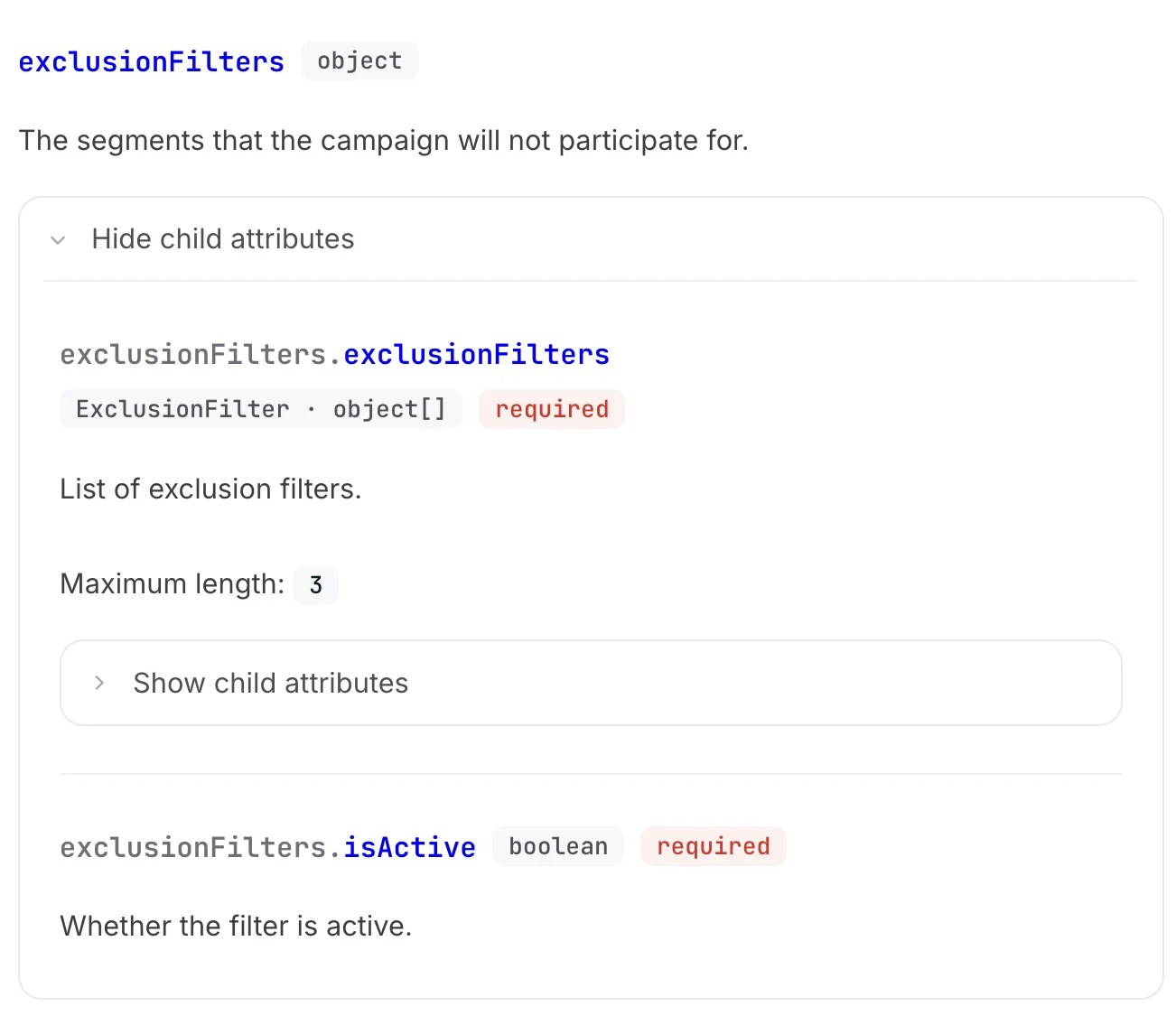
"exclusionFilters": {
"exclusionFilters": [
{
"segmentId": 1,
"type": "user_segment"
}
],
"isActive": true
}
}'`;
export const fileName = "Create Campaign with Exclusions";
The example shows how to create a campaign with exclusion filters. The `exclusionFilters` object contains an array of segments to exclude and can be activated with `isActive: true`.
***
This update enhances your audience targeting capabilities in the [public API](/en/api-reference/campaign-api/create-campaign#body-exclusion-filters). Learn more about [audience segments and targeting strategies](/en/knowledge-base/ad-platform/campaign-targeting/segments/) in our knowledge base.
 ## What's New
* **Exclusion Sets**: Remove specific user groups from your campaign audiences
* **Dynamic segment exclusions**: Exclude users based on time-sensitive segments like recent purchasers
* **Cross-campaign optimization**: Prevent user overlap between campaigns
## Key Benefits
**Improved ROI**:
Focus budget on high-value prospects by excluding users unlikely to convert,
such as recent purchasers or existing subscribers.
**Precise Targeting**:
Create sophisticated audience segments by combining inclusion and exclusion
rules for maximum relevance.
## Common Use Cases
* Exclude users who purchased the promoted product in the last 7 days
* Remove users currently in competitor loyalty programs
* Exclude users from high-cost acquisition campaigns
* Prevent targeting users already engaged in other product campaigns
export const exampleCode = `curl --request POST \\
--url https://api.topsort.com/public/v1/campaigns \\
--header 'Authorization: Bearer
## What's New
* **Exclusion Sets**: Remove specific user groups from your campaign audiences
* **Dynamic segment exclusions**: Exclude users based on time-sensitive segments like recent purchasers
* **Cross-campaign optimization**: Prevent user overlap between campaigns
## Key Benefits
**Improved ROI**:
Focus budget on high-value prospects by excluding users unlikely to convert,
such as recent purchasers or existing subscribers.
**Precise Targeting**:
Create sophisticated audience segments by combining inclusion and exclusion
rules for maximum relevance.
## Common Use Cases
* Exclude users who purchased the promoted product in the last 7 days
* Remove users currently in competitor loyalty programs
* Exclude users from high-cost acquisition campaigns
* Prevent targeting users already engaged in other product campaigns
export const exampleCode = `curl --request POST \\
--url https://api.topsort.com/public/v1/campaigns \\
--header 'Authorization: Bearer