> ## Documentation Index
> Fetch the complete documentation index at: https://docs.topsort.com/llms.txt
> Use this file to discover all available pages before exploring further.
# Vendor Analytics: General Availability
> Vendor Analytics is now available to all marketplaces and vendor users
export const ChangelogActions = () => {
return <>
;
};
December 5, 2025
Ad Platform
Improvement
**Why It's Important**
Vendor Analytics is now globally available across all Topsort marketplaces. Previously available to select partners, the full analytics suite is now accessible to all vendor users, providing comprehensive performance insights and reporting capabilities.
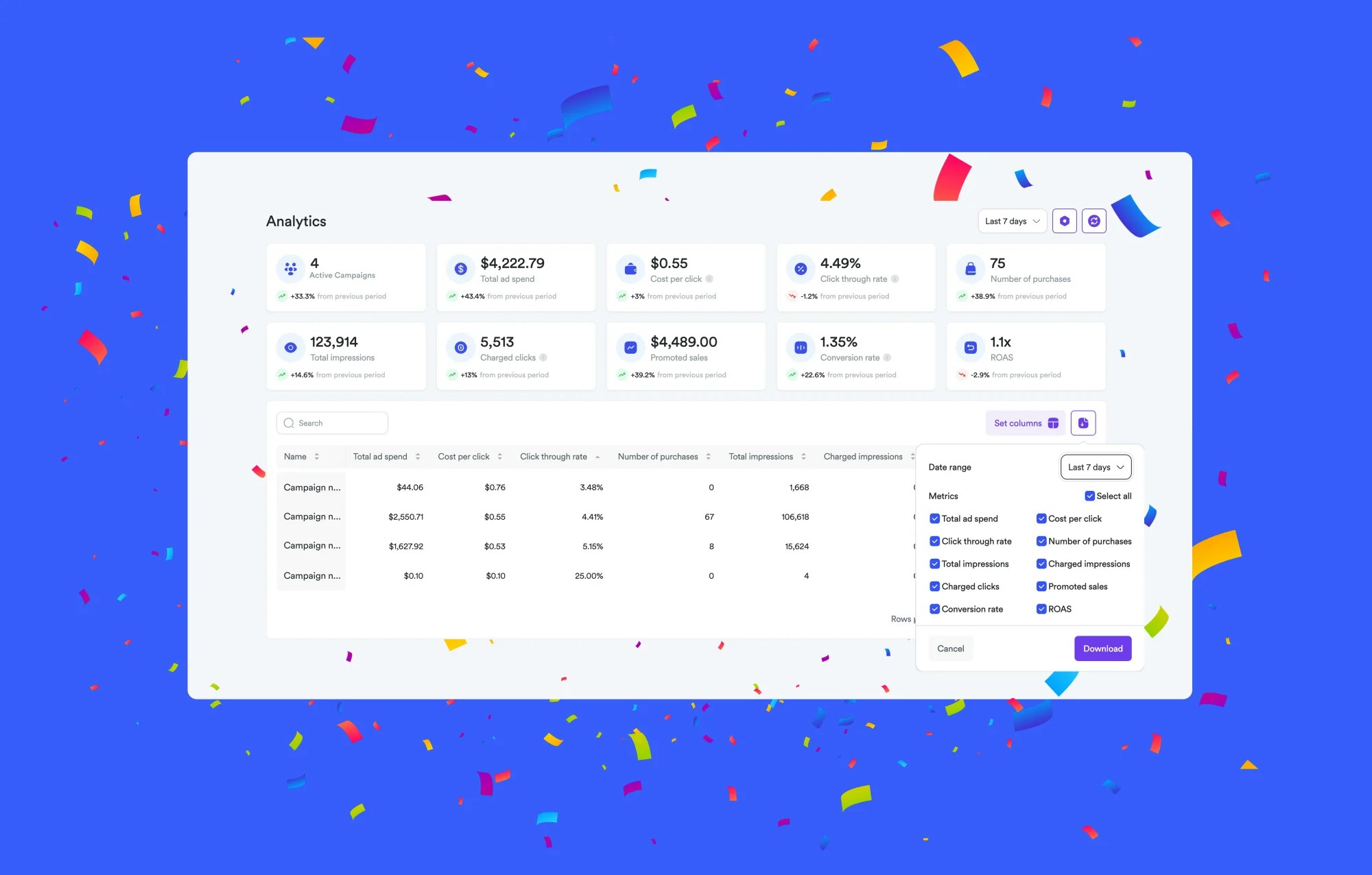
Vendor Analytics is now available to all vendor users across all marketplaces. Previously limited to select partners, the analytics dashboard is now accessible to everyone.
## What's Included
### Campaign Performance Table
The main view displays a table with your campaigns and their metrics:
* Impressions, clicks, conversions, spend, CTR, and ROAS
* Sort and filter by any column
* Select which columns to display using the column selector
### CSV Download
The download button exports the current table view to CSV format. The export includes:
* All currently visible columns
* Data filtered by your selected date range
* Any active filters you've applied
Use the exported data for offline analysis, custom reporting, or integration with external tools.
### Additional Features
* **Product-level insights** — see performance broken down by SKU
* **Custom date ranges** — select any time period to analyze
* **Automatic updates** — data refreshes as campaigns run
Vendor Analytics is enabled by default for all vendor users. Access it through the Self-Service dashboard—no additional setup required.
 Vendor Analytics is now available to all vendor users across all marketplaces. Previously limited to select partners, the analytics dashboard is now accessible to everyone.
## What's Included
### Campaign Performance Table
The main view displays a table with your campaigns and their metrics:
* Impressions, clicks, conversions, spend, CTR, and ROAS
* Sort and filter by any column
* Select which columns to display using the column selector
### CSV Download
The download button exports the current table view to CSV format. The export includes:
* All currently visible columns
* Data filtered by your selected date range
* Any active filters you've applied
Use the exported data for offline analysis, custom reporting, or integration with external tools.
### Additional Features
* **Product-level insights** — see performance broken down by SKU
* **Custom date ranges** — select any time period to analyze
* **Automatic updates** — data refreshes as campaigns run
Vendor Analytics is enabled by default for all vendor users. Access it through the Self-Service dashboard—no additional setup required.
Vendor Analytics is now available to all vendor users across all marketplaces. Previously limited to select partners, the analytics dashboard is now accessible to everyone.
## What's Included
### Campaign Performance Table
The main view displays a table with your campaigns and their metrics:
* Impressions, clicks, conversions, spend, CTR, and ROAS
* Sort and filter by any column
* Select which columns to display using the column selector
### CSV Download
The download button exports the current table view to CSV format. The export includes:
* All currently visible columns
* Data filtered by your selected date range
* Any active filters you've applied
Use the exported data for offline analysis, custom reporting, or integration with external tools.
### Additional Features
* **Product-level insights** — see performance broken down by SKU
* **Custom date ranges** — select any time period to analyze
* **Automatic updates** — data refreshes as campaigns run
Vendor Analytics is enabled by default for all vendor users. Access it through the Self-Service dashboard—no additional setup required.