> ## Documentation Index
> Fetch the complete documentation index at: https://docs.topsort.com/llms.txt
> Use this file to discover all available pages before exploring further.

# Improvements to API key organization

> This week, we introduced the ability for admins to add labels to API keys for improved organization and launched new metrics within the campaign view for deeper insights into campaign performance. These features aim to enhance workflow efficiency and provide valuable data for more informed decision-making.

export const ChangelogActions = () => {
  return <>
      <style>{`
        .changelog-actions {
          display: flex;
          justify-content: center;
          gap: 12px;
          margin-top: 2rem;
          padding-top: 1.5rem;
          border-top: 1px solid #e5e7eb;
        }
        
        [data-theme="dark"] .changelog-actions {
          border-top-color: #374151;
        }
        
        .changelog-btn {
          display: inline-flex;
          align-items: center;
          gap: 6px;
          padding: 8px 16px;
          border-radius: 9999px;
          border: 1px solid #d1d5db;
          background: transparent;
          color: #6b7280;
          font-size: 14px;
          cursor: pointer;
          transition: all 0.2s ease;
        }
        
        .changelog-btn:hover {
          border-color: #9ca3af;
          background: #f9fafb;
        }
        
        [data-theme="dark"] .changelog-btn {
          border-color: #4b5563;
          color: #9ca3af;
        }
        
        [data-theme="dark"] .changelog-btn:hover {
          border-color: #6b7280;
          background: #1f2937;
        }
      `}</style>
      <div className="changelog-actions">
        <button className="changelog-btn" onClick={() => {
    const btn = event.target.closest("button");
    btn.innerHTML = "❤️ Like";
    btn.style.borderColor = "#ec4899";
  }}>
          🤍 Like
        </button>
        <button className="changelog-btn" onClick={() => {
    const btn = event.target.closest("button");
    navigator.clipboard.writeText(window.location.href);
    const originalContent = btn.innerHTML;
    btn.innerHTML = "✓ Copied";
    btn.style.borderColor = "#22c55e";
    btn.style.color = "#22c55e";
    setTimeout(() => {
      btn.innerHTML = originalContent;
      btn.style.borderColor = "";
      btn.style.color = "";
    }, 2000);
  }}>
          ↗ Share
        </button>
      </div>
    </>;
};

<div style={{ display: "flex", gap: "8px", flexWrap: "wrap", marginBottom: "16px" }}>
  <Badge color="gray" size="sm" icon="calendar">May 31, 2023</Badge>
  <Badge color="purple" size="sm" icon="server">Ad Server</Badge>
  <Badge color="orange" size="sm" icon="arrow-up">Improvement</Badge>
</div>

This week, we introduced the ability for admins to add labels to API keys for improved organization and launched new metrics within the campaign view for deeper insights into campaign performance. These features aim to enhance workflow efficiency and provide valuable data for more informed decision-making.

## API Key Labeling for Enhanced Organization

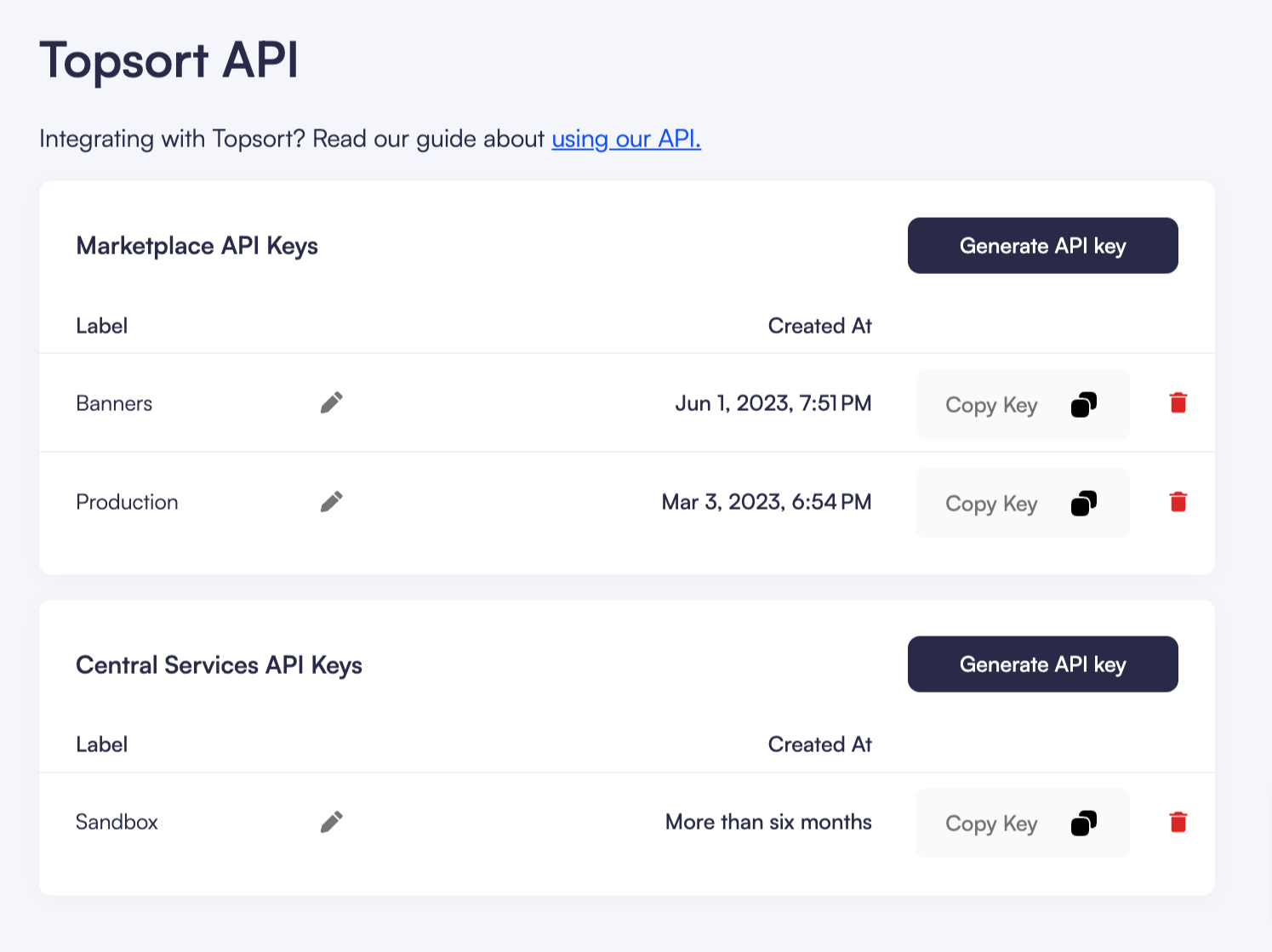
This week, we've launched a new feature that enables admins to add labels to API keys. As the complexity of projects grows, organizing Marketplace API Keys and Central Services API keys has never been more critical. With the introduction of API key labels, you'll now be able to quickly identify and categorize keys according to your needs. For all API keys created prior to this update, we've auto-generated labels to kickstart your organization process. You can, however, customize these labels to better suit your unique workflow.
![](https://files.readme.io/73e7f8c-Account-Settings.png)

## New Metrics in Campaign View

In our continuous effort to provide valuable insights for admins and vendors, we've also added new metrics to the campaign view. Now in the campaign view, you’ll be able to see the CPC and Clicks per product.

<ChangelogActions />
