> ## Documentation Index
> Fetch the complete documentation index at: https://docs.topsort.com/llms.txt
> Use this file to discover all available pages before exploring further.
# New ad formats
> We are excited to announce the launch of new ad formats on Topsort. These formats are designed to help brands and agencies create more engaging and effective advertising campaigns across the Topsort Ad Network.
export const ChangelogActions = () => {
return <>
;
};
October 3, 2024Ad PlatformNew Feature
# Video ads
We've introduced a new ad format: Video Ads, designed to enhance the brand and product experience for advertisers. This new format aims to boost visibility and customer engagement by allowing products to be demonstrated in action.
## Key benefits
* Demonstrates products in action
* Enhances user engagement
* Conveys brand messages effectively
* Boosts visibility and brand awareness
* Ensures feature parity
## How it works
Campaign creation mirrors banner ads: upload video, set triggers, configure campaign details.
* Videos must be 6 to 20 seconds long, MP4 or MOV format, with a max size of 200MB.
* Marketplaces send slot ID and optional details during auction requests, and receive the video URL in the response.
### Integration Options:
* Cloudflare Stream Player (simple iframe embed).
* Using your own HLS/DASH player for greater compatibility.
### Reporting:
Using banners.js, Topsort tracks video impressions and clicks within the marketplace. An impression is counted when a video is watched for at least 5 seconds. According to IAB standards, a viewable impression occurs when 50% of the ad's pixels are visible for at least 2 seconds. Marketplaces can also control how to report impressions and clicks.
# Support external links
We've enabled External Links for banner campaigns, allowing marketplace admins to use external URLs for banner assets.
## Key benefits
* Flexibility to use externally hosted assets without duplicating them.
* Seamless integration with Asset Management Systems.
* Direct use of CDN-hosted assets.
## How it works
Admins can add multiple external asset URLs during the banner campaign creation process.
Supported formats include: jpg, jpeg, png, webp, avif, apng, gif, html, mp4, and quicktime.
# Html and gif banners
We've expanded the types of files that can be used in banner campaigns to include HTML and GIF, offering greater creative personalization.
## Key Benefits
* Flexibility to support more file types, such as HTML and GIF.
* Increased opportunities for personalized ads and higher conversion rates.
## How It Works
Admins can upload multiple supported file types during the banner campaign creation process.
These updates offer more dynamic, customizable options for campaigns, allowing advertisers and admins to better engage their audience and maximize the impact of their ads.
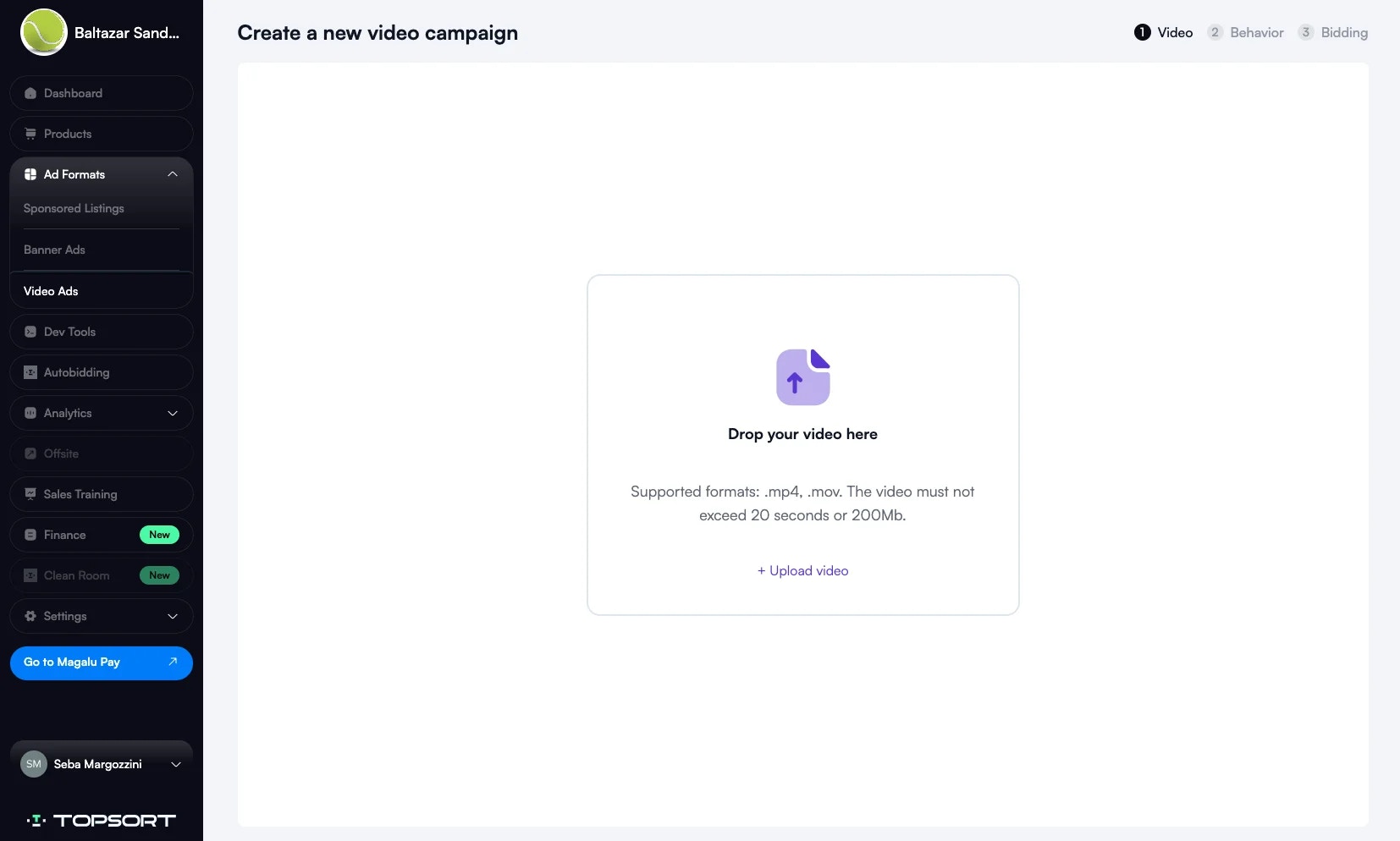
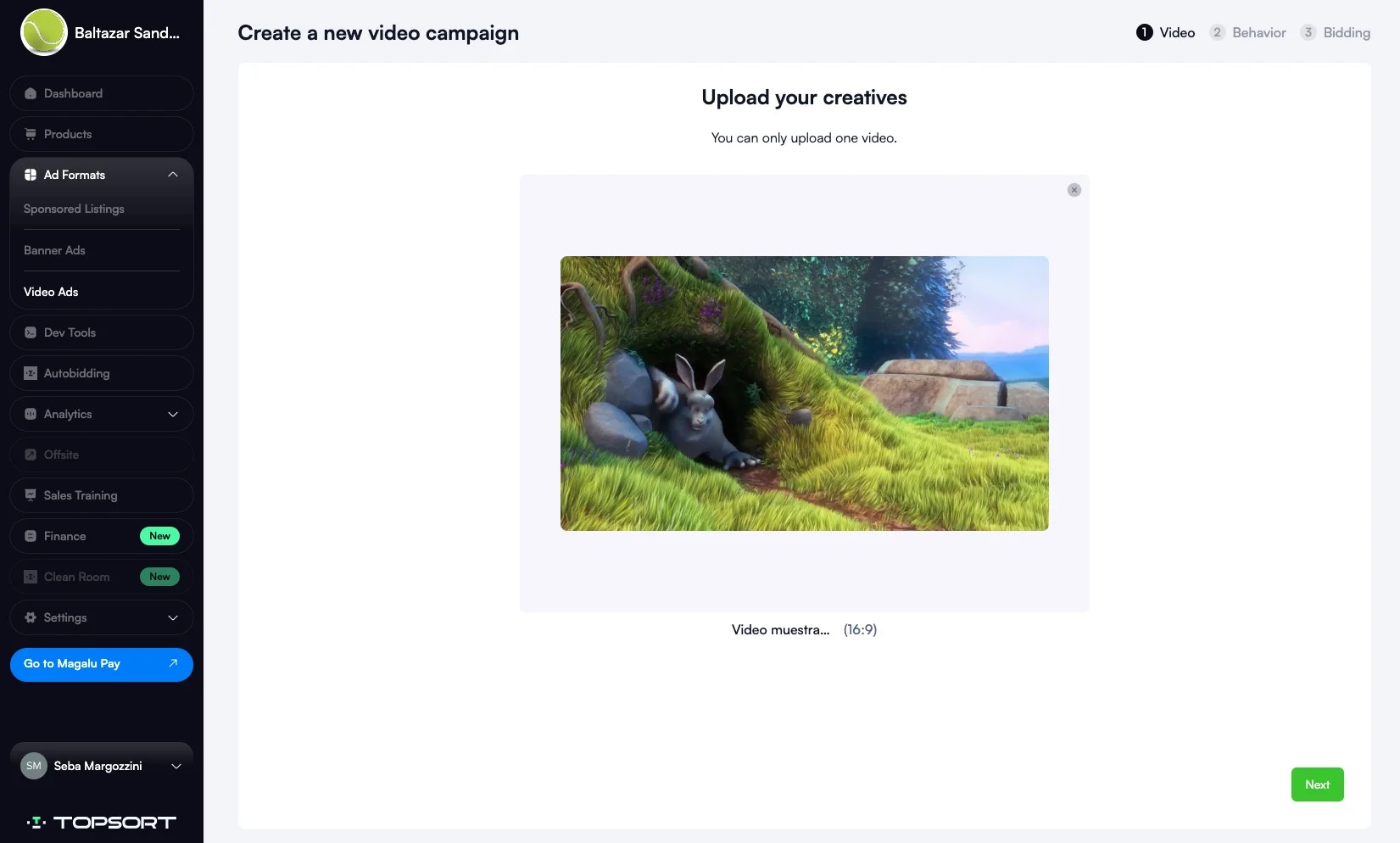 * Videos must be 6 to 20 seconds long, MP4 or MOV format, with a max size of 200MB.
* Marketplaces send slot ID and optional details during auction requests, and receive the video URL in the response.
### Integration Options:
* Cloudflare Stream Player (simple iframe embed).
* Using your own HLS/DASH player for greater compatibility.
### Reporting:
Using banners.js, Topsort tracks video impressions and clicks within the marketplace. An impression is counted when a video is watched for at least 5 seconds. According to IAB standards, a viewable impression occurs when 50% of the ad's pixels are visible for at least 2 seconds. Marketplaces can also control how to report impressions and clicks.
# Support external links
We've enabled External Links for banner campaigns, allowing marketplace admins to use external URLs for banner assets.
## Key benefits
* Flexibility to use externally hosted assets without duplicating them.
* Seamless integration with Asset Management Systems.
* Direct use of CDN-hosted assets.
## How it works
Admins can add multiple external asset URLs during the banner campaign creation process.
* Videos must be 6 to 20 seconds long, MP4 or MOV format, with a max size of 200MB.
* Marketplaces send slot ID and optional details during auction requests, and receive the video URL in the response.
### Integration Options:
* Cloudflare Stream Player (simple iframe embed).
* Using your own HLS/DASH player for greater compatibility.
### Reporting:
Using banners.js, Topsort tracks video impressions and clicks within the marketplace. An impression is counted when a video is watched for at least 5 seconds. According to IAB standards, a viewable impression occurs when 50% of the ad's pixels are visible for at least 2 seconds. Marketplaces can also control how to report impressions and clicks.
# Support external links
We've enabled External Links for banner campaigns, allowing marketplace admins to use external URLs for banner assets.
## Key benefits
* Flexibility to use externally hosted assets without duplicating them.
* Seamless integration with Asset Management Systems.
* Direct use of CDN-hosted assets.
## How it works
Admins can add multiple external asset URLs during the banner campaign creation process.
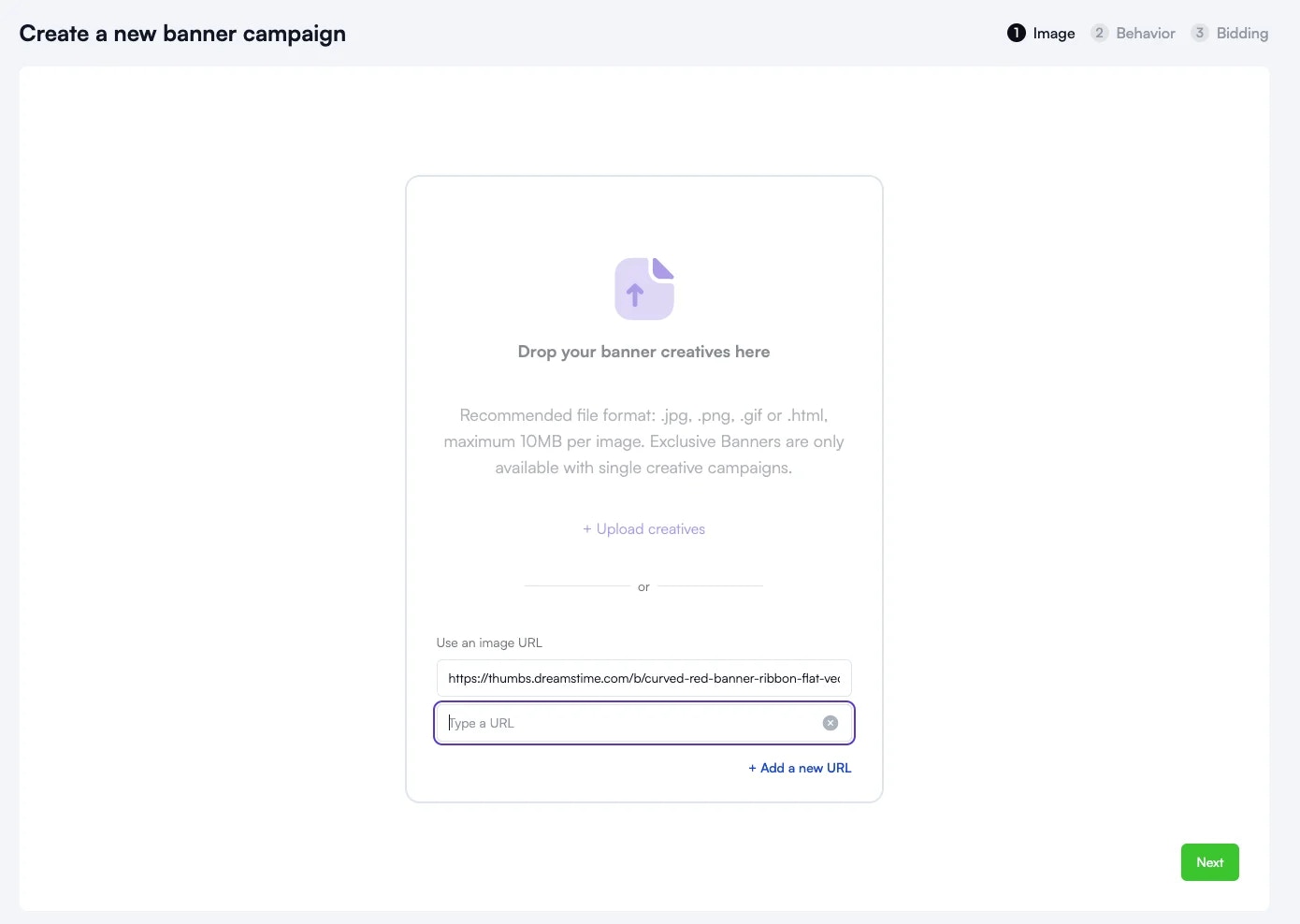 Supported formats include: jpg, jpeg, png, webp, avif, apng, gif, html, mp4, and quicktime.
# Html and gif banners
We've expanded the types of files that can be used in banner campaigns to include HTML and GIF, offering greater creative personalization.
## Key Benefits
* Flexibility to support more file types, such as HTML and GIF.
* Increased opportunities for personalized ads and higher conversion rates.
## How It Works
Admins can upload multiple supported file types during the banner campaign creation process.
These updates offer more dynamic, customizable options for campaigns, allowing advertisers and admins to better engage their audience and maximize the impact of their ads.
Supported formats include: jpg, jpeg, png, webp, avif, apng, gif, html, mp4, and quicktime.
# Html and gif banners
We've expanded the types of files that can be used in banner campaigns to include HTML and GIF, offering greater creative personalization.
## Key Benefits
* Flexibility to support more file types, such as HTML and GIF.
* Increased opportunities for personalized ads and higher conversion rates.
## How It Works
Admins can upload multiple supported file types during the banner campaign creation process.
These updates offer more dynamic, customizable options for campaigns, allowing advertisers and admins to better engage their audience and maximize the impact of their ads.