> ## Documentation Index
> Fetch the complete documentation index at: https://docs.topsort.com/llms.txt
> Use this file to discover all available pages before exploring further.

# Vendor onboarding improvements

> Topsort has updated the vendor experience in two ways. First, a vendor’s first-time sign-up process now includes more fields for the user to specify their preferences and business roles. Secondly, the vendor dashboard now has a budget timer.

export const ChangelogActions = () => {
  return <>
      <style>{`
        .changelog-actions {
          display: flex;
          justify-content: center;
          gap: 12px;
          margin-top: 2rem;
          padding-top: 1.5rem;
          border-top: 1px solid #e5e7eb;
        }
        
        [data-theme="dark"] .changelog-actions {
          border-top-color: #374151;
        }
        
        .changelog-btn {
          display: inline-flex;
          align-items: center;
          gap: 6px;
          padding: 8px 16px;
          border-radius: 9999px;
          border: 1px solid #d1d5db;
          background: transparent;
          color: #6b7280;
          font-size: 14px;
          cursor: pointer;
          transition: all 0.2s ease;
        }
        
        .changelog-btn:hover {
          border-color: #9ca3af;
          background: #f9fafb;
        }
        
        [data-theme="dark"] .changelog-btn {
          border-color: #4b5563;
          color: #9ca3af;
        }
        
        [data-theme="dark"] .changelog-btn:hover {
          border-color: #6b7280;
          background: #1f2937;
        }
      `}</style>
      <div className="changelog-actions">
        <button className="changelog-btn" onClick={() => {
    const btn = event.target.closest("button");
    btn.innerHTML = "❤️ Like";
    btn.style.borderColor = "#ec4899";
  }}>
          🤍 Like
        </button>
        <button className="changelog-btn" onClick={() => {
    const btn = event.target.closest("button");
    navigator.clipboard.writeText(window.location.href);
    const originalContent = btn.innerHTML;
    btn.innerHTML = "✓ Copied";
    btn.style.borderColor = "#22c55e";
    btn.style.color = "#22c55e";
    setTimeout(() => {
      btn.innerHTML = originalContent;
      btn.style.borderColor = "";
      btn.style.color = "";
    }, 2000);
  }}>
          ↗ Share
        </button>
      </div>
    </>;
};

<div style={{ display: "flex", gap: "8px", flexWrap: "wrap", marginBottom: "16px" }}>
  <Badge color="gray" size="sm" icon="calendar">July 20, 2022</Badge>
  <Badge color="blue" size="sm" icon="rectangle-ad">Ad Platform</Badge>
  <Badge color="orange" size="sm" icon="arrow-up">Improvement</Badge>
</div>

Topsort has updated the vendor experience in two ways. First, a vendor’s first-time sign-up process now includes more fields for the user to specify their preferences and business roles. Secondly, the vendor dashboard now has a budget timer.

# Release Notes

## Vendor onboarding updates

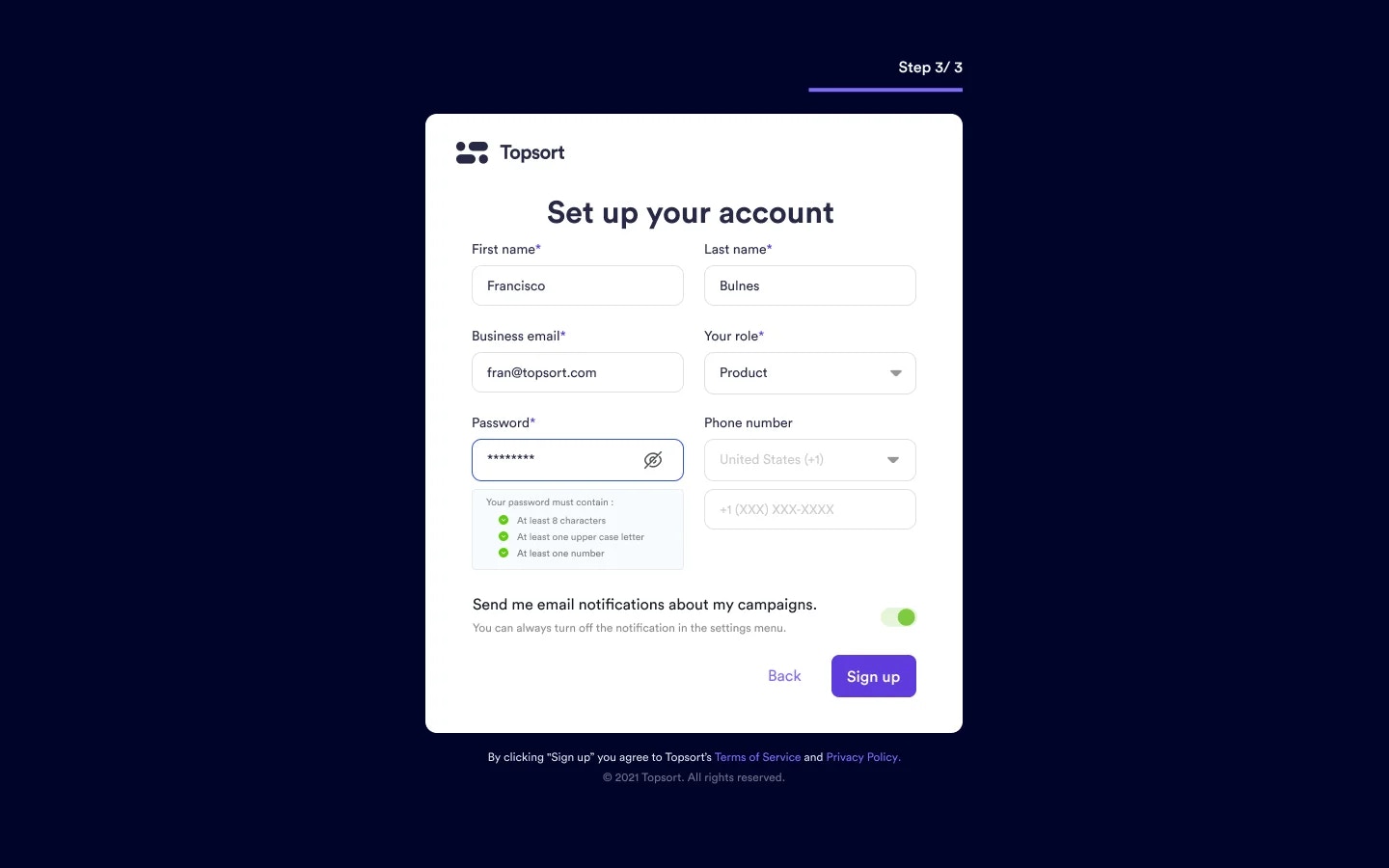
Topsort has modified the vendor sign-up process to tailor experiences for users in the future. Vendor representatives invited to join Topsort’s self-service dashboard are now required to input their advertising preferences, experience level with advertising, and their role in the company. This information will be used in future developments to create customized experiences for advertisers on our platform.

<Frame>
  <img src="https://mintcdn.com/topsort/M3N4mDiL0uw6VdTk/images/changelog/ef11b6b-vendor_onboarding.webp?fit=max&auto=format&n=M3N4mDiL0uw6VdTk&q=85&s=e91e0b70c0734bed0dc4753c2a8c375f" alt="vendor onboarding" width="1440" height="900" data-path="images/changelog/ef11b6b-vendor_onboarding.webp" />
</Frame>

## Budget Timer

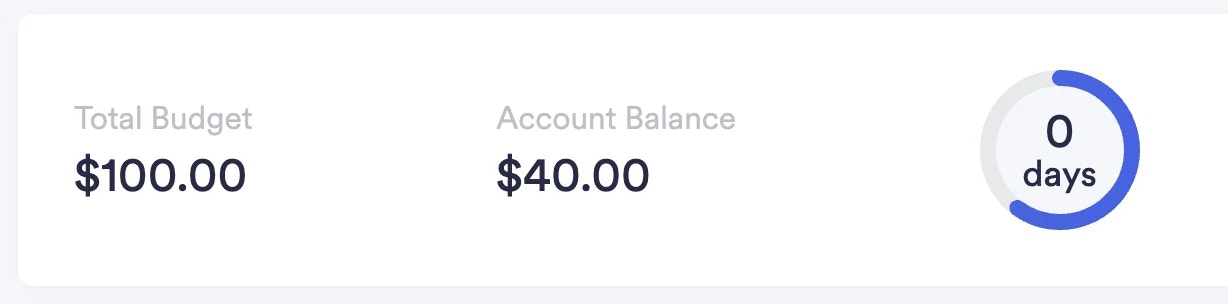
Topsort has also added a timer to the vendor’s “Billing” dashboard to show how many days are left until the vendor’s budget runs out.
<Frame>
  <img src="https://mintcdn.com/topsort/IPYqfFwUqBX3axYX/images/changelog/94b7876-budget_days.webp?fit=max&auto=format&n=IPYqfFwUqBX3axYX&q=85&s=f18712280ef4ecad01e27a0bf7c6d255" alt="budget timer" width="1228" height="304" data-path="images/changelog/94b7876-budget_days.webp" />
</Frame>

<ChangelogActions />