> ## Documentation Index
> Fetch the complete documentation index at: https://docs.topsort.com/llms.txt
> Use this file to discover all available pages before exploring further.
# AI Image Resizing for Banner Ads
> Automatically resizes banner images for optimal placement
export const LastUpdated = ({date, lang = "en"}) => {
const translations = {
en: "Last updated:",
es: "Última actualización:",
pt: "Última atualização:",
fr: "Dernière mise à jour:",
de: "Zuletzt aktualisiert:"
};
const label = translations[lang] || translations.en;
return <>
;
};
Topsort's AI-powered image resizing technology improves how banner ads are optimized for different placements. Instead of manual cropping or stretching, our advanced AI intelligently adapts your images to fit any slot dimensions while preserving brand integrity and visual quality.
## How AI Resizing Works
When you upload an image during [banner campaign creation](/en/knowledge-base/ad-platform/banners/banner-ads-campaigns/), our system automatically detects when your image dimensions don't perfectly match the selected slot. Rather than simply cropping or distorting your image, Topsort employs generative AI technology to intelligently reframe and extend your creative.
### The Technology Behind It
Our AI resizing is powered by **[Ideogram V3's reframe capabilities](https://developer.ideogram.ai/api-reference/api-reference/reframe-v3)**, a state-of-the-art generative AI model that specializes in image extension and adaptation. This technology:
* **Analyzes your original image** to understand the composition, subject matter, and visual elements
* **Intelligently extends backgrounds** and contextual elements to fill new dimensions
* **Preserves focal points** ensuring your main message and branding remain prominent
* **Maintains visual coherence** so the extended areas blend seamlessly with your original content
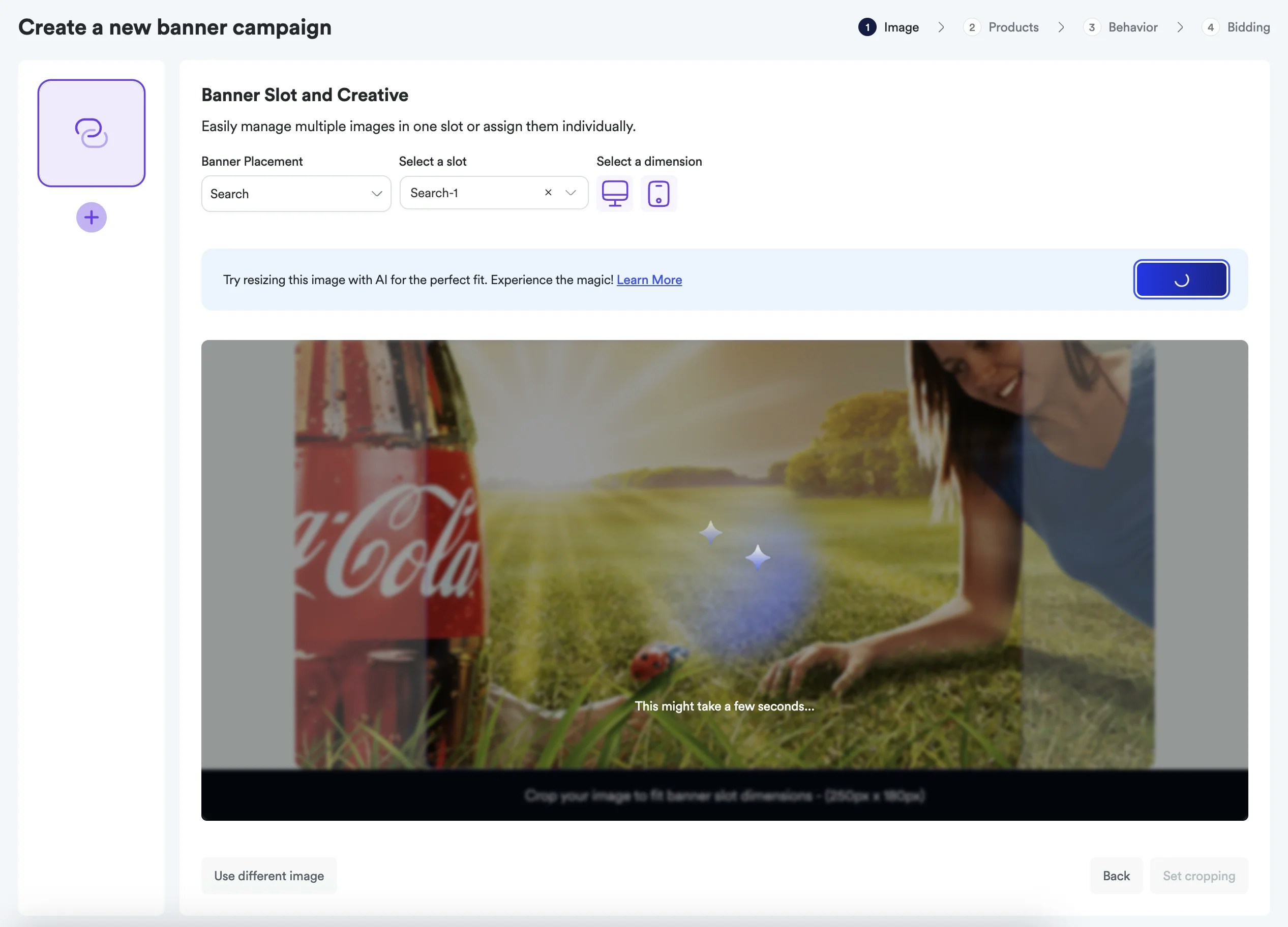
### Smart Processing Workflow
**
**
When AI resizing is triggered, you have full control over the final result:
* **Auto Re-size**: Generate a new AI-optimized version with different creative interpretation
* **Confirm cropping**: Accept the current AI-resized version
* **Use different image**: Start over with a different source image
## Key Benefits
### Time and Cost Efficiency
Eliminate the need for manual image editing, graphic design resources, or multiple image versions. Upload once and let AI handle the technical adaptation.
### Professional Quality Results
Every resized image maintains professional standards with:
* Consistent visual quality across all placements
* Seamless integration of extended elements
* Preservation of brand colors and styling
* Contextually appropriate background extensions
### Brand Consistency
Your core message and visual identity remain intact while adapting to new dimensions. The AI understands the importance of:
* Logo placement and visibility
* Key product imagery
* Text readability and positioning
* Overall brand aesthetic
### Responsive Optimization
Automatically creates device-specific versions ensuring:
* **Desktop displays**: Optimized for larger screens with appropriate aspect ratios
* **Mobile devices**: Adapted for smaller screens with touch-friendly elements
* **Cross-platform consistency**: Unified brand experience across all devices
## When AI Resizing Activates
The AI resizing feature automatically triggers for:
* **Image uploads** when creating new banner campaigns
* **Slot selection** that requires different dimensions than your uploaded image
* **Device targeting** that needs mobile and desktop variants
* **Template applications** where image dimensions need adjustment
The system is intelligent enough to only activate when beneficial, preserving your original images when they already fit the target dimensions perfectly.
## Best Practices for AI Resizing
To get optimal results from AI resizing:
### Source Image Quality
* Use high-resolution images (minimum 1920x1080 recommended)
* Ensure clear, well-lit product or brand imagery
* Avoid images with important elements too close to edges
### Composition Considerations
* Center key elements and text for better AI interpretation
* Use images with expandable backgrounds (sky, solid colors, patterns)
* Ensure sufficient contrast between foreground and background elements
### Brand Elements
* Keep logos and key text away from image edges
* Use consistent brand colors that AI can extend naturally
* Consider how your message works across different aspect ratios
## Getting Started
Ready to experience AI-powered resizing? Simply [create a new banner campaign](/en/knowledge-base/ad-platform/banners/banner-ads-campaigns/) and upload your images. The AI will automatically handle dimension optimization, letting you focus on campaign strategy and performance rather than technical image adjustments.
***