> ## Documentation Index
> Fetch the complete documentation index at: https://docs.topsort.com/llms.txt
> Use this file to discover all available pages before exploring further.

# Review a Banner Campaign

> Banner ads campaign approval workflow

export const LastUpdated = ({date, lang = "en"}) => {
  const translations = {
    en: "Last updated:",
    es: "Última actualización:",
    pt: "Última atualização:",
    fr: "Dernière mise à jour:",
    de: "Zuletzt aktualisiert:"
  };
  const label = translations[lang] || translations.en;
  return <>
<style>{`
.last-updated-component {
display: inline-flex;
align-items: center;
gap: 8px;
padding: 10px 16px;
border-radius: 8px;
margin-top: 12px;
margin-bottom: 16px;
font-size: 14px;
background-color: rgba(0, 0, 0, 0.05);
border: 1px solid rgba(0, 0, 0, 0.12);
color: rgba(0, 0, 0, 0.75);
line-height: 1;
}

        .last-updated-component svg {
          flex-shrink: 0;
          vertical-align: middle;
        }

        .last-updated-component span {
          display: inline-flex !important;
          align-items: center !important;
          line-height: 1 !important;
        }

        [data-theme="dark"] .last-updated-component {
          background-color: #3a3a3a;
          border: 2px solid #888888;
          color: #ffffff;
        }

        [data-theme="dark"] .last-updated-component svg {
          stroke: #ffffff;
        }
      `}</style>
      <div className="last-updated-component">
        <svg width="16" height="16" viewBox="0 0 24 24" fill="none" stroke="currentColor" strokeWidth="2" strokeLinecap="round" strokeLinejoin="round">
          <circle cx="12" cy="12" r="10" />
          <polyline points="12 6 12 12 16 14" />
        </svg>
        <span>
          <strong style={{
    fontWeight: 600
  }}>{label}</strong> 
          <time dateTime={date}>{date}</time>
        </span>
      </div>
    </>;
};

<div style={{textAlign: 'justify', marginBottom: '1.5rem'}}>
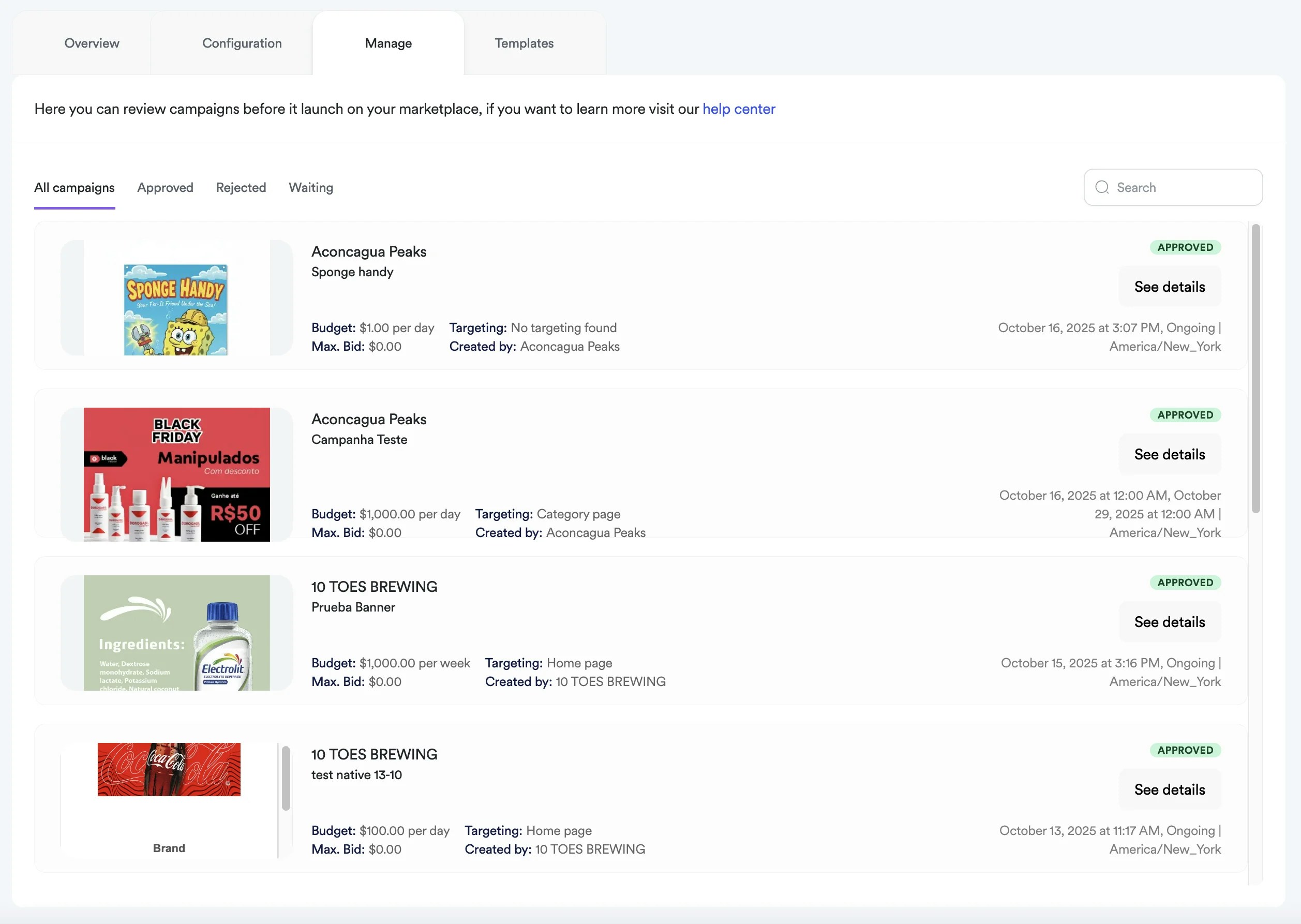
  After a vendor creates a banner ad campaign using the self-service dashboard, it is submitted for your approval. Under the “Manage” tab, you can either approve or reject their submission before it goes live or becomes eligible for ad auctions.
</div>

<div style={{textAlign: 'justify', marginBottom: '1.5rem'}}>
  **<Frame>  <img src="https://mintcdn.com/topsort/FVdFH6-GAInpFZWG/images/knowledge-base/ad-platform-banners-campaign-approval-v2.webp?fit=max&auto=format&n=FVdFH6-GAInpFZWG&q=85&s=0ac49d36eb08132db88beb5bfc157cda" alt="Screenshot of campaign management tab." width="2515" height="1786" data-path="images/knowledge-base/ad-platform-banners-campaign-approval-v2.webp" /></Frame>**
</div>

<div style={{textAlign: 'justify', marginBottom: '1.5rem'}}>
  You can keep vendors clearly informed about meeting your guidelines and help them optimize their campaigns through our rejection flow system. Only campaigns that require ‘manual approvals’ will be submitted for marketplace review
</div>

## How do I approve a banner ad request?

<div style={{textAlign: 'justify', marginBottom: '1.5rem'}}>
  Navigate to the “Waiting” tab. All requests pending your approval will have a status label “waiting for approval” attached to the campaign card. Assess the budget amount, duration, bid amount and creative that they all meet best practices. Click the green check button to approve it.
</div>

## How do I reject a banner ad request?

<div style={{textAlign: 'justify', marginBottom: '1.5rem'}}>
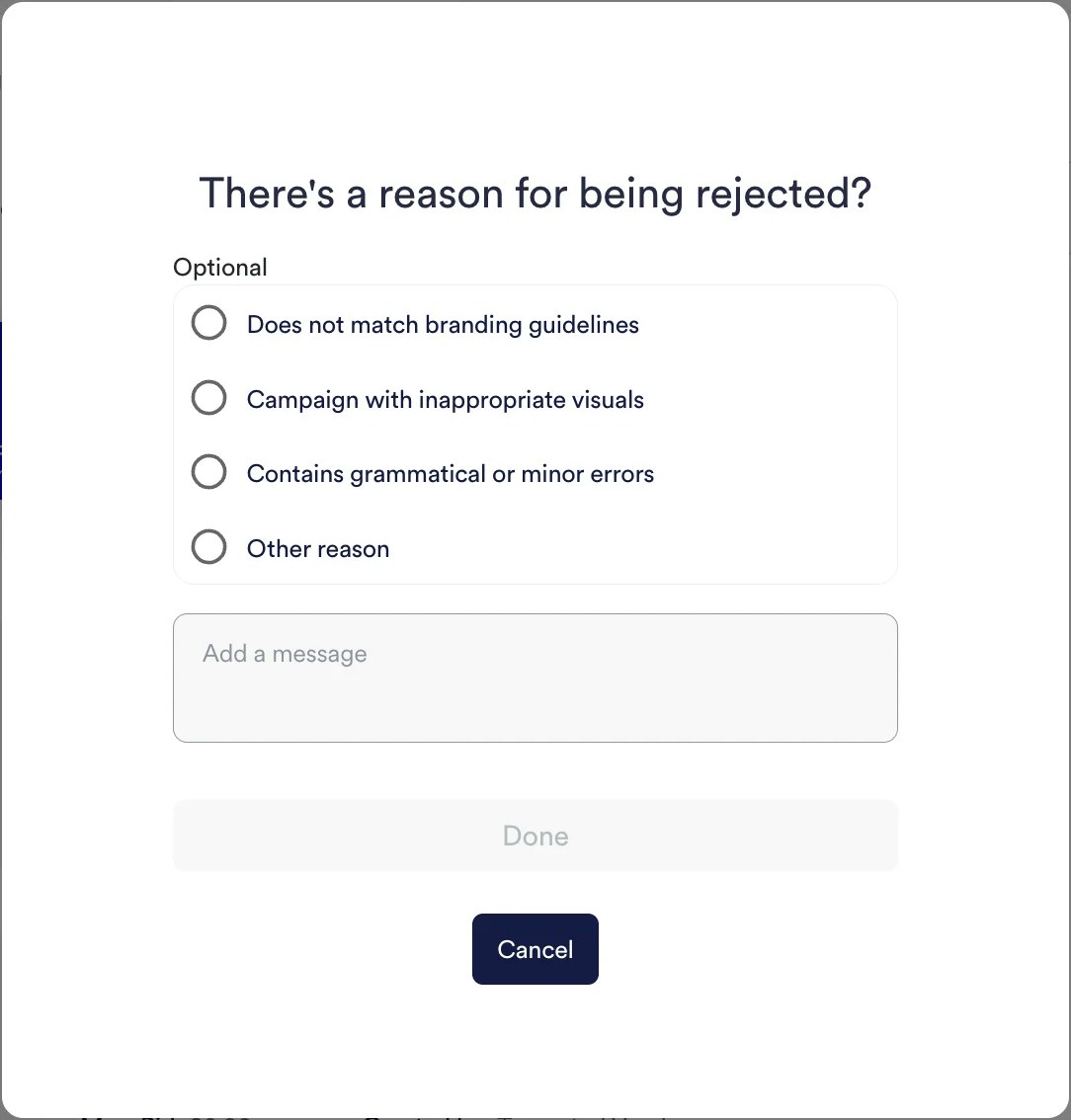
  If you find the campaign doesn’t meet your standards in any way, you can reject the request with the red X button and, optionally, provide feedback in the text field and multiple choice selection.
</div>

<Frame>
  <img src="https://mintcdn.com/topsort/FVdFH6-GAInpFZWG/images/knowledge-base/ad-platform-banners-campaign-approval-2.webp?fit=max&auto=format&n=FVdFH6-GAInpFZWG&q=85&s=03290b7d4f7d46aa747eaffacb9decb0" alt="Screenshot of rejecting a campaign management." width="1084" height="1134" data-path="images/knowledge-base/ad-platform-banners-campaign-approval-2.webp" />
</Frame>

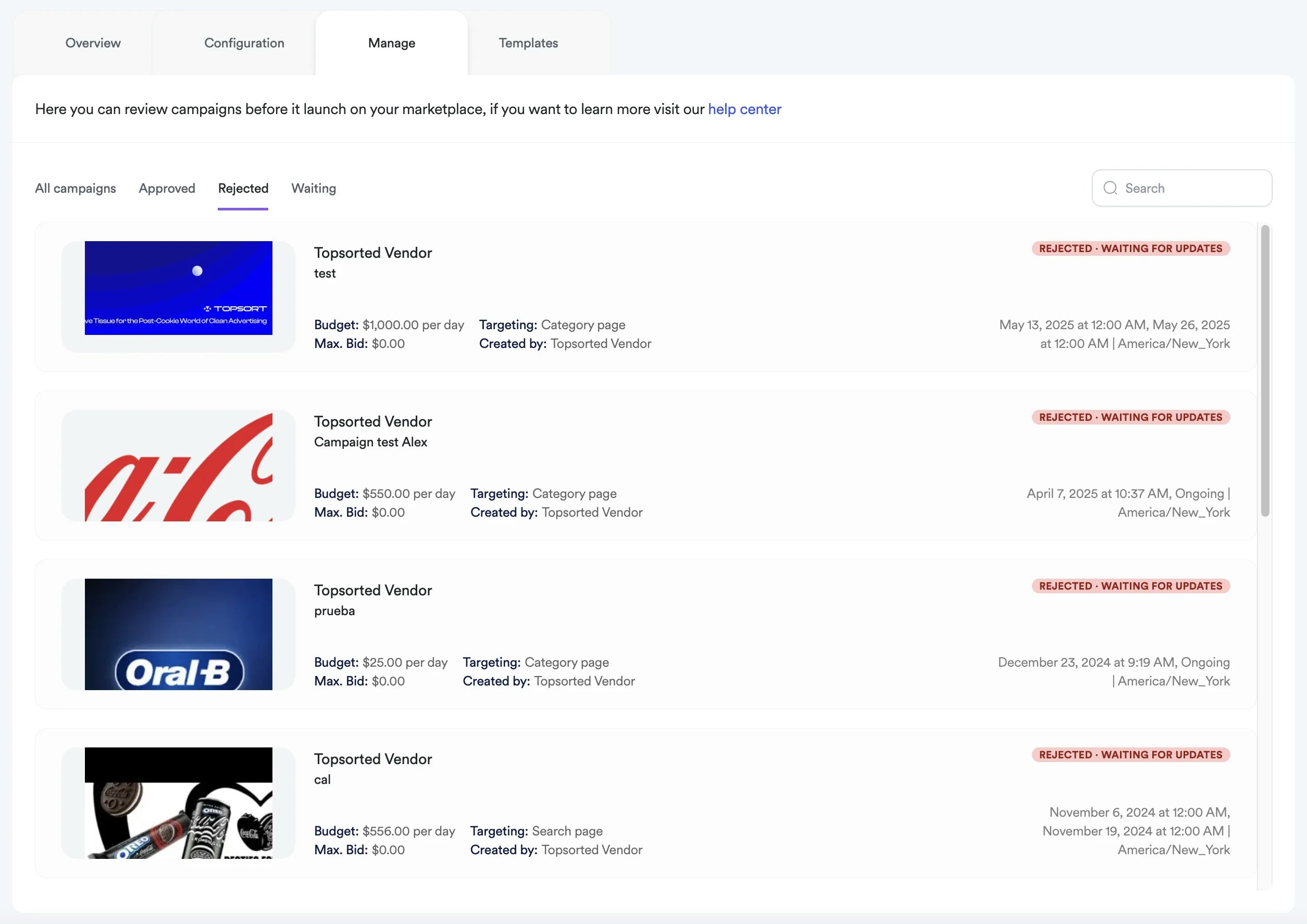
After rejection, the campaign will assume the status `REJECTED · WAITING FOR UPDATES` and the feedback will be sent via email to the vendor.

**<Frame><img src="https://mintcdn.com/topsort/FVdFH6-GAInpFZWG/images/knowledge-base/ad-platform-banners-campaign-rejected.webp?fit=max&auto=format&n=FVdFH6-GAInpFZWG&q=85&s=3f9095fbe9cf816953b49859c2557aa2" alt="Screenshot of campaign rejection status." width="2509" height="1774" data-path="images/knowledge-base/ad-platform-banners-campaign-rejected.webp" /></Frame>**
***

<LastUpdated date="2025-11-18" />