> ## Documentation Index
> Fetch the complete documentation index at: https://docs.topsort.com/llms.txt
> Use this file to discover all available pages before exploring further.
# Data Room
> How our Data Room works
export const LastUpdated = ({date, lang = "en"}) => {
const translations = {
en: "Last updated:",
es: "Última actualización:",
pt: "Última atualização:",
fr: "Dernière mise à jour:",
de: "Zuletzt aktualisiert:"
};
const label = translations[lang] || translations.en;
return <>
;
};
This is an add-on. If you'd like to have access to it, speak with your Topsort
contact to learn more.
Data Room is like having the keys to the castle that allows you to access your
own data that lives within Topsort Database and create custom queries to get
whatever information you want, displayed according to your preferences. There
are two ways of leveraging Topsort's Data Room.
## Option 1. Via Topsort UI
We support embedded analytics in our platform. In your admin dashboard, you
can find the Data Room tab and access the Data Room UI directly from our
application. This allows you to create your custom visualizations and combine
them into dashboards, using a friendly non-technical tool called "Questions"
or running SQL queries directly.
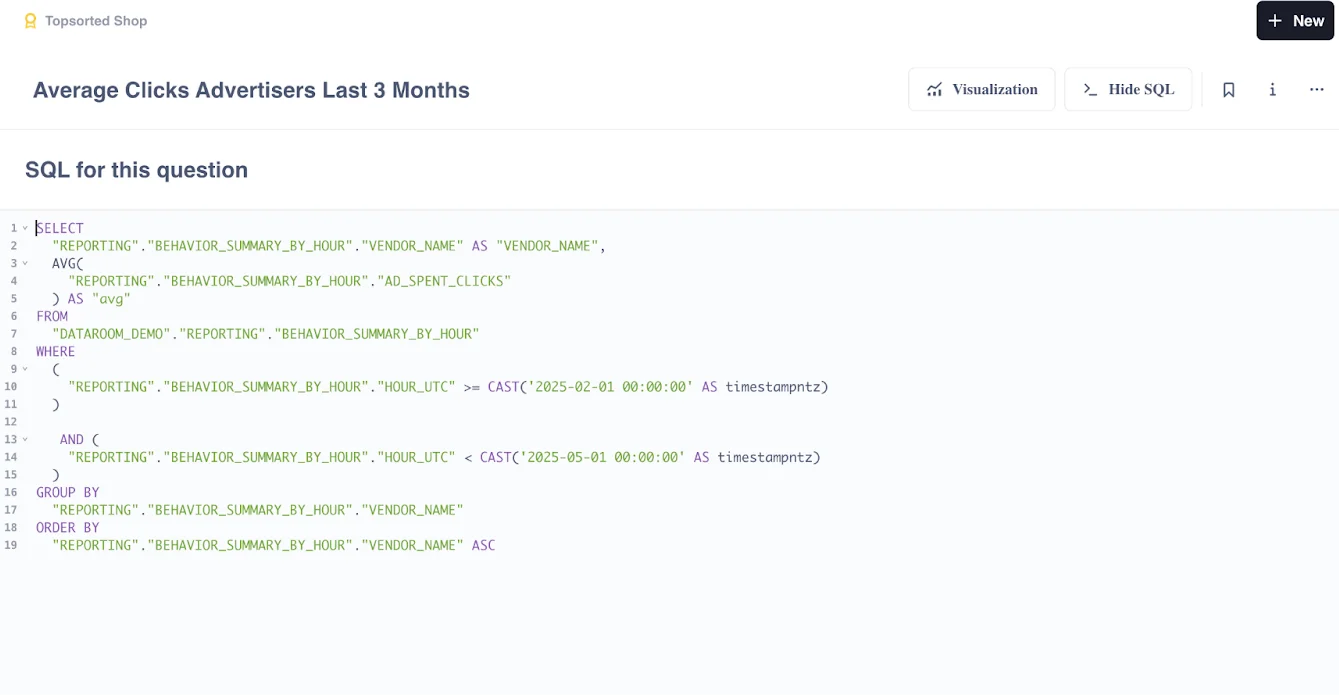
These are the tables that can be made available in the Data Room:
* Ad Inventory
* Attributed Purchases
* Auctions Won Summary
* Behavior Summary By Hour
* Campaigns
* Vendor Balances
* Vendor Transactions
* Fill Rate Search
* Auction Zero Winners
* Slots Fill Rate
## Option 2. Via Datasource Connection
You can access the same database that powers the UI mentioned above directly,
so you can link it to your existing Data Lake, create custom ETL reports that
read from Topsort's data, or to combine data from multiple sources while still
using your business intelligence tool of preference.
After having your Snowflake account created by the Topsort team, you should be
able to connect to Snowflake using your credentials. In case you need
additional support on how to connect or use Snowflake, please check the links
below:
* [Connecting your snowflake account](https://docs.snowflake.com/en/user-guide/connecting)
* [Introduction to Snowflake](https://docs.snowflake.com/en/user-guide-intro)
* [Querying from snowflake](https://docs.snowflake.com/en/guides-overview-queries)
***