> ## Documentation Index
> Fetch the complete documentation index at: https://docs.topsort.com/llms.txt
> Use this file to discover all available pages before exploring further.

# Campaign Creation and Reporting

> End-to-end campaign flow, approvals, and reporting in Offsite Ads.

export const LastUpdated = ({date, lang = "en"}) => {
  const translations = {
    en: "Last updated:",
    es: "Última actualización:",
    pt: "Última atualização:",
    fr: "Dernière mise à jour:",
    de: "Zuletzt aktualisiert:"
  };
  const label = translations[lang] || translations.en;
  return <>
<style>{`
.last-updated-component {
display: inline-flex;
align-items: center;
gap: 8px;
padding: 10px 16px;
border-radius: 8px;
margin-top: 12px;
margin-bottom: 16px;
font-size: 14px;
background-color: rgba(0, 0, 0, 0.05);
border: 1px solid rgba(0, 0, 0, 0.12);
color: rgba(0, 0, 0, 0.75);
line-height: 1;
}

        .last-updated-component svg {
          flex-shrink: 0;
          vertical-align: middle;
        }

        .last-updated-component span {
          display: inline-flex !important;
          align-items: center !important;
          line-height: 1 !important;
        }

        [data-theme="dark"] .last-updated-component {
          background-color: #3a3a3a;
          border: 2px solid #888888;
          color: #ffffff;
        }

        [data-theme="dark"] .last-updated-component svg {
          stroke: #ffffff;
        }
      `}</style>
      <div className="last-updated-component">
        <svg width="16" height="16" viewBox="0 0 24 24" fill="none" stroke="currentColor" strokeWidth="2" strokeLinecap="round" strokeLinejoin="round">
          <circle cx="12" cy="12" r="10" />
          <polyline points="12 6 12 12 16 14" />
        </svg>
        <span>
          <strong style={{
    fontWeight: 600
  }}>{label}</strong> 
          <time dateTime={date}>{date}</time>
        </span>
      </div>
    </>;
};

Topsort supports both self-service and managed-service Offsite operations. Campaigns can be created from the UI or API and executed across Google, Meta, Snapchat, and TikTok.

## Campaign Creation Flow

<Steps>
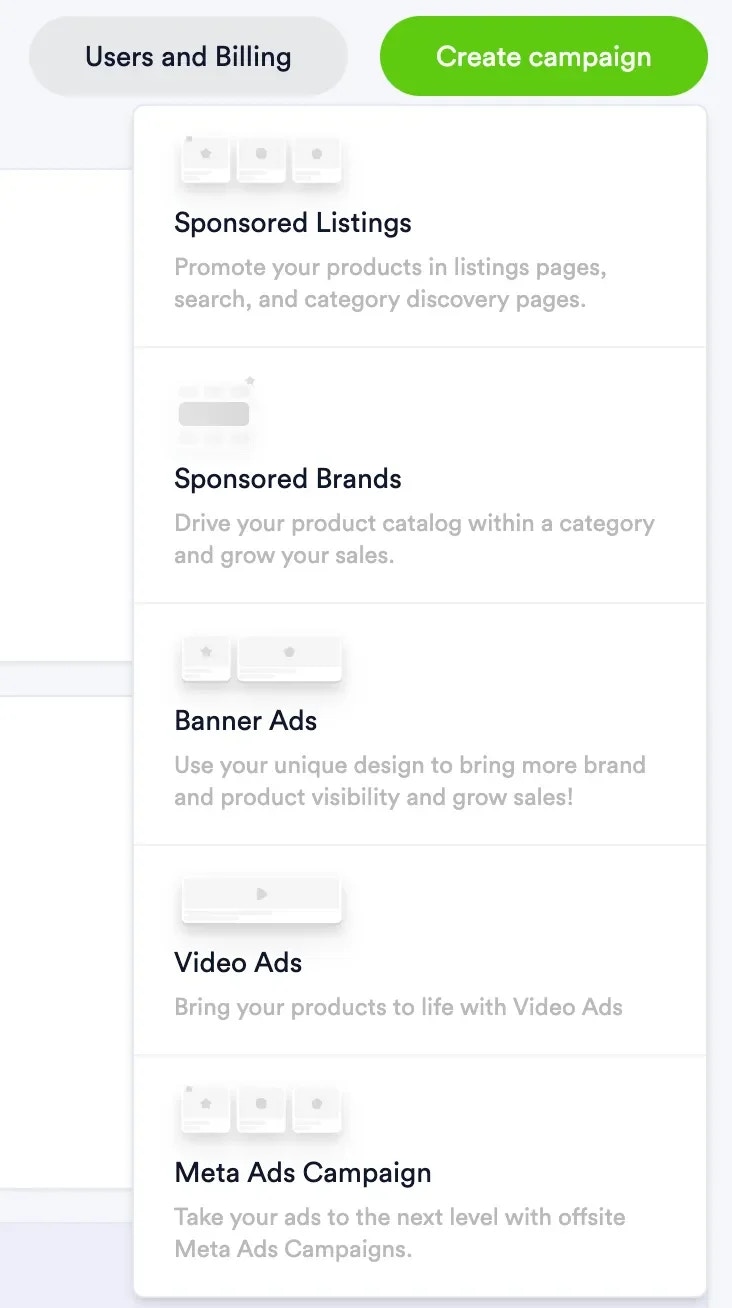
  <Step title="Create campaign">
    1. Choose campaign type:

    * If **Product campaign**, choose products to promote.
    * If **Display campaign**, upload and crop images.

    2. Provide required creative inputs for the selected channel and format (for example text assets, music selection for TikTok catalog offsite, or uploaded images for display campaigns).

    3. Select channel and campaign format.
    <Frame>
      <img src="https://mintcdn.com/topsort/6z2OGMIoIAfrcYlw/images/knowledge-base/offsite-and-instore-offsite-campaign-creation-step-1.webp?fit=max&auto=format&n=6z2OGMIoIAfrcYlw&q=85&s=37f841769b31199d10075e49967967e1" alt="Screenshot of start of offsite campaign creation." width="732" height="1308" data-path="images/knowledge-base/offsite-and-instore-offsite-campaign-creation-step-1.webp" />
    </Frame>

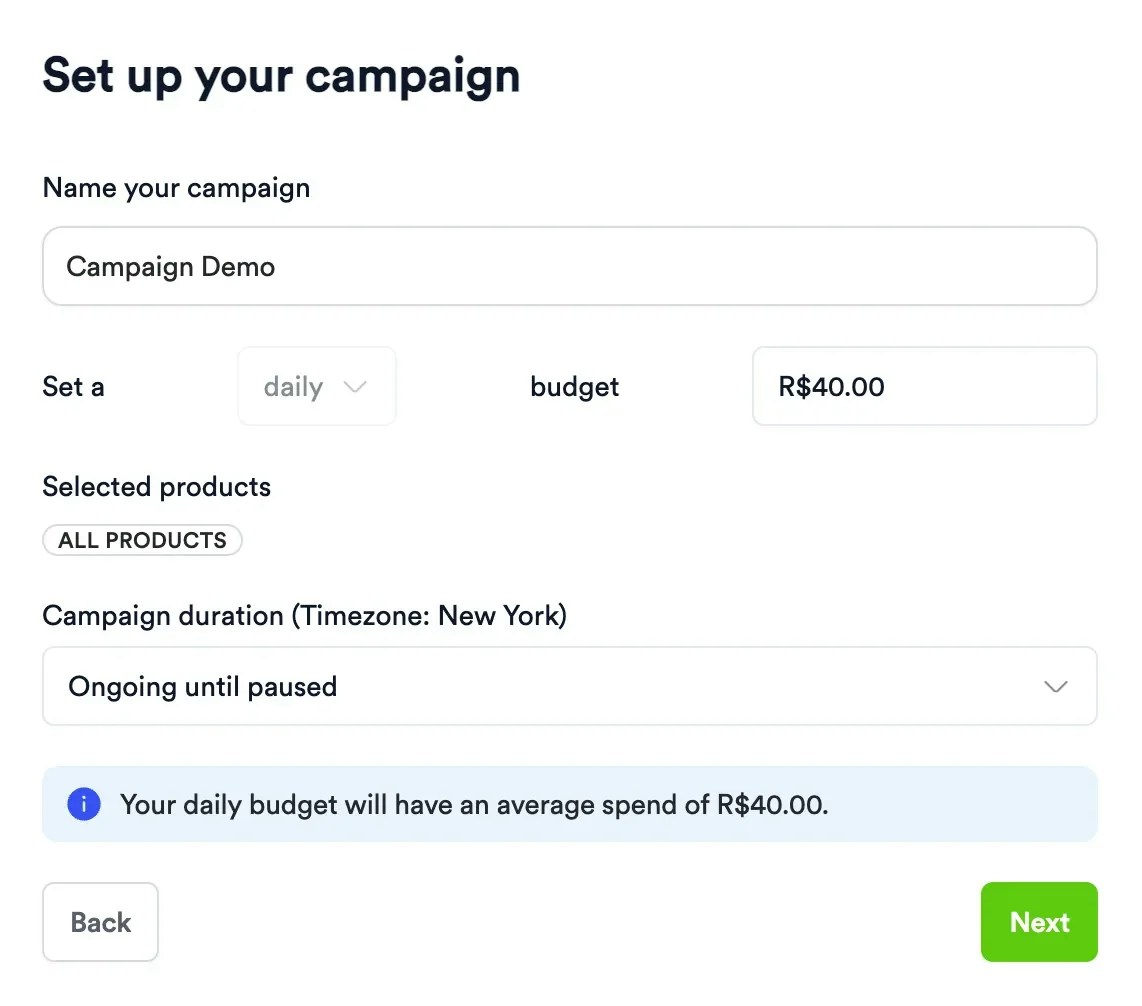
    4. Add targeting, dates, budget, and final creative details.
    <Frame>
      <img src="https://mintcdn.com/topsort/6z2OGMIoIAfrcYlw/images/knowledge-base/offsite-and-instore-offsite-campaign-creation-step-3.webp?fit=max&auto=format&n=6z2OGMIoIAfrcYlw&q=85&s=3263aceb1d696a3aa67272541286e3eb" alt="Screenshot of step 3 of offsite campaign creation." width="1142" height="1006" data-path="images/knowledge-base/offsite-and-instore-offsite-campaign-creation-step-3.webp" />
    </Frame>

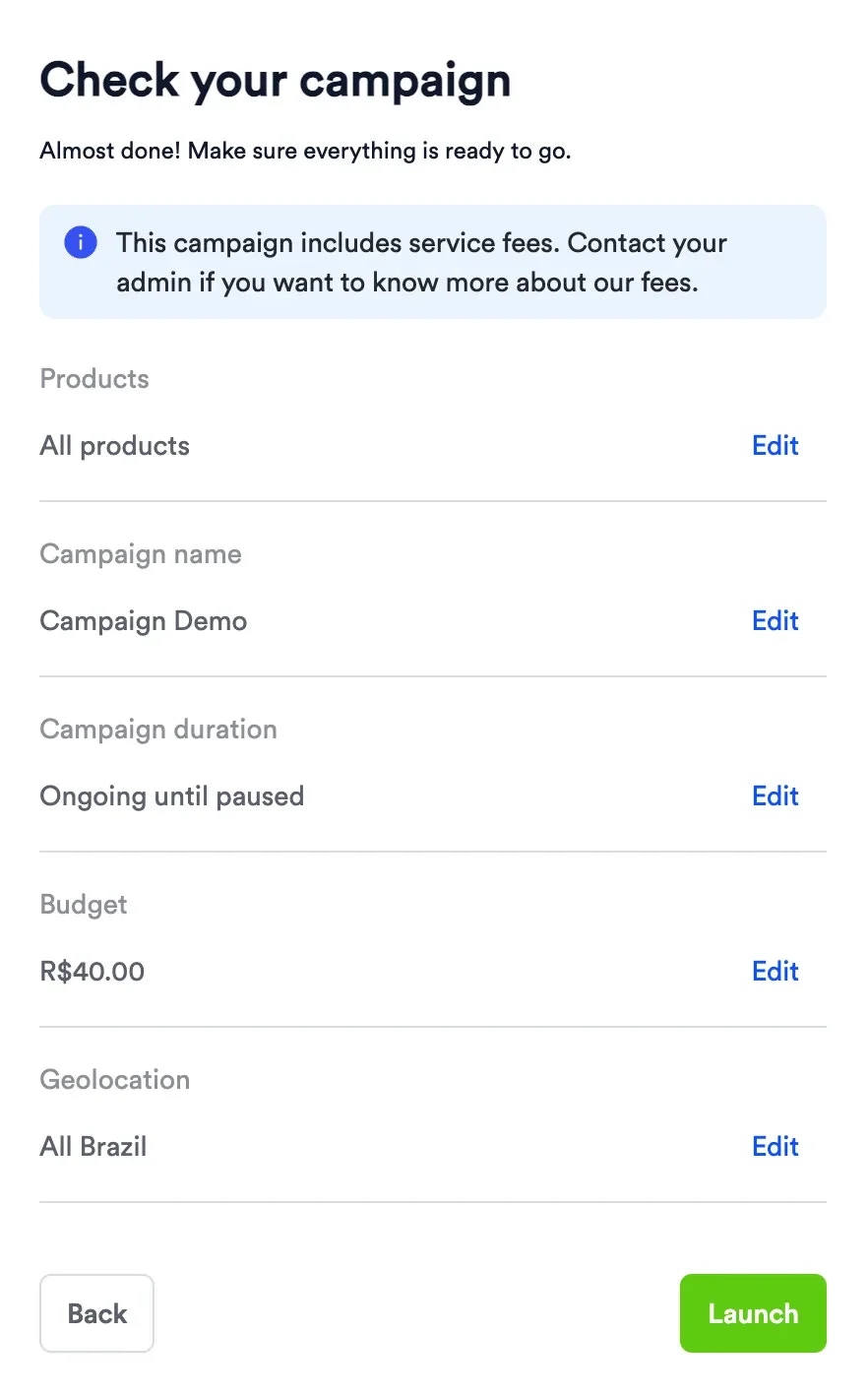
    5. Confirm configuration and launch.

    <Frame>
      <img src="https://mintcdn.com/topsort/6z2OGMIoIAfrcYlw/images/knowledge-base/offsite-and-instore-offsite-campaign-creation-step-4.webp?fit=max&auto=format&n=6z2OGMIoIAfrcYlw&q=85&s=6e17d2a7b33542b93ad8a26344574b29" alt="Screenshot of step 4 of offsite campaign creation." width="882" height="1418" data-path="images/knowledge-base/offsite-and-instore-offsite-campaign-creation-step-4.webp" />
    </Frame>

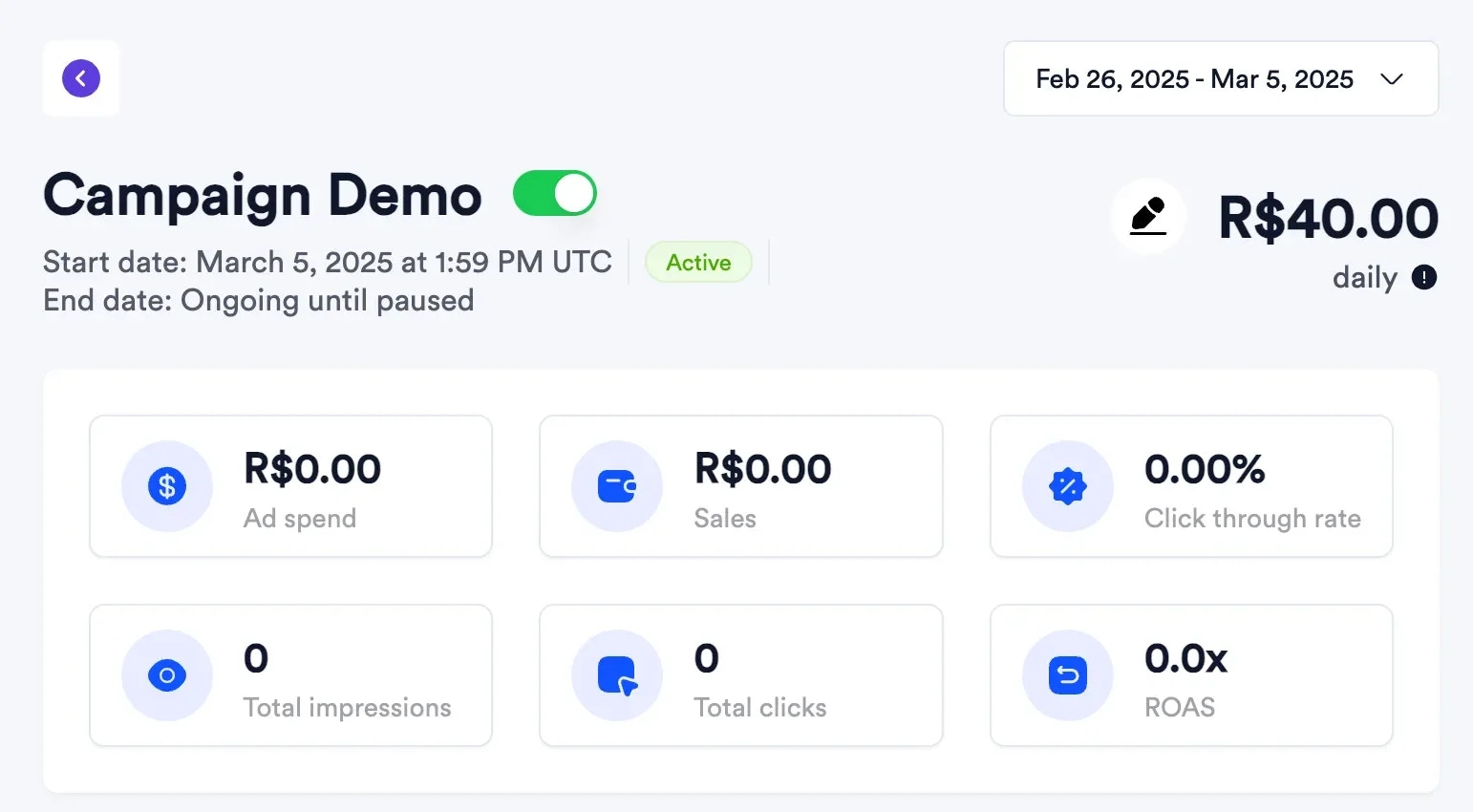
    6. Track campaign status and early delivery metrics.
    <Frame>
      <img src="https://mintcdn.com/topsort/6z2OGMIoIAfrcYlw/images/knowledge-base/offsite-and-instore-offsite-campaign-creation-step-5.webp?fit=max&auto=format&n=6z2OGMIoIAfrcYlw&q=85&s=c971cccae251a451aea2b6ac8edb1175" alt="Screenshot of step 5 of offsite campaign creation." width="1542" height="850" data-path="images/knowledge-base/offsite-and-instore-offsite-campaign-creation-step-5.webp" />
    </Frame>
  </Step>

  <Step title="Monitor and optimize">
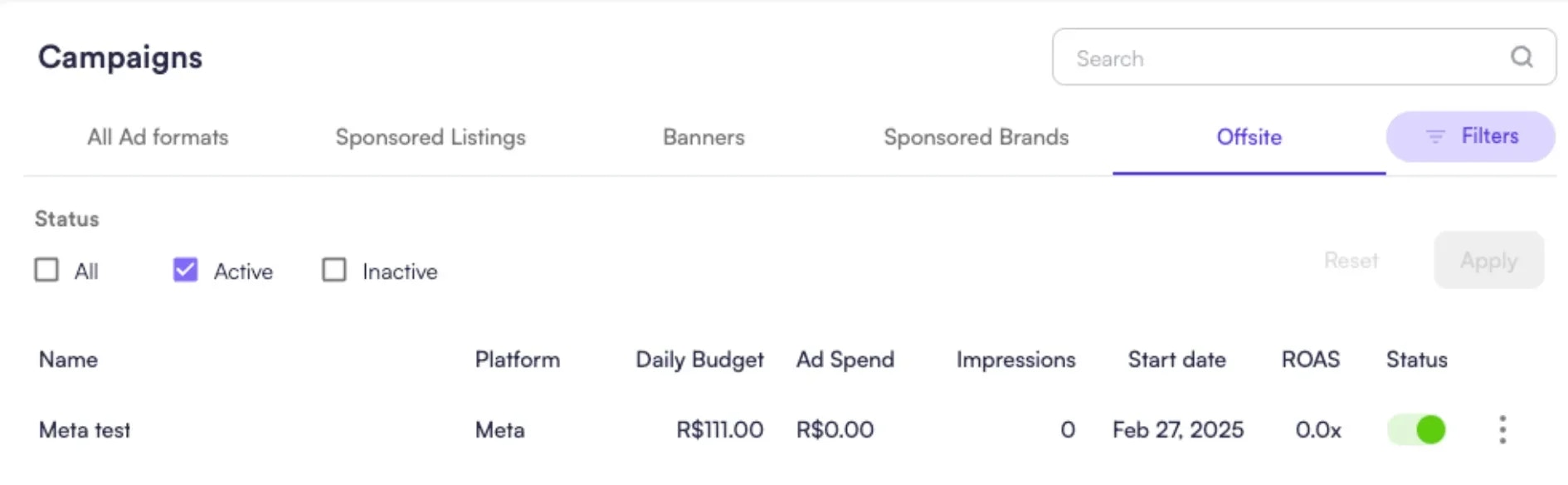
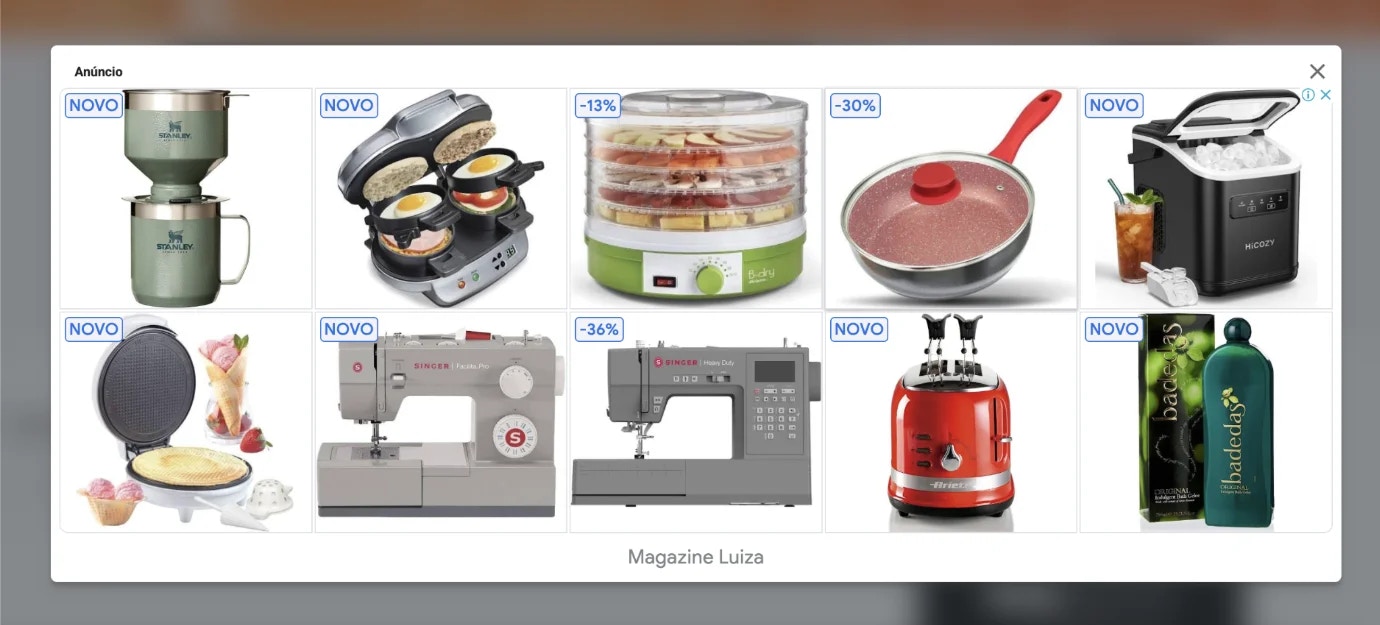
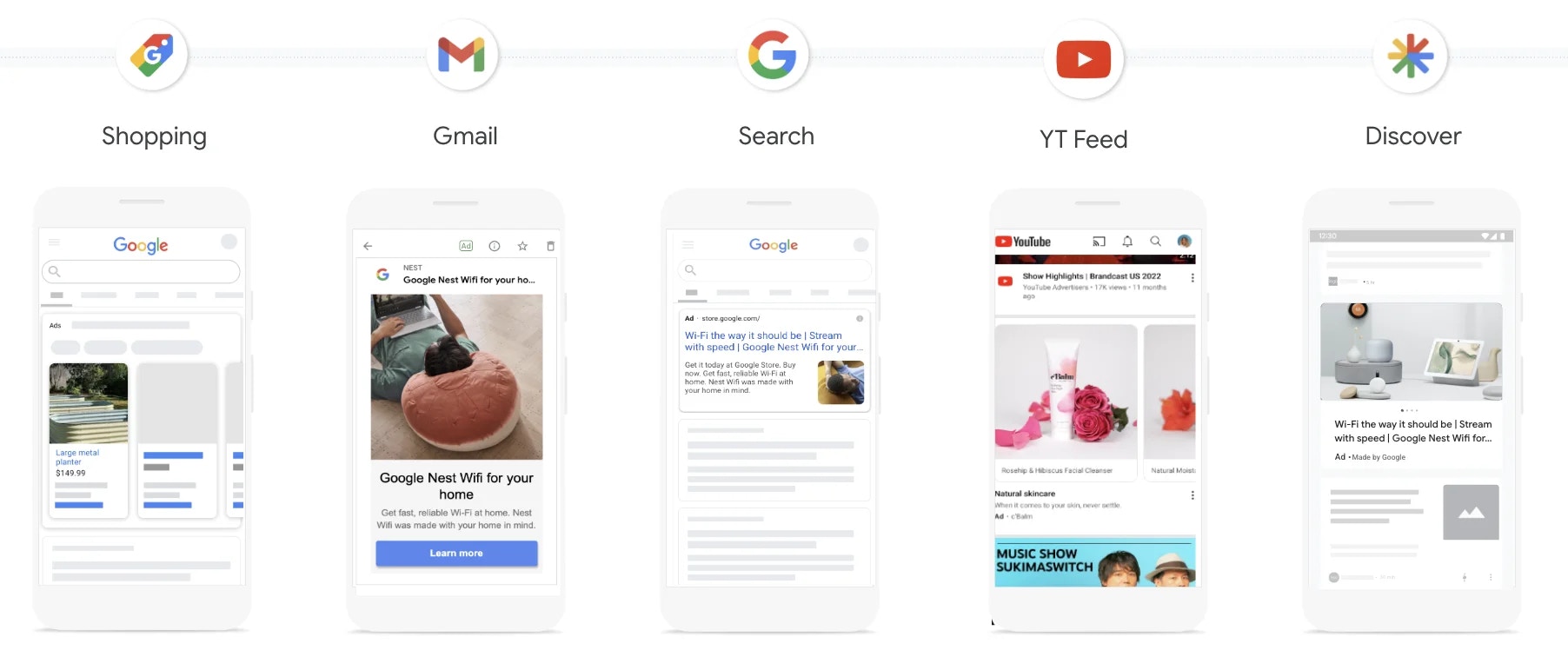
    Review campaign-level metrics.

    <Frame>
      <img src="https://mintcdn.com/topsort/6z2OGMIoIAfrcYlw/images/knowledge-base/offsite-and-instore-offsite-campaign-creation-step-6.webp?fit=max&auto=format&n=6z2OGMIoIAfrcYlw&q=85&s=88c2fe4b86dfcc32aa2711af91568b55" alt="Screenshot of step 6 of offsite campaign creation." width="1890" height="584" data-path="images/knowledge-base/offsite-and-instore-offsite-campaign-creation-step-6.webp" />
    </Frame>

    <Frame>
      <img src="https://mintcdn.com/topsort/6z2OGMIoIAfrcYlw/images/knowledge-base/offsite-and-instore-offsite-campaign-creation-example-result-1.webp?fit=max&auto=format&n=6z2OGMIoIAfrcYlw&q=85&s=79c2131da8ac7333f475d6f2188a7071" alt="Example 1 result of offsite advertising campaign." width="1380" height="625" data-path="images/knowledge-base/offsite-and-instore-offsite-campaign-creation-example-result-1.webp" />
    </Frame>

    <Frame>
      <img src="https://mintcdn.com/topsort/6z2OGMIoIAfrcYlw/images/knowledge-base/offsite-and-instore-offsite-campaign-creation-example-result-2.webp?fit=max&auto=format&n=6z2OGMIoIAfrcYlw&q=85&s=c621da38336d907dea43292d43222e68" alt="Example 2 result of offsite advertising campaign." width="1804" height="756" data-path="images/knowledge-base/offsite-and-instore-offsite-campaign-creation-example-result-2.webp" />
    </Frame>

    <Frame>
      <img src="https://mintcdn.com/topsort/6z2OGMIoIAfrcYlw/images/knowledge-base/offsite-and-instore-offsite-campaign-creation-example-result-3.webp?fit=max&auto=format&n=6z2OGMIoIAfrcYlw&q=85&s=392e3afde7d8533bf71f18d8ff2cbe7c" alt="Example 3 result of offsite advertising campaign." width="1999" height="1247" data-path="images/knowledge-base/offsite-and-instore-offsite-campaign-creation-example-result-3.webp" />
    </Frame>
  </Step>
</Steps>

## Approval Flow (Asset-Based Campaigns)

Campaigns created from uploaded creative assets in self-service require marketplace approval under `Offsite > Assets`. This keeps brand and compliance controls centralized before campaigns go live.

## Reporting Surfaces

* Reporting for **Google, Meta, Snapchat, and TikTok** includes views, clicks, impressions, ad spend, purchases, and ROAS in Topsort, using the same reporting patterns as other offsite channels.
* Metrics are available at halo (vendor) level and at **campaign** and **SKU** level where applicable.
* API and data export workflows are available for custom BI use cases.

***

<LastUpdated date="2026-05-14" />