> ## Documentation Index
> Fetch the complete documentation index at: https://docs.topsort.com/llms.txt
> Use this file to discover all available pages before exploring further.

# Global Product Catalog

> Manage your product catalog that powers campaigns across all retail partners

export const LastUpdated = ({date, lang = "en"}) => {
  const translations = {
    en: "Last updated:",
    es: "Última actualización:",
    pt: "Última atualização:",
    fr: "Dernière mise à jour:",
    de: "Zuletzt aktualisiert:"
  };
  const label = translations[lang] || translations.en;
  return <>
<style>{`
.last-updated-component {
display: inline-flex;
align-items: center;
gap: 8px;
padding: 10px 16px;
border-radius: 8px;
margin-top: 12px;
margin-bottom: 16px;
font-size: 14px;
background-color: rgba(0, 0, 0, 0.05);
border: 1px solid rgba(0, 0, 0, 0.12);
color: rgba(0, 0, 0, 0.75);
line-height: 1;
}

        .last-updated-component svg {
          flex-shrink: 0;
          vertical-align: middle;
        }

        .last-updated-component span {
          display: inline-flex !important;
          align-items: center !important;
          line-height: 1 !important;
        }

        [data-theme="dark"] .last-updated-component {
          background-color: #3a3a3a;
          border: 2px solid #888888;
          color: #ffffff;
        }

        [data-theme="dark"] .last-updated-component svg {
          stroke: #ffffff;
        }
      `}</style>
      <div className="last-updated-component">
        <svg width="16" height="16" viewBox="0 0 24 24" fill="none" stroke="currentColor" strokeWidth="2" strokeLinecap="round" strokeLinejoin="round">
          <circle cx="12" cy="12" r="10" />
          <polyline points="12 6 12 12 16 14" />
        </svg>
        <span>
          <strong style={{
    fontWeight: 600
  }}>{label}</strong> 
          <time dateTime={date}>{date}</time>
        </span>
      </div>
    </>;
};

<div style={{textAlign: 'justify', marginBottom: '1.5rem'}}>
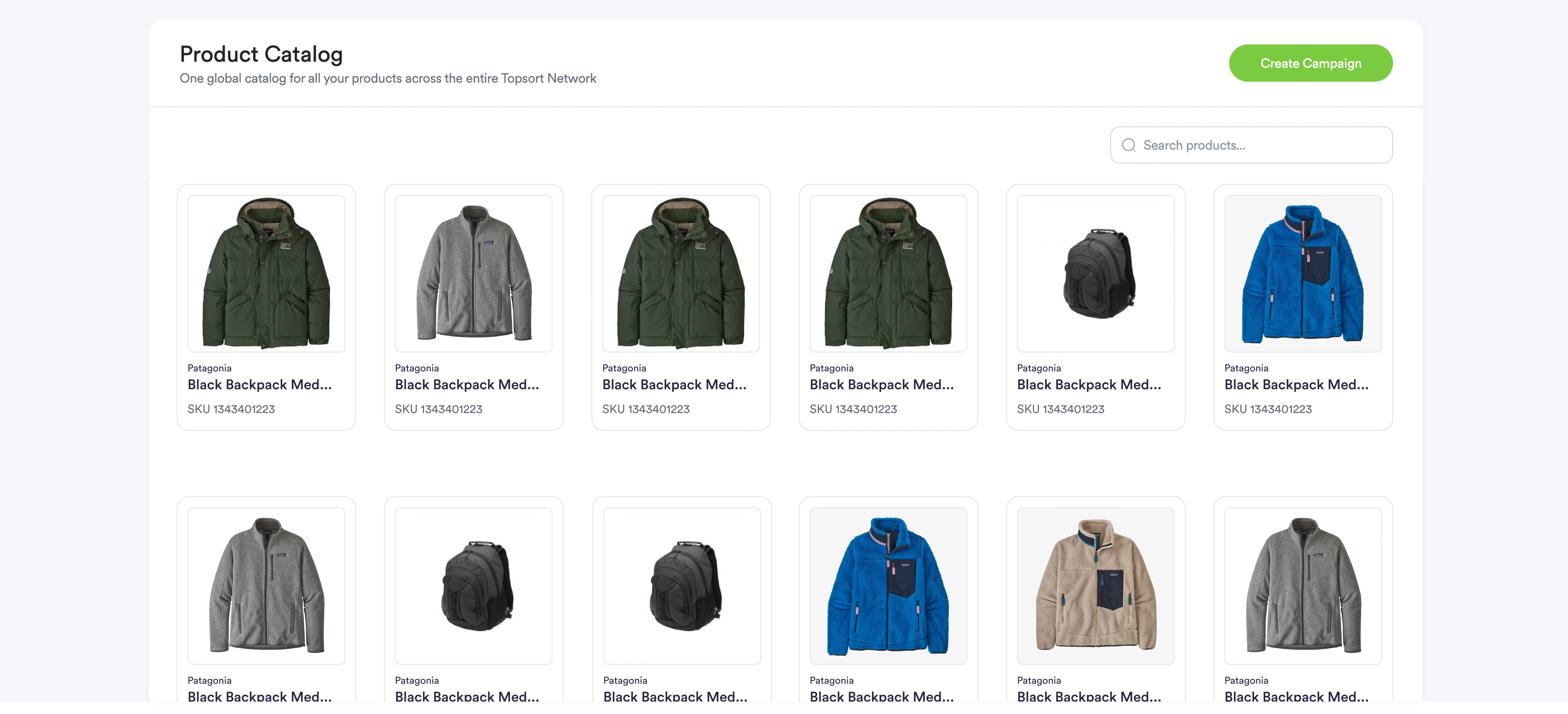
  The **Catalog tab** in Toppie provides access to your **Global Product Catalog** - a centralized product database that maps SKUs across retailers and powers all campaign targeting. This eliminates SKU chaos and ensures consistent product data across all retail partners.
</div>

<div style={{textAlign: 'justify', marginBottom: '1.5rem'}}>
  **<Frame>  <img src="https://mintcdn.com/topsort/Ro7qPN5howJXYxJV/images/knowledge-base/toppie-catalog-tab.webp?fit=max&auto=format&n=Ro7qPN5howJXYxJV&q=85&s=c349481758cc05cf8a6cb69ac635c5b4" alt="Start of the sponsored brands template creation" width="6321" height="2880" data-path="images/knowledge-base/toppie-catalog-tab.webp" /></Frame>**
</div>

## Key Benefits

<Columns cols={2}>
  <Card title="Unified Product Management">
    One global catalog to power all campaigns across multiple retailers
  </Card>

  <Card title="SKU Mapping">
    Automatically maps your products to equivalent SKUs across different retail partners
  </Card>

  <Card title="No Duplicates">
    Eliminates duplicate product entries and maintains clean, organized catalog data
  </Card>

  <Card title="Simple Selection">
    Easy product selection for campaign targeting without complex setup
  </Card>

  <Card title="Unified Reporting">
    Consistent product performance reporting across all retail networks
  </Card>
</Columns>

## How It Works

<div style={{textAlign: 'justify', marginBottom: '1.5rem'}}>
  The Global Product Catalog creates a single source of truth for your product data, automatically handling the complexity of different retailer product identifiers and catalog structures.
</div>

### Product Mapping Process

<Steps>
  <Step title="Initial Catalog Upload">
    <div style={{textAlign: 'justify', marginBottom: '1.5rem'}}>
      Upload your master product catalog in CSV format or connect via API feed
    </div>
  </Step>

  <Step title="Automatic SKU Mapping">
    <div style={{textAlign: 'justify', marginBottom: '1.5rem'}}>
      Toppie's AI matches your products to equivalent items across retail partner catalogs
    </div>
  </Step>

  <Step title="Catalog Validation">
    <div style={{textAlign: 'justify', marginBottom: '1.5rem'}}>
      Review and confirm product mappings to ensure accuracy across all retailers
    </div>
  </Step>

  <Step title="Campaign Integration">
    <div style={{textAlign: 'justify', marginBottom: '1.5rem'}}>
      Select products from your unified catalog for any campaign type across any retail partner
    </div>
  </Step>
</Steps>

## Catalog Management

### Supported Formats

<div style={{textAlign: 'justify', marginBottom: '1.5rem'}}>
  * **CSV Upload** - Standard product data files with required fields
  * **API Integration** - Real-time catalog sync via API endpoints
  * **Manual Entry** - Direct product addition through the interface
</div>

### Required Product Fields

<div style={{textAlign: 'justify', marginBottom: '1.5rem'}}>
  * Product Name
  * SKU/Product ID
  * Category
  * Brand
  * Price (optional for mapping)
  * Product Description
  * Image URLs
</div>

### Catalog Updates

<div style={{textAlign: 'justify', marginBottom: '1.5rem'}}>
  Product catalogs can be updated through:
</div>

<div style={{textAlign: 'justify', marginBottom: '1.5rem'}}>
  * **Scheduled Sync** - Automatic updates via API integration
  * **Manual Upload** - Replace or append catalog data via CSV
  * **Individual Edits** - Modify specific product details through the interface
</div>

## Product Selection for Campaigns

<div style={{textAlign: 'justify', marginBottom: '1.5rem'}}>
  When creating campaigns, you'll select products directly from your Product Catalog. The system automatically:
</div>

<div style={{textAlign: 'justify', marginBottom: '1.5rem'}}>
  * Shows which retail partners carry each selected product
  * Handles SKU mapping for each retailer automatically
  * Applies appropriate targeting based on product attributes
  * Tracks performance at the global product level
</div>

## Benefits for Multi-Retailer Campaigns

<div style={{textAlign: 'justify', marginBottom: '1.5rem'}}>
  The Product Catalog eliminates the complexity of managing different product identifiers across retail partners:
</div>

<div style={{textAlign: 'justify', marginBottom: '1.5rem'}}>
  * **Consistent Targeting** - Same product targeting logic across all retailers
  * **Unified Performance Tracking** - See how the same product performs across different retail environments
  * **Simplified Campaign Setup** - No need to map products individually for each retailer
  * **Accurate Attribution** - Proper product-level attribution regardless of retailer-specific SKUs
</div>

<div style={{textAlign: 'justify', marginBottom: '1.5rem'}}>
  ***
</div>

<div style={{textAlign: 'justify', marginBottom: '1.5rem'}}>
  The Product Catalog is the foundation of Toppie's unified approach to retail media, ensuring your campaigns target the right products consistently across all retail partners.
</div>

***

<LastUpdated date="2025-11-18" />