> ## Documentation Index
> Fetch the complete documentation index at: https://docs.topsort.com/llms.txt
> Use this file to discover all available pages before exploring further.

# Banner Campaigns

> Creating banner ads campaigns on Toppie

export const LastUpdated = ({date, lang = "en"}) => {
  const translations = {
    en: "Last updated:",
    es: "Última actualización:",
    pt: "Última atualização:",
    fr: "Dernière mise à jour:",
    de: "Zuletzt aktualisiert:"
  };
  const label = translations[lang] || translations.en;
  return <>
<style>{`
.last-updated-component {
display: inline-flex;
align-items: center;
gap: 8px;
padding: 10px 16px;
border-radius: 8px;
margin-top: 12px;
margin-bottom: 16px;
font-size: 14px;
background-color: rgba(0, 0, 0, 0.05);
border: 1px solid rgba(0, 0, 0, 0.12);
color: rgba(0, 0, 0, 0.75);
line-height: 1;
}

        .last-updated-component svg {
          flex-shrink: 0;
          vertical-align: middle;
        }

        .last-updated-component span {
          display: inline-flex !important;
          align-items: center !important;
          line-height: 1 !important;
        }

        [data-theme="dark"] .last-updated-component {
          background-color: #3a3a3a;
          border: 2px solid #888888;
          color: #ffffff;
        }

        [data-theme="dark"] .last-updated-component svg {
          stroke: #ffffff;
        }
      `}</style>
      <div className="last-updated-component">
        <svg width="16" height="16" viewBox="0 0 24 24" fill="none" stroke="currentColor" strokeWidth="2" strokeLinecap="round" strokeLinejoin="round">
          <circle cx="12" cy="12" r="10" />
          <polyline points="12 6 12 12 16 14" />
        </svg>
        <span>
          <strong style={{
    fontWeight: 600
  }}>{label}</strong> 
          <time dateTime={date}>{date}</time>
        </span>
      </div>
    </>;
};

<div style={{textAlign: 'justify', marginBottom: '1.5rem'}}>
  **Banner Campaigns on Toppie** enable agencies to run banner (display) advertising campaigns across multiple retail partners from a single platform alongside sponsored listings. This unified approach eliminates the need to manage banner campaigns separately across different retailer interfaces.
</div>

<div style={{textAlign: 'justify', marginBottom: '1.5rem'}}>
  The feature uses *product-based targeting* where agencies select which products to promote, and Toppie automatically handles the targeting and creative sizing for each marketplace. This reduces manual setup while ensuring banners remain relevant to each retailer's audience.
</div>

## Key Benefits

<Columns cols={2}>
  <Card title="Centralized Banner Management">
    Run banner campaigns alongside sponsored listings with unified reporting and budget controls
  </Card>

  <Card title="Simplified Campaign Setup">
    Upload creatives, select products to sponsor, and launch across multiple marketplaces in a single flow
  </Card>

  <Card title="Automatic Creative Optimization">
    Design team resizes uploaded creatives to match available slot dimensions across partner marketplaces
  </Card>

  <Card title="Product-based Targeting">
    Target based on your product catalog without manual keyword setup—targeting is automatically inferred from selected products
  </Card>

  <Card title="Purchase Attribution">
    Track when banner clicks lead to purchases of campaign products using marketplace-specific attribution windows
  </Card>
</Columns>

## How It Works

<Steps>
  <Step title="Campaign Creation">
    <div style={{textAlign: 'justify', marginBottom: '1.5rem'}}>
      From the Toppie Dashboard, select "Banner Ads" from the Create Campaign button

    </div>

    <Frame>
      <img src="https://mintcdn.com/topsort/Ro7qPN5howJXYxJV/images/knowledge-base/toppie-agencies-brands-toppie-banners-step-1.webp?fit=max&auto=format&n=Ro7qPN5howJXYxJV&q=85&s=12ac7ced4befa28ef0f44d70e7a4ac54" alt="Step 1 of creating banners on Toppie" width="1414" height="111" data-path="images/knowledge-base/toppie-agencies-brands-toppie-banners-step-1.webp" />
    </Frame>

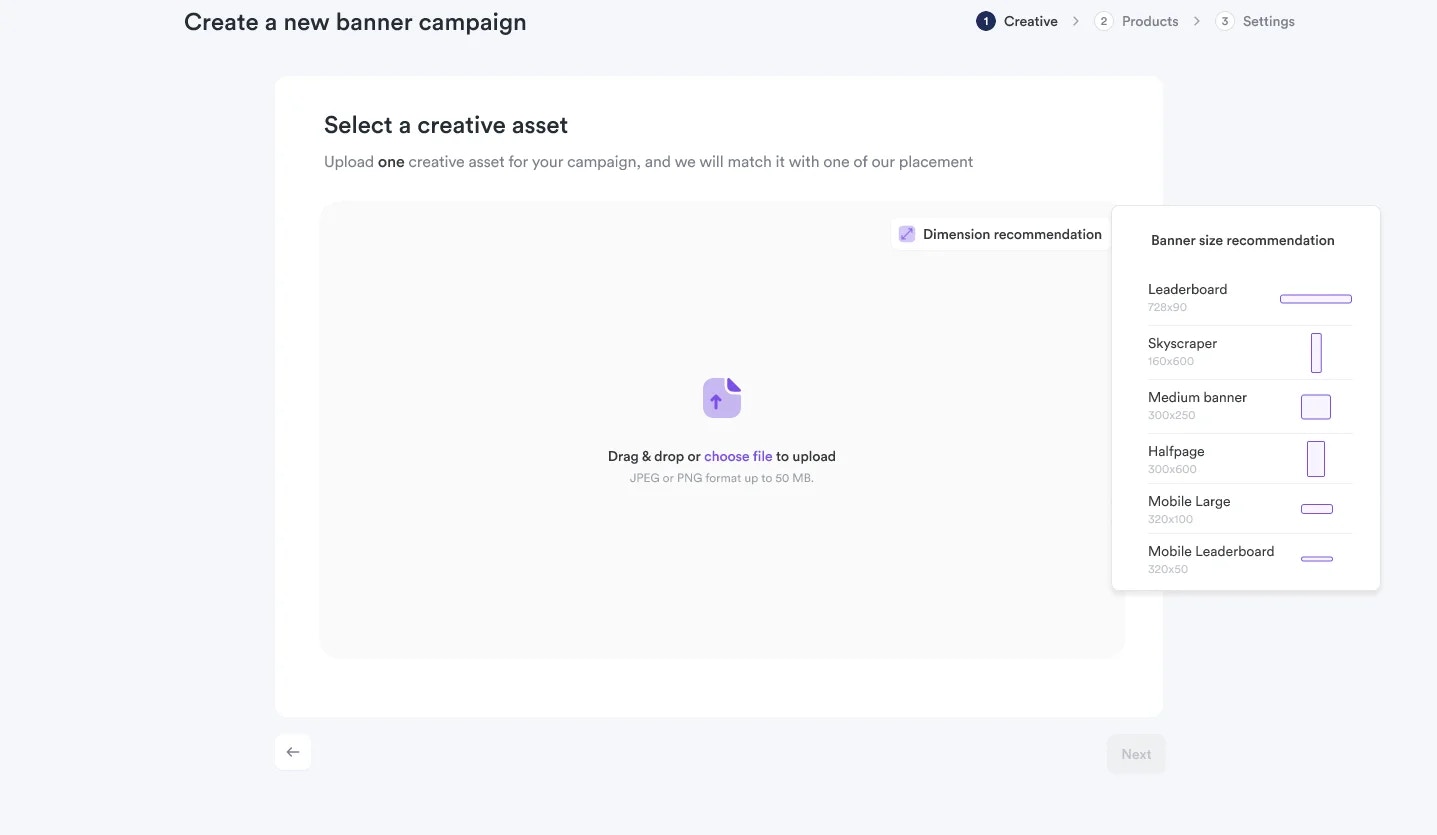
    Agencies upload banner creatives following standard IAB size recommendations, select products from their catalog to sponsor, and set campaign **name**, **budget**, and **duration**. Toppie automatically creates child campaigns for each relevant marketplace.
  </Step>

  <Step title="Upload Banner Creative">
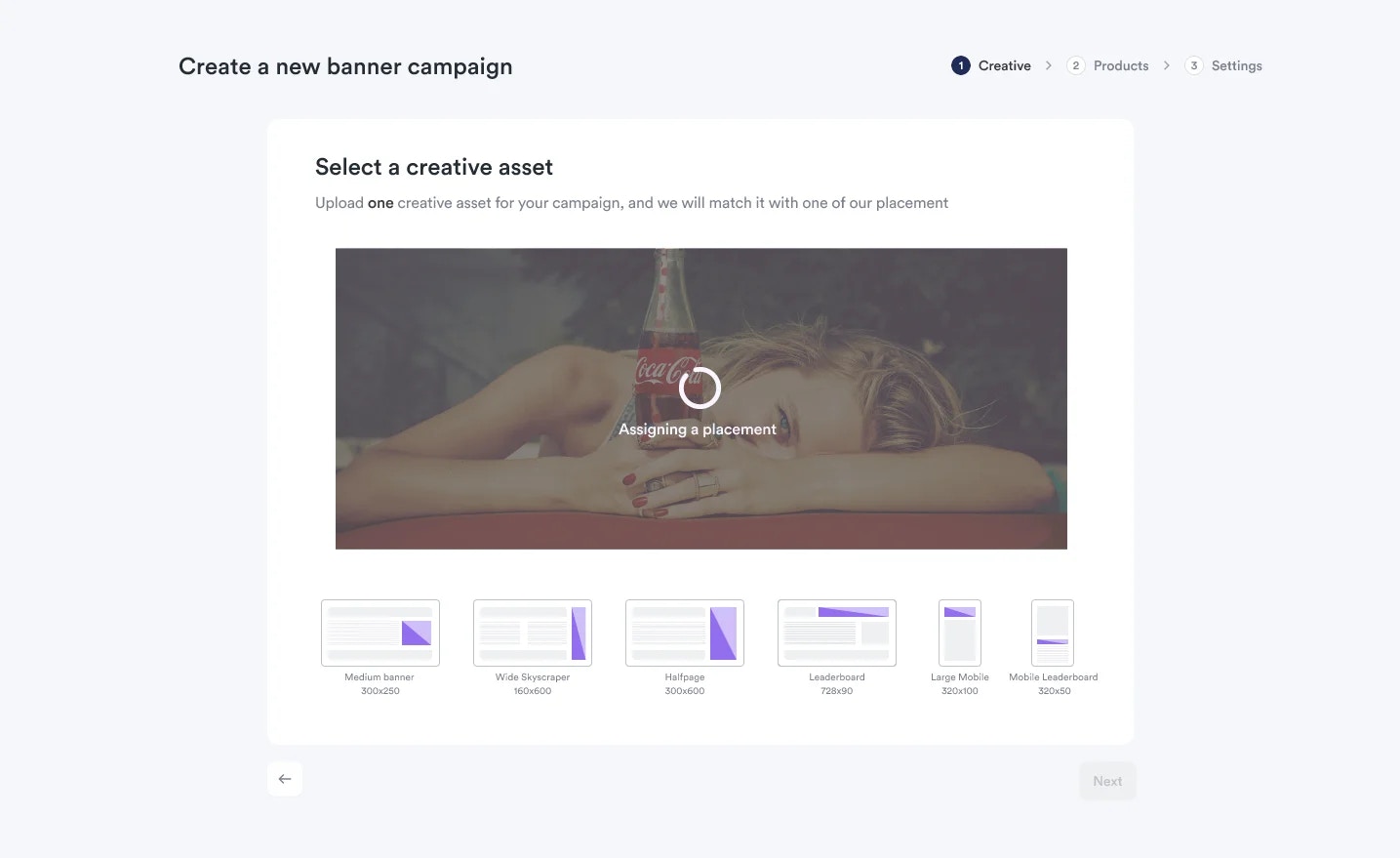
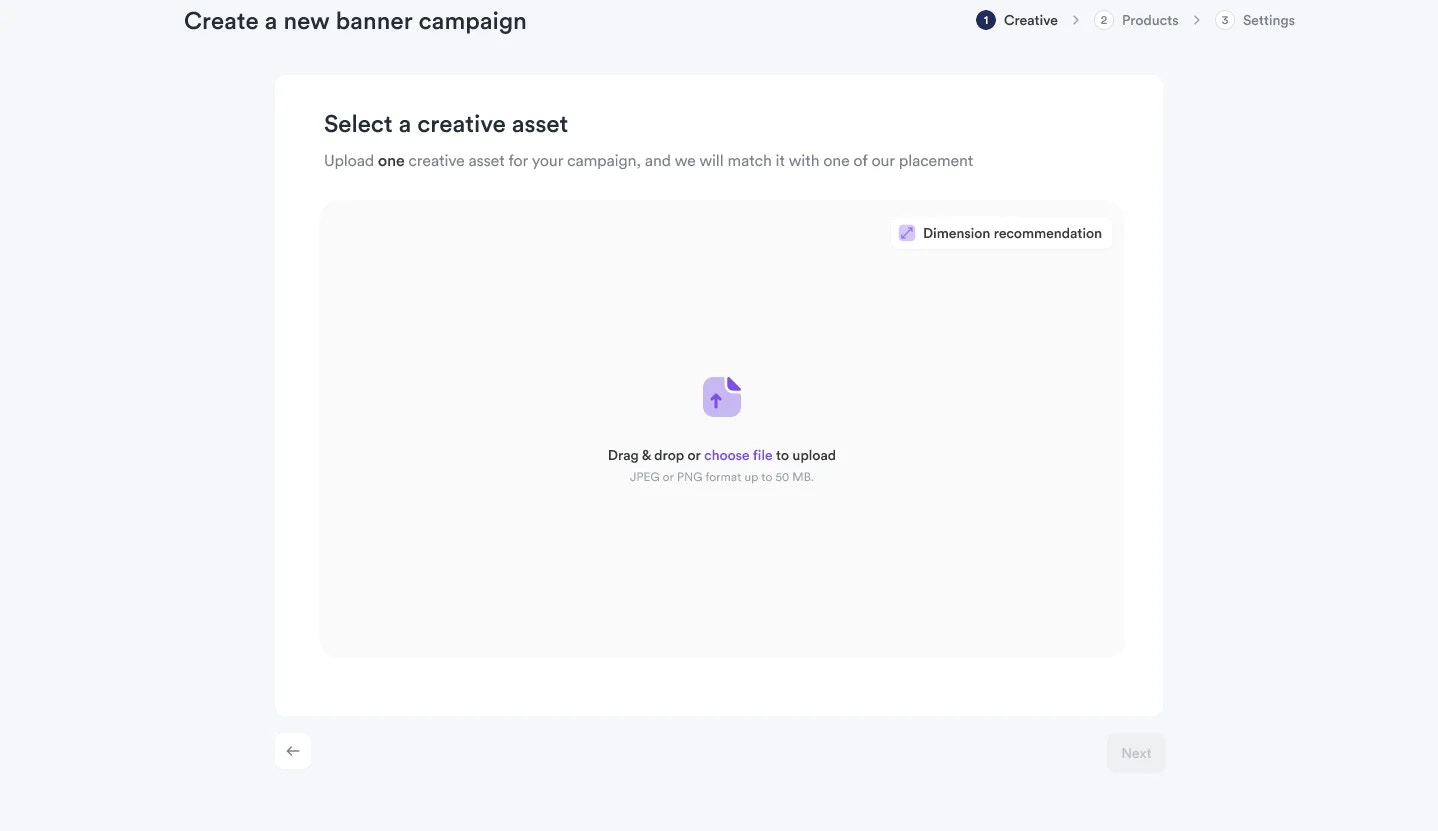
    Dimension recommendation are generated based on the asset size
    <Frame>
      <img src="https://mintcdn.com/topsort/Ro7qPN5howJXYxJV/images/knowledge-base/toppie-agencies-brands-toppie-banners-step-2.1.webp?fit=max&auto=format&n=Ro7qPN5howJXYxJV&q=85&s=fa14adcf5c89c8af8cab64c512065eb0" alt="Step 2.1 of creating banners on Toppie" width="1438" height="831" data-path="images/knowledge-base/toppie-agencies-brands-toppie-banners-step-2.1.webp" />
    </Frame>

    <Frame>
      <img src="https://mintcdn.com/topsort/Ro7qPN5howJXYxJV/images/knowledge-base/toppie-agencies-brands-toppie-banners-step-2.2.webp?fit=max&auto=format&n=Ro7qPN5howJXYxJV&q=85&s=058e0889c3a26049fd7171128878295c" alt="Step 2.2 of creating banners on Toppie" width="1437" height="835" data-path="images/knowledge-base/toppie-agencies-brands-toppie-banners-step-2.2.webp" />
    </Frame>

    <Frame>
      <img src="https://mintcdn.com/topsort/Ro7qPN5howJXYxJV/images/knowledge-base/toppie-agencies-brands-toppie-banners-step-2.3.webp?fit=max&auto=format&n=Ro7qPN5howJXYxJV&q=85&s=ce983d1006243c5a4580a4a46f4e19a7" alt="Step 2.3 of creating banners on Toppie" width="1435" height="879" data-path="images/knowledge-base/toppie-agencies-brands-toppie-banners-step-2.3.webp" />
    </Frame>
  </Step>

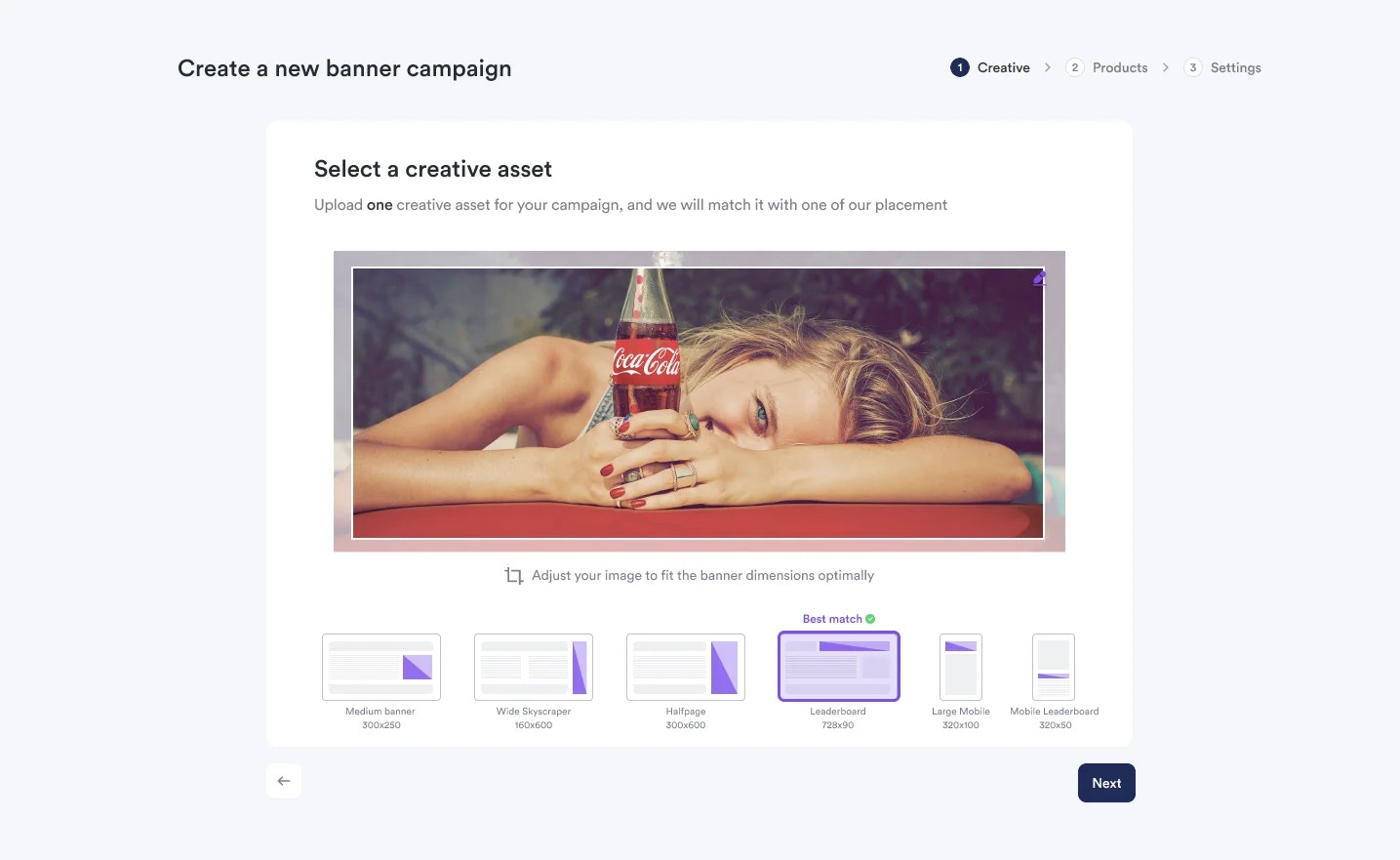
  <Step title="Finalize Banner Dimensions">
    A preview of your banner will be shown
    <Frame>
      <img src="https://mintcdn.com/topsort/Ro7qPN5howJXYxJV/images/knowledge-base/toppie-agencies-brands-toppie-banners-step-3.webp?fit=max&auto=format&n=Ro7qPN5howJXYxJV&q=85&s=ca13c5d8e6fe89513fa9544f8f661700" alt="Step 3 of creating banners on Toppie" width="1435" height="881" data-path="images/knowledge-base/toppie-agencies-brands-toppie-banners-step-3.webp" />
    </Frame>
  </Step>

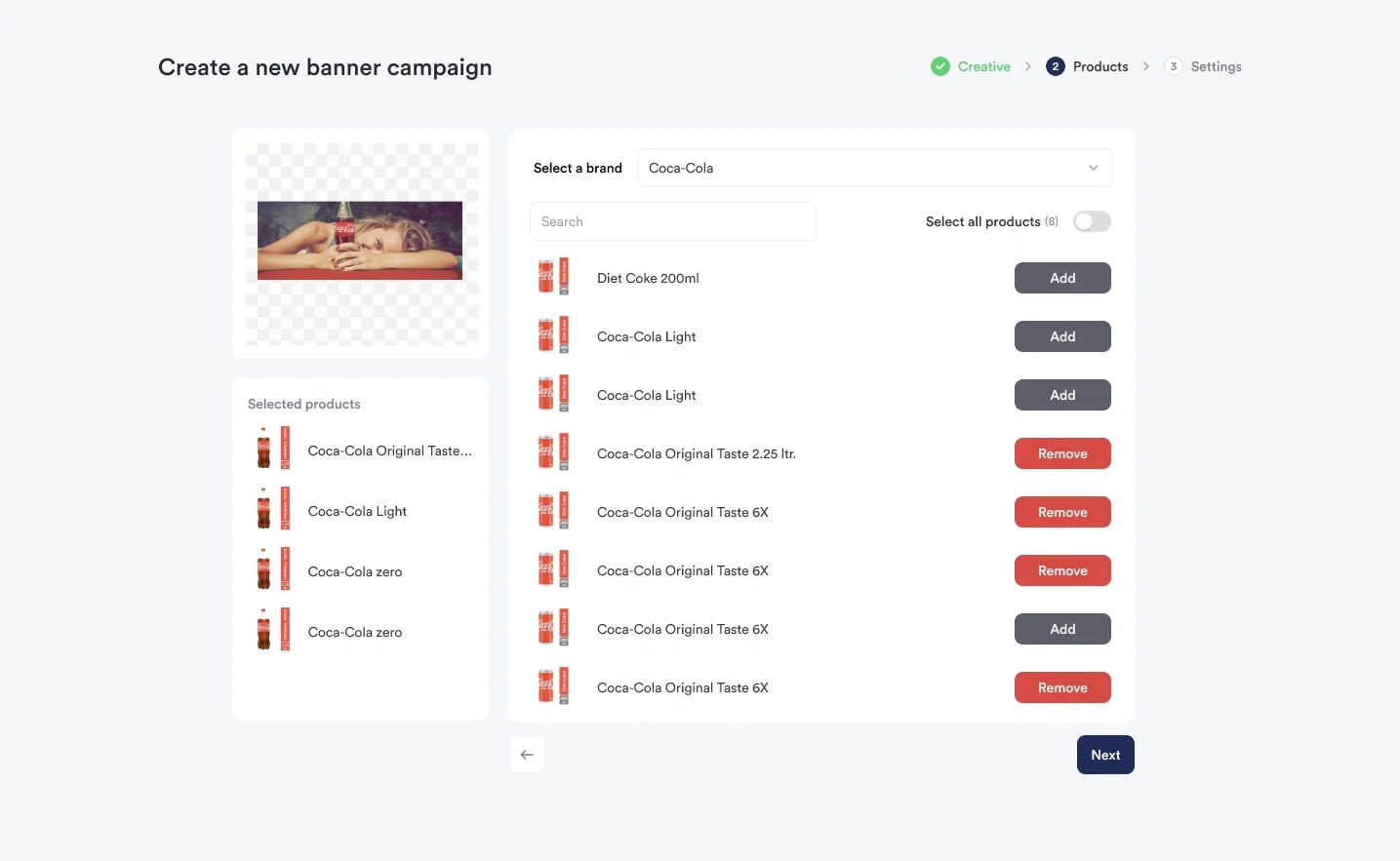
  <Step title="Select Products">
    Select at least one product from the brand
    <Frame>
      <img src="https://mintcdn.com/topsort/Ro7qPN5howJXYxJV/images/knowledge-base/toppie-agencies-brands-toppie-banners-step-4.webp?fit=max&auto=format&n=Ro7qPN5howJXYxJV&q=85&s=fa3b2ad45a7ebdba1372d2a6ea07e85c" alt="Step 4 of creating banners on Toppie" width="1435" height="883" data-path="images/knowledge-base/toppie-agencies-brands-toppie-banners-step-4.webp" />
    </Frame>
  </Step>

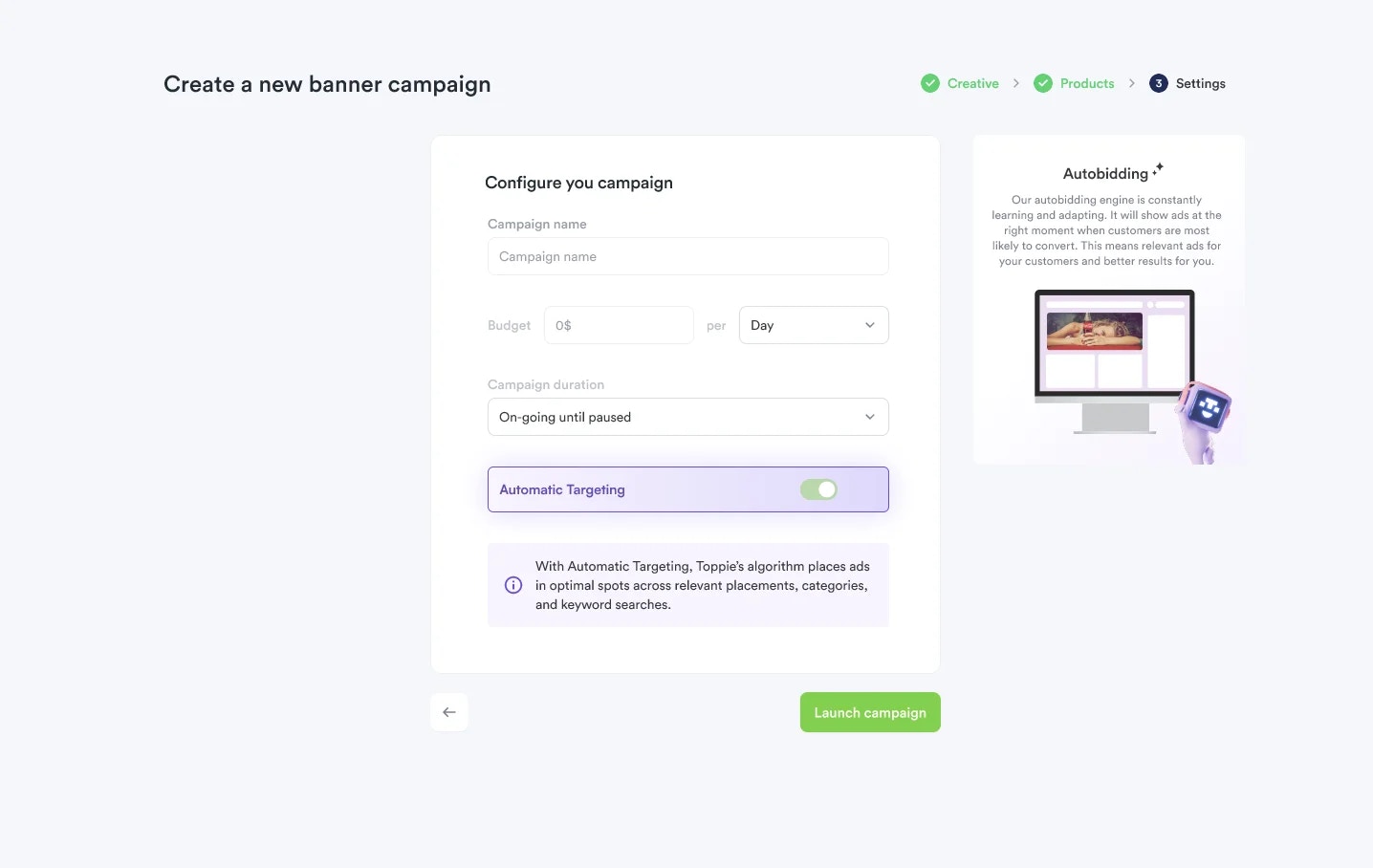
  <Step title="Configure and Launch">
    Specify the campaign **name**, **budget**, **duration**, and **targeting** preferences
    <Frame>
      <img src="https://mintcdn.com/topsort/Ro7qPN5howJXYxJV/images/knowledge-base/toppie-agencies-brands-toppie-banners-step-5.1.webp?fit=max&auto=format&n=Ro7qPN5howJXYxJV&q=85&s=0d7d23005690775deb59ec7409a7a50e" alt="Step 5.1 of creating banners on Toppie" width="1436" height="908" data-path="images/knowledge-base/toppie-agencies-brands-toppie-banners-step-5.1.webp" />
    </Frame>

    <Frame>
      <img src="https://mintcdn.com/topsort/Ro7qPN5howJXYxJV/images/knowledge-base/toppie-agencies-brands-toppie-banners-step-5.2.webp?fit=max&auto=format&n=Ro7qPN5howJXYxJV&q=85&s=ab61c3d0d52a4b1c7be82d2984198bcf" alt="Step 5.2 of creating banners on Toppie" width="1372" height="829" data-path="images/knowledge-base/toppie-agencies-brands-toppie-banners-step-5.2.webp" />
    </Frame>
  </Step>

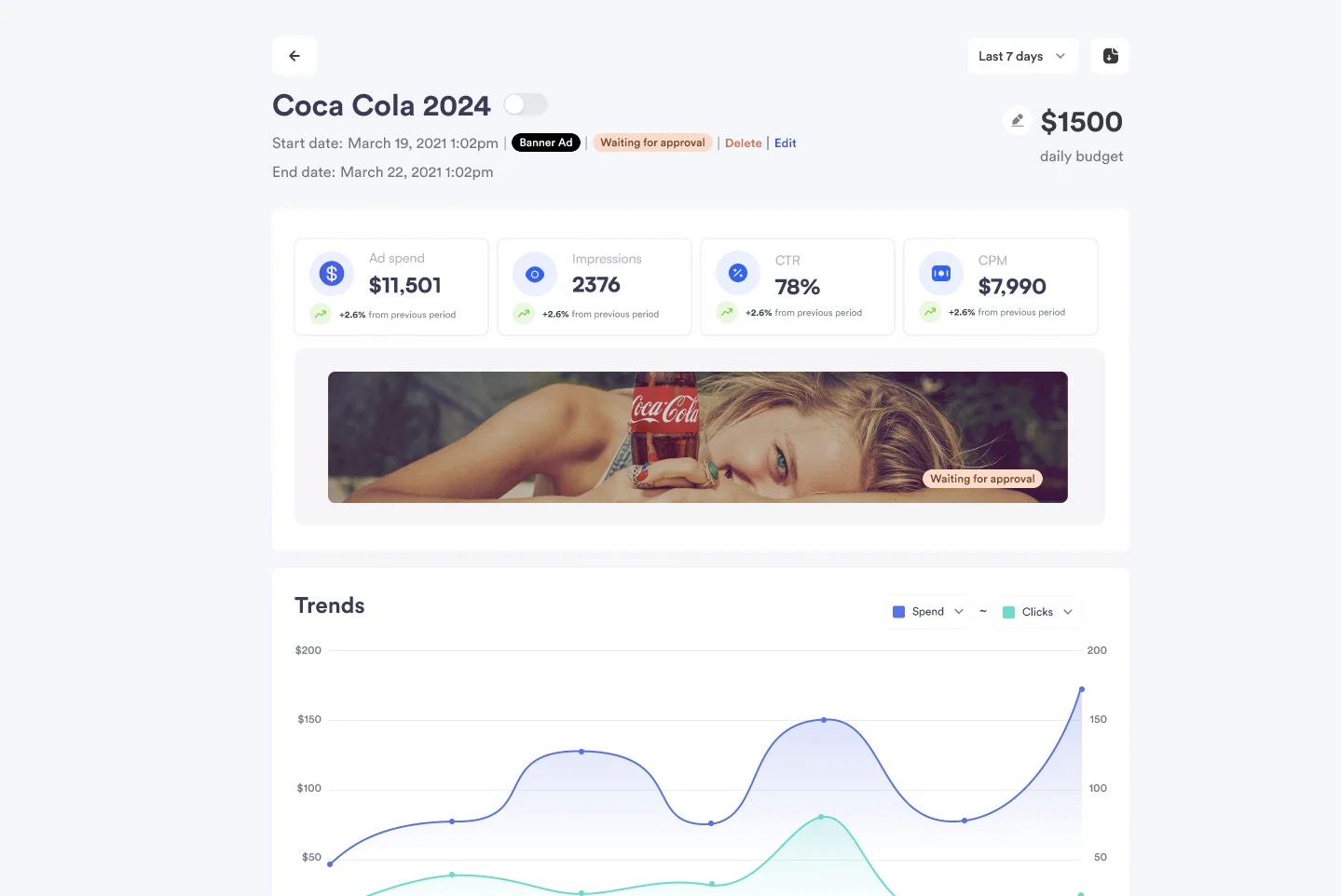
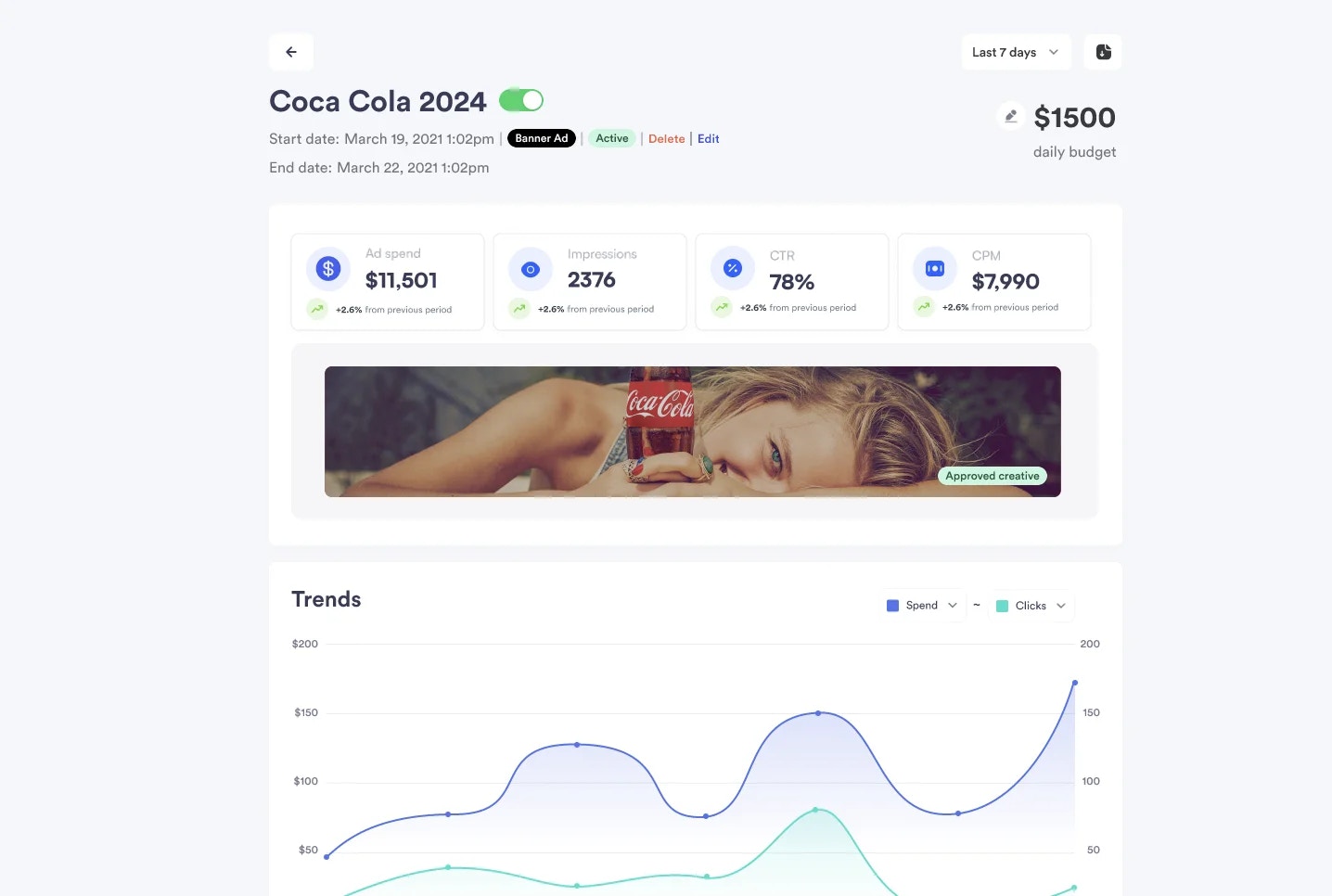
  <Step title="Approval and Launch">
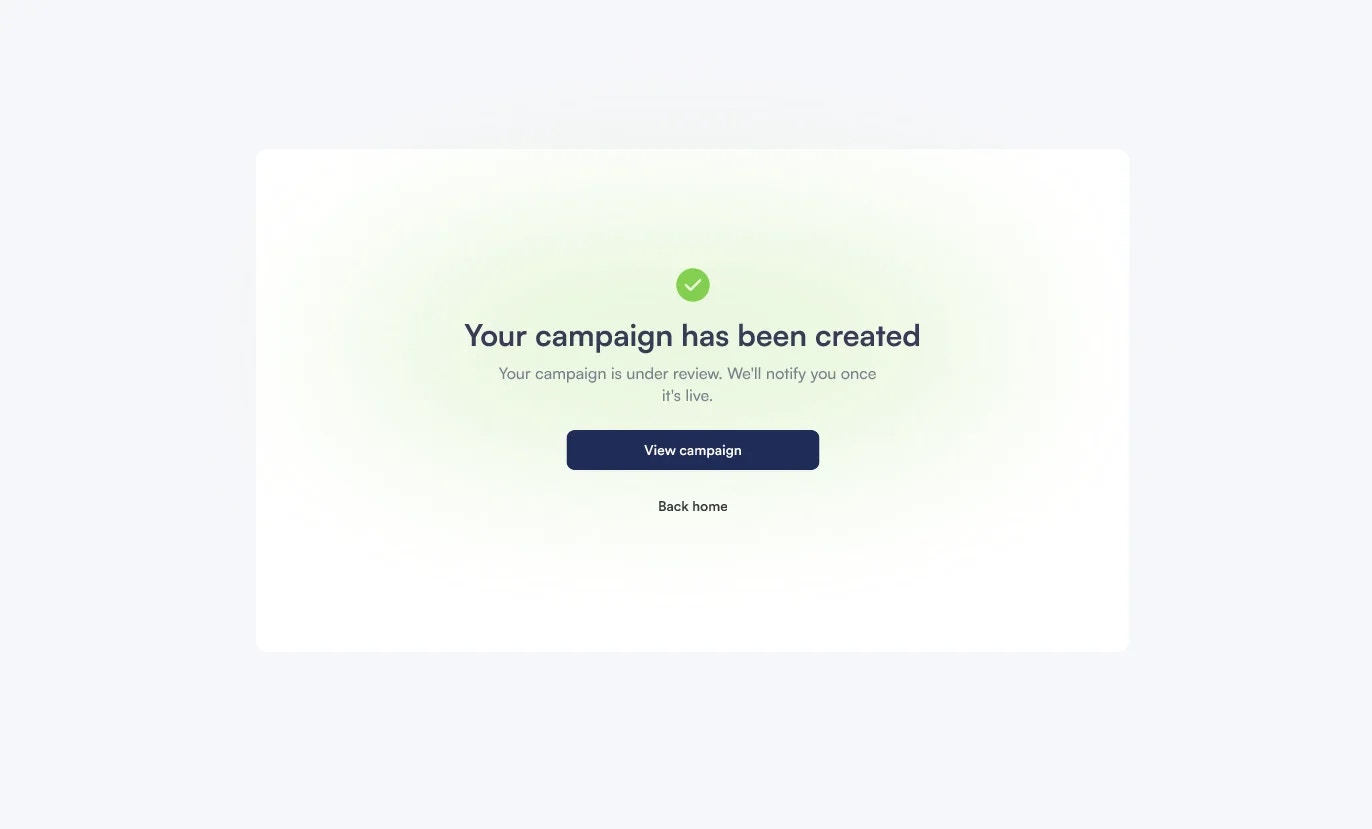
    Each child campaign goes through the marketplace's standard approval flow. Marketplaces set banner destinations during this approval process before campaigns go live.
    <Frame>
      <img src="https://mintcdn.com/topsort/Ro7qPN5howJXYxJV/images/knowledge-base/toppie-agencies-brands-toppie-banners-step-6.1.webp?fit=max&auto=format&n=Ro7qPN5howJXYxJV&q=85&s=61f43a330d472dd2ea4ab9ecc9793095" alt="Step 6.1 of creating banners on Toppie" width="1439" height="962" data-path="images/knowledge-base/toppie-agencies-brands-toppie-banners-step-6.1.webp" />
    </Frame>

    <Frame>
      <img src="https://mintcdn.com/topsort/Ro7qPN5howJXYxJV/images/knowledge-base/toppie-agencies-brands-toppie-banners-step-6.2.webp?fit=max&auto=format&n=Ro7qPN5howJXYxJV&q=85&s=3e1e1bc655866b162f67727531906077" alt="Step 6.2 of creating banners on Toppie" width="1436" height="966" data-path="images/knowledge-base/toppie-agencies-brands-toppie-banners-step-6.2.webp" />
    </Frame>
  </Step>
</Steps>

## Attribution Model

<div style={{textAlign: 'justify', marginBottom: '1.5rem'}}>
  Purchases are attributed when users click on a banner and later buy a product included in the campaign, using each marketplace's attribution window for measurement.
</div>

<Note>
  Real-time reporting and performance tracking are available within the Toppie platform for complete campaign visibility.
</Note>

## For Marketplaces

<div style={{textAlign: 'justify', marginBottom: '1.5rem'}}>
  Monetize high-visibility banner slots with better targeting and real-time measurement. Set destinations during the campaign approval flow and benefit from product-based targeting that ensures relevant ads for your audience.
</div>

***

<LastUpdated date="2025-11-18" />