

Where to Find Logs
Navigate to Dev Tools tab in your Topsort Ad Platform to access real-time logs for your API key.Log Availability
As your production API usage scales up, successful requests may be filtered from logs to improve performance. Errors and debugging information will always be available.
Understanding Log Entries
Successful Requests
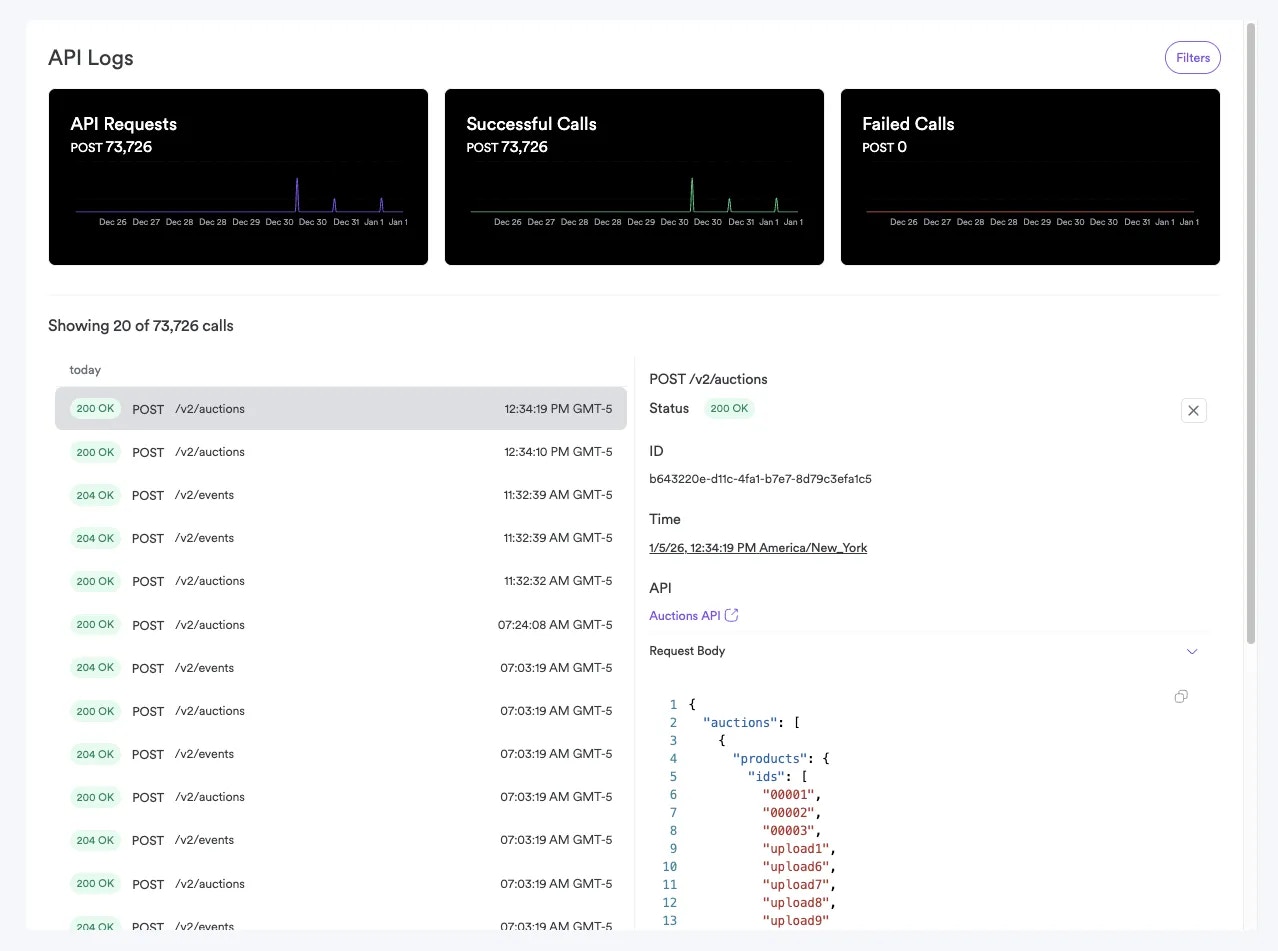
- Status: HTTP 200/201/204 status codes
- Timestamp: When the request was made
- Endpoint: Which API endpoint was called
- Response time: How long the request took
- Request size: Size of request/response data
Error Entries
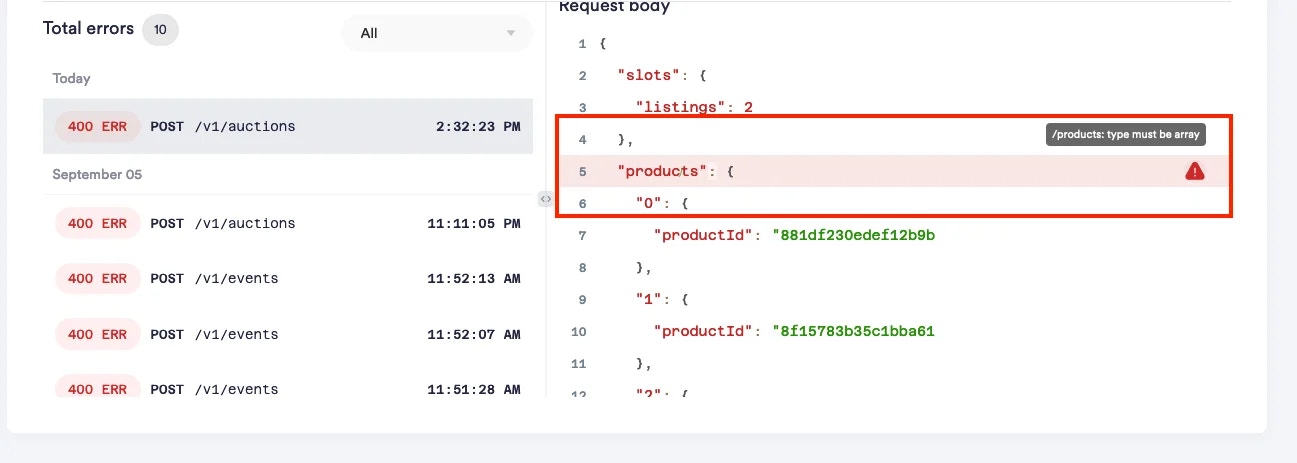
- Status: HTTP error code (400, 401, 403, etc.)
- Error details: Specific error code and message
- Request body: What data was sent (for debugging)
- Stack trace: Internal error details (when available)
Common Log Patterns
Authentication Issues
Authorization: Bearer YOUR_API_KEY header
Validation Errors
Rate Limiting
Using Logs for Debugging
1. Events Not Appearing in Dashboard
Look for:- 200 status on
/eventscalls - Validation errors in event payload
- Timestamp issues (
occurredAtin future or too old)
2. Empty Auction Results
Check:- Campaign budget status
- Product availability in catalog
- Auction request format
3. Attribution Problems
Review event logs for:- Consistent user ID usage
- Proper
resolvedBidIdfrom auctions - Timing of click/purchase events
Best Practices
Log Monitoring
- Check logs after deploying new integration code
- Monitor error rates during high-traffic periods
- Set up alerts for recurring error patterns
Troubleshooting Workflow
- Reproduce the issue in staging environment
- Check recent logs for error patterns
- Verify request format against API documentation
- Test with minimal payload to isolate the problem
- Contact support with log timestamps for complex issues
Privacy and Data Handling
- Logs may contain sensitive data from your requests
- Production logs automatically expire after 30 days
- Access to logs is restricted to admin users only
- Personal data in logs follows standard data retention policies
Need Help?
If you’re seeing persistent errors in your logs:- Note the timestamp of problematic requests
- Copy the exact error message and request details
- Contact support with this information for faster resolution