

Finanças está disponível em Gerenciamento no Painel de Administração. É um hub central para gerenciar e monitorar aspectos financeiros
relacionados a gastos com anúncios e saldos de fornecedores, organizada em três seções:
Tendências, Resumo de Saldo/Gastos com Anúncios e Registro de Atividades.
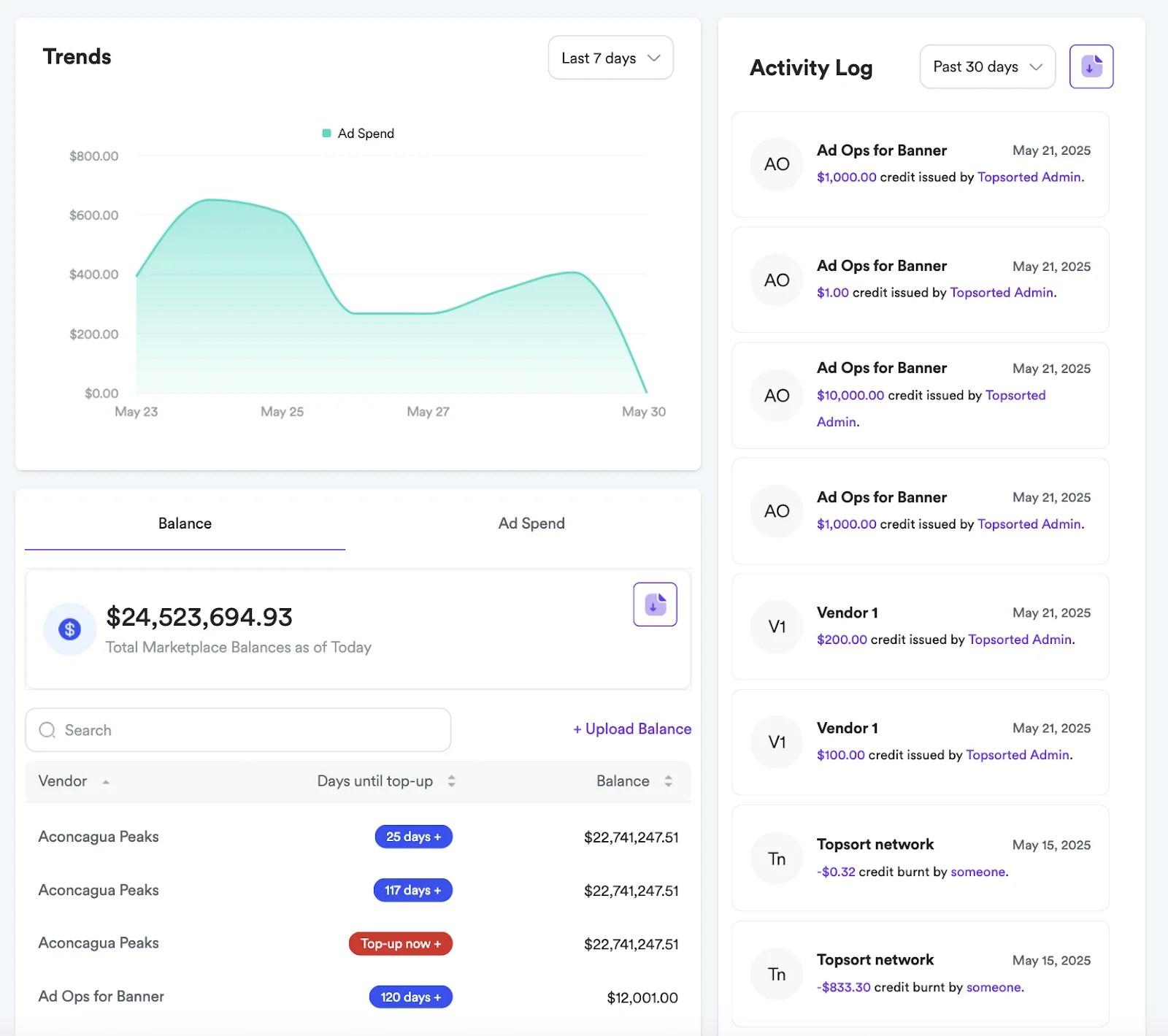
Seção de Tendências
Esta seção mostra os gastos com anúncios em um período definível, permitindo que os usuários
selecionem diferentes intervalos de tempo para análise.
Resumo de Saldo e Gastos com Anúncios
Esta seção fornece um resumo financeiro de saldos e gastos agregados com anúncios,
com duas visualizações distintas: “Saldo” e “Gastos com Anúncios”.
No modo “Saldo”, exibe os saldos totais do marketplace. Os usuários podem
pesquisar fornecedores e ajustar saldos.
No modo “Gastos com Anúncios”, mostra o total de gastos com anúncios para um mês selecionado.
Os usuários podem filtrar fornecedores, e uma tabela apresenta o “Fornecedor” e seus
“Gastos com Anúncios”, junto com um ícone de ação para gerenciamento adicional.
Além disso, estão disponíveis ferramentas para atualizar saldos de fornecedores em massa
e para baixar o saldo e gastos com anúncios como arquivo CSV.
Registro de Atividades
Esta seção mostra transações financeiras recentes. Cada entrada detalha o usuário,
descrição da atividade, valor da transação e data. Você também pode baixar um arquivo CSV
com o registro de atividades do período selecionado.