

Having an accurate catalog is essential to guarantee that promoted products
have the most up-to-date information. To check the product, catalog, category,
and vendor definition, please refer to our Ad Server -
Catalog documentation.
How It Works
With the Catalog Sync process, product data (such as title, description,
image, price, etc) and availability are synced regularly with Topsort. To
check on the methods available to sync your catalog with Topsort, please refer
to our Ad Server - Catalog documentation.
Product availability
To indicate a product is not available, the “active” flag should be set to
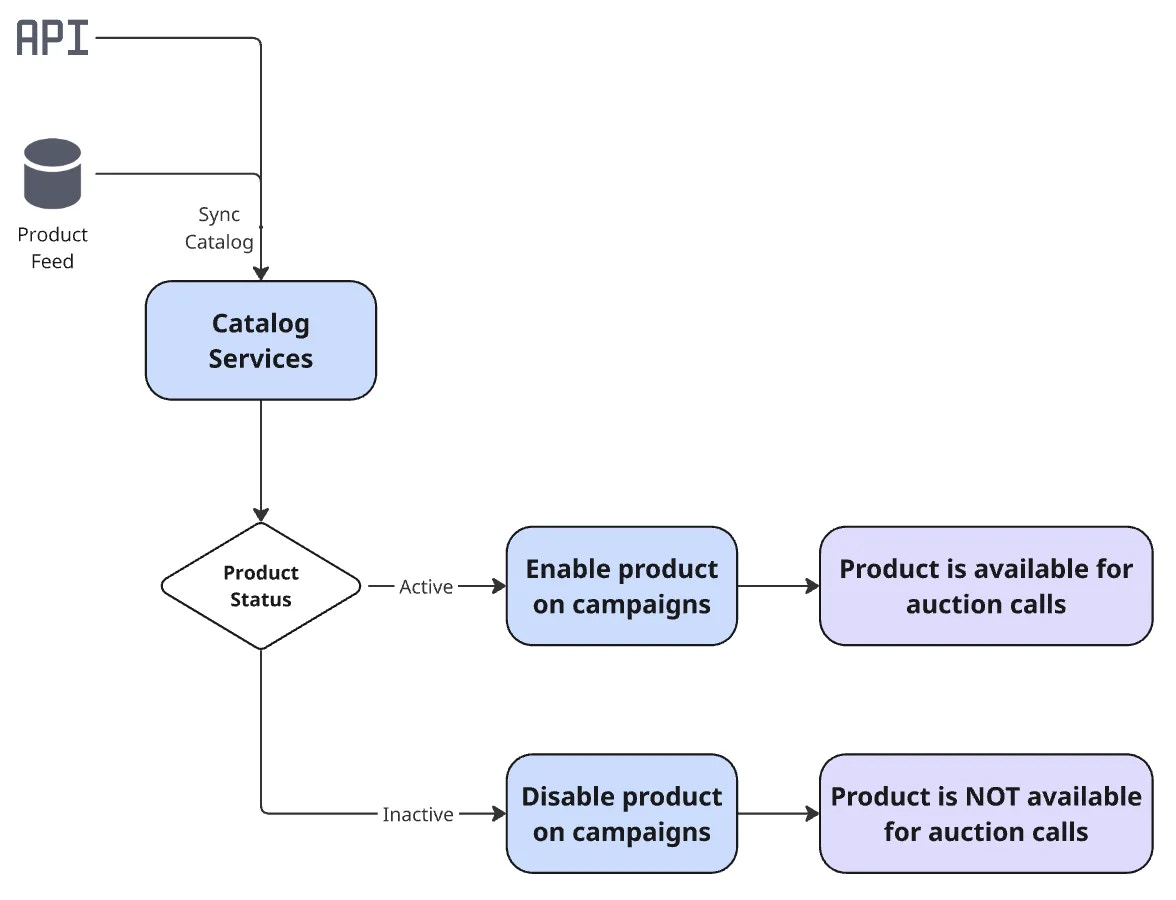
false. When a product has the flag active: false, here’s what happens:- The product is still listed in the Catalog tab, after active products. Its details show
active: false, and it is not counted in the vendor’s product total. - In the campaign creation flow, the product is grayed out and marked as inactive. Listing campaigns don’t allow selecting it.
A campaign can still contain an inactive product, for example one that was deactivated after the campaign was created, or one added to a banner campaign. It will not be considered a winner while its status is set to
false.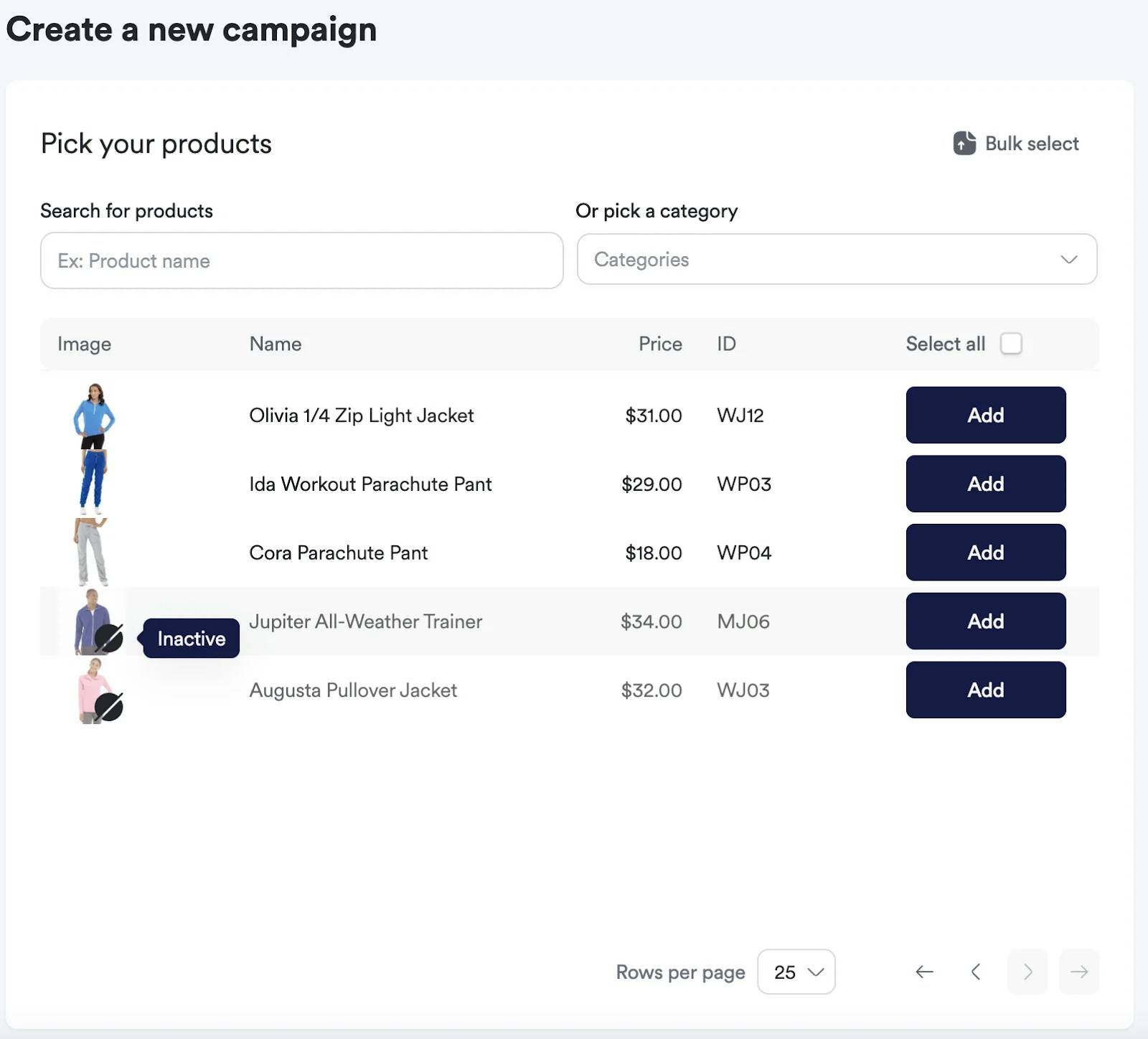
- The product is deactivated from ongoing campaigns.
It will be automatically reactivated in the campaign when the status changes
back to active:
true via integration.
Troubleshooting
If a product stops winning auctions, it can be related to its active status.1
Check its status (active: true is required for a product to win auctions).
2
Check if it's assigned to the campaign.
3
Check if the vendor has balance.
4
Check if the campaign has enough budget.