

How it works
1
The advertiser uploads an image
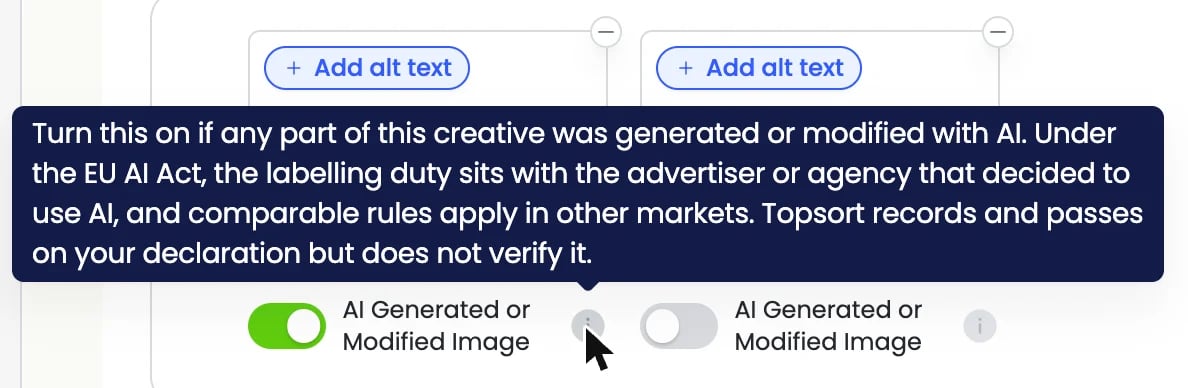
Every image creative gets an AI Generated or Modified Image toggle. It starts off.
2
Topsort checks the file's metadata
If the file carries metadata left by an AI generation tool, Topsort asks the advertiser to review it. Topsort never turns the toggle on by itself.
3
The advertiser declares
The advertiser turns the toggle on for each image that was generated or modified with AI.
4
Topsort stores it and returns it in the auction
The declaration is saved with the creative. When the creative wins an auction, the declaration comes back in the response next to the image it describes.
5
Your storefront renders the label
You read the field and show your AI label next to the image.
- The advertiser’s declaration is the only source. The metadata check only decides whether to ask the advertiser. Missing metadata says nothing either way, because cropping, resizing and most upload tools strip it.
- Only positive declarations are sent. The field appears only for images the advertiser declared. If it is missing, the advertiser made no declaration. It does not mean Topsort confirmed the image is free of AI.
- The declaration does not affect the auction. Ranking, pricing, pacing and delivery are the same whether or not an image is declared.
- Images only. The declaration is offered for PNG, JPEG, GIF and WebP images. It is not offered for video.
Declaring AI-generated images in the dashboard
Image banners
In the Set Creatives step of a banner campaign, each uploaded image has its own toggle under the thumbnail. In this example the first creative is declared and the second is not: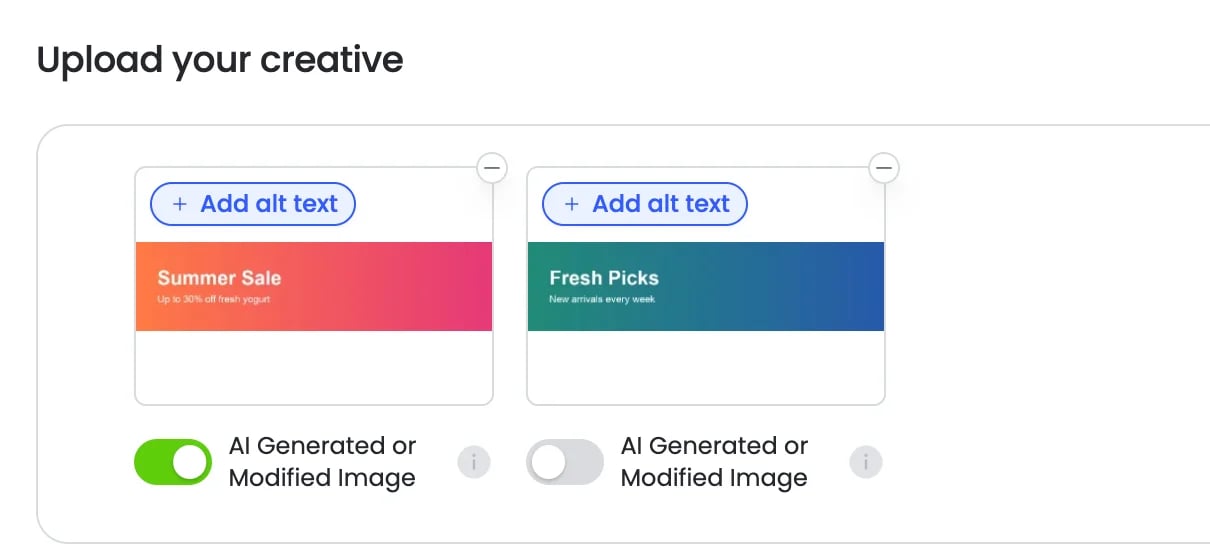
Metadata review prompt
When an uploaded image carries metadata that AI generation tools typically leave, Topsort opens a review dialog that lists the files it found. Every toggle in the dialog starts off, and the advertiser decides what to mark.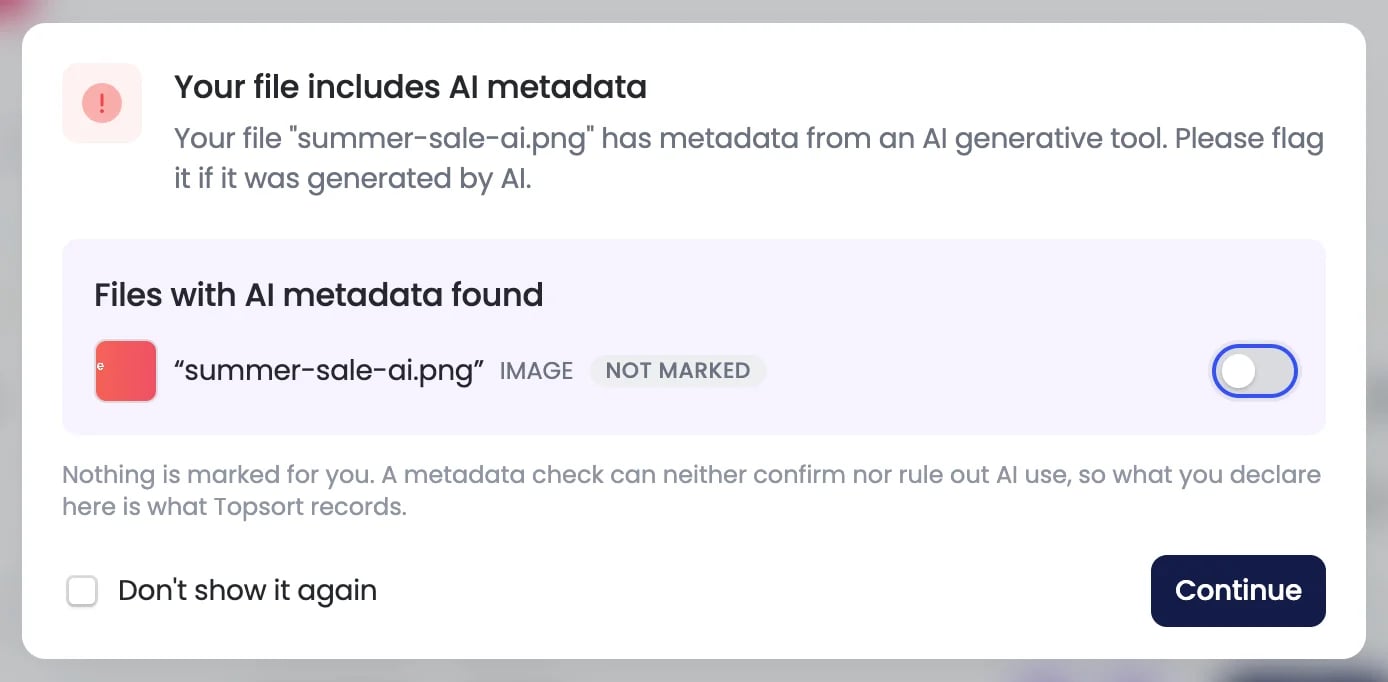
The check runs on the original file before any crop or resize, because cropping removes the metadata. Advertisers can tick Don’t show it again to stop the prompt. The toggle under each creative stays available either way.
Sponsored Brands (JSON templates)
Sponsored Brands creatives are built from a JSON template, and a template can have several image fields, for example a main visual and a logo. Each image field gets its own toggle: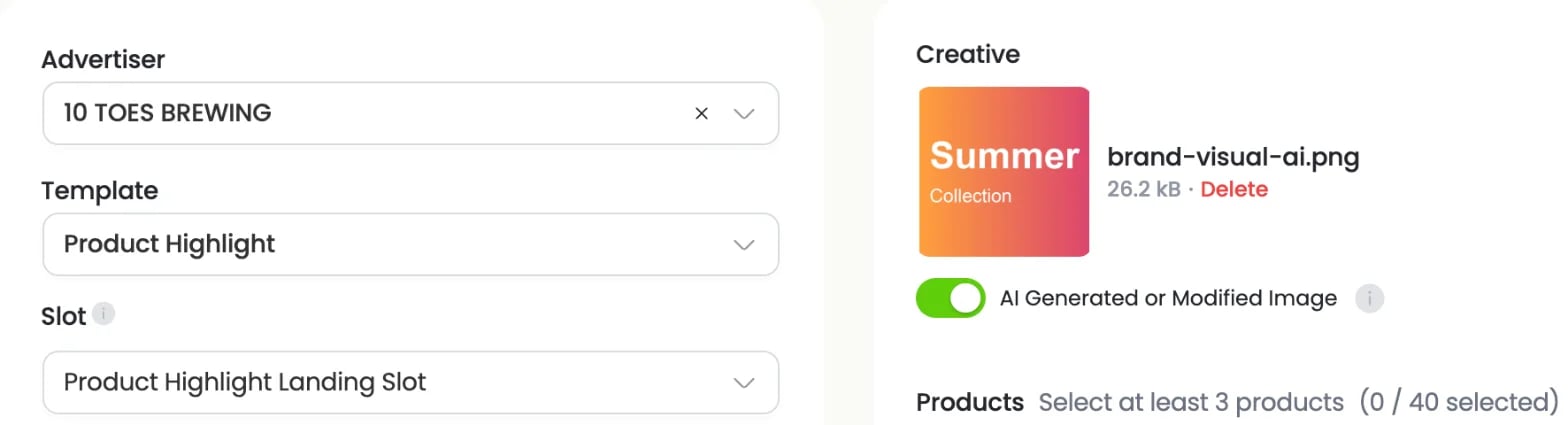
Editing, replacing and bulk upload
- Editing: when a campaign is reopened, each toggle shows the saved answer.
- Replacing an image: the toggle for that image resets to off, and the advertiser is asked about the new file.
- Turning a toggle off: the declaration is removed from the creative, and the field disappears from the auction response.
- Bulk banner CSV: each slot has the optional columns
slot_<n>_ai_generated_desktopandslot_<n>_ai_generated_mobile.TRUEdeclares the creative.FALSEor an empty cell sends no declaration. - Bulk Sponsored Brands CSV: the optional
ai_generated_content_keyscolumn lists the template’s image fields to declare, separated by|, for examplecreative1|creative2. Topsort converts those fields to their image URLs and writes them toaiGeneratedAssets, the same as the wizard.
Auction requests and responses
The auction request does not change. You don’t need a new parameter to receive the declaration. Topsort returns it in the response whenever the winning creative carries one. Where the field appears depends on the creative type:
The two shapes follow from how each creative type is returned:
- Image banners return every image as its own object in the
assetarray. Each object carries its ownaiGeneratedflag, so the flag always sits next to the image it describes. - JSON-template creatives return all their fields in a single
contentmap, which can hold several images, such as a visual and a logo. One flag for the whole map couldn’t say which image is AI-generated, so Topsort lists the URL of each declared image inaiGeneratedAssets.
Image banners
An image banner winner returns its image inasset[]. When the advertiser declared the image, the asset’s content object carries aiGenerated: "true". content can also hold other creative metadata, such as altText.
Request · POST /v2/auctions
content is left out of the asset, as in the second example.
JSON-template creatives (Sponsored Brands)
A JSON-template winner returns the filled-in template incontent. Each image field in the template holds an image URL. When the advertiser declares one or more of those images, Topsort adds aiGeneratedAssets to content, listing the URLs of the declared images.
aiGeneratedAssets is not a template field. Topsort writes it into the creative’s content automatically when the campaign is saved with a declared image. Your templates don’t need to define it, and the values are always the same URLs that appear in the template’s own image fields.
Request · POST /v2/auctions/sponsored-brand
visual is declared, so your storefront labels the visual and leaves the logo unlabelled. Because the declaration is a list of URLs rather than one flag for the whole creative, it always points at the exact image it describes.
Rendering the label
Topsort provides the signal. The label’s wording, design and placement are up to you and your disclosure requirements.Compare the banner value with the string
"true". Values in content are always strings.FAQ
Does Topsort detect AI-generated images automatically?
Does Topsort detect AI-generated images automatically?
No. Topsort reads the file’s metadata only to decide whether to ask the advertiser to review it. Metadata can be removed or edited, so only the advertiser’s declaration is recorded and returned.
The field is missing from the response. Does that mean the image is not AI-generated?
The field is missing from the response. Does that mean the image is not AI-generated?
No. A missing field means the advertiser made no declaration for that image. Topsort only returns positive declarations.
Do I need to change my auction request or my templates?
Do I need to change my auction request or my templates?
No. The request is unchanged, and
aiGeneratedAssets is added to JSON-template content by Topsort, so your template schemas don’t need to define it.Does declaring an image affect how the campaign performs in the auction?
Does declaring an image affect how the campaign performs in the auction?
No. The declaration is passed through with the creative and has no effect on ranking, pricing or delivery.
Can video creatives be declared?
Can video creatives be declared?
Not today. The declaration is offered for PNG, JPEG, GIF and WebP images only.