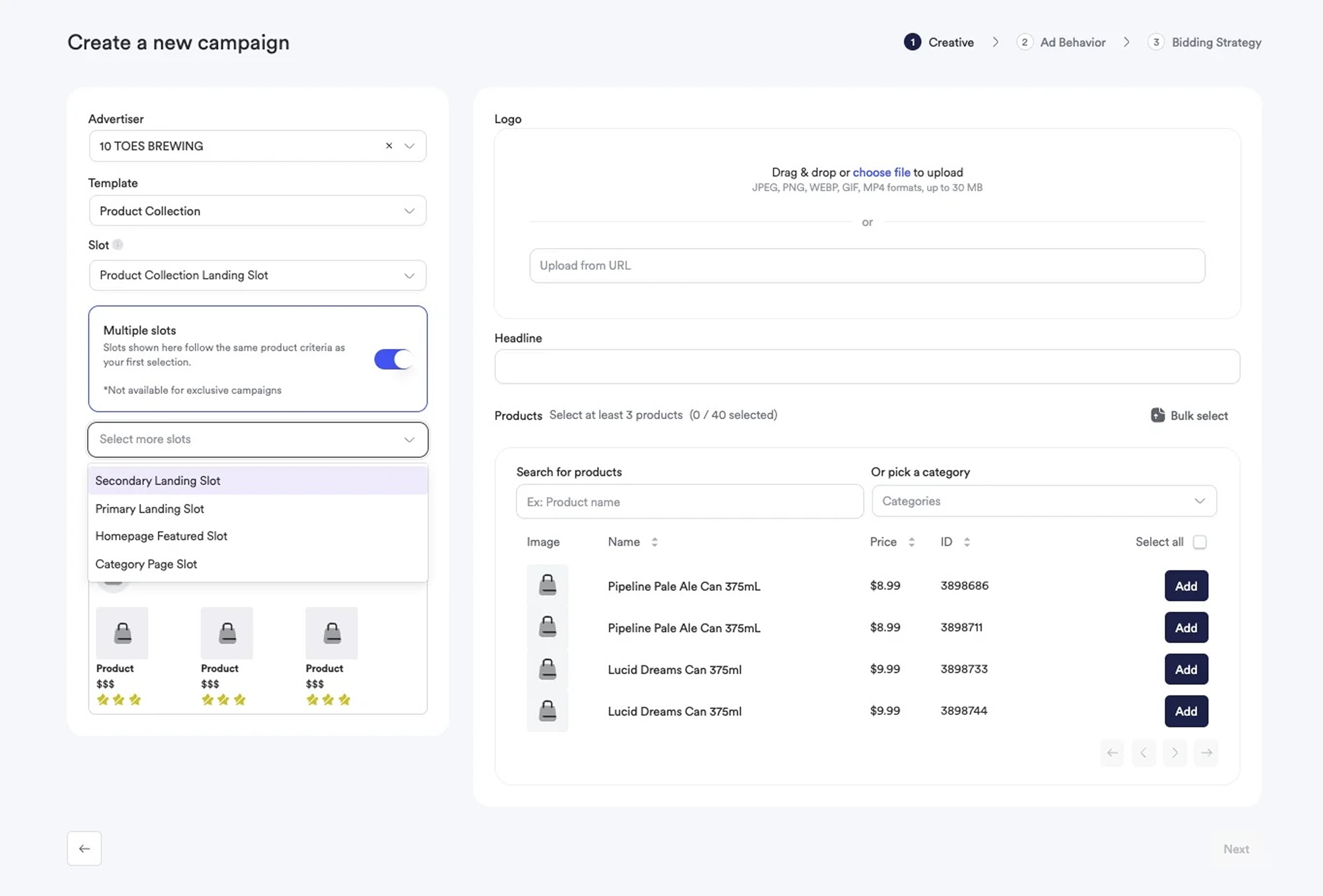
Manage multiple Sponsored Brand placements within a single campaign for streamlined operations
December 30, 2025Ad PlatformImprovement
Why It’s ImportantManaging multiple Sponsored Brands placements previously required creating separate campaigns for each slot. This created operational overhead when the same brand needed to appear across multiple placements, forcing analysts to manually duplicate campaigns and update settings individually across each one.
Sponsored Brands campaigns now support multiple slot selections within a single campaign. Select multiple placements during campaign creation, and manage them together with shared budget, scheduling, and targeting settings.
Sponsored Brands campaigns now allow multiple slot selections during campaign creation. After selecting a template, choose from all eligible slots that share compatible product requirements. All selected slots inherit the same targeting, creative configuration, and campaign settings.
Budget, scheduling, and targeting settings apply to all slots within the campaign. Change a setting once, and it updates across all placements automatically.
Multi-Placement Brand Campaigns: Activate a brand across homepage, category, and search placements in a single campaign. Manage budget allocation and scheduling from one location instead of coordinating across separate campaigns.Seasonal Campaign Management: Launch promotional campaigns across all available placements simultaneously. When the promotion ends, update the end date once rather than editing multiple campaigns.Multiple slot support for Sponsored Brands campaigns is now available in the Admin Dashboard. Existing single-slot campaigns continue to work as before, and you can add additional slots when editing campaigns.
Was this page helpful?
Assistant
Responses are generated using AI and may contain mistakes.